




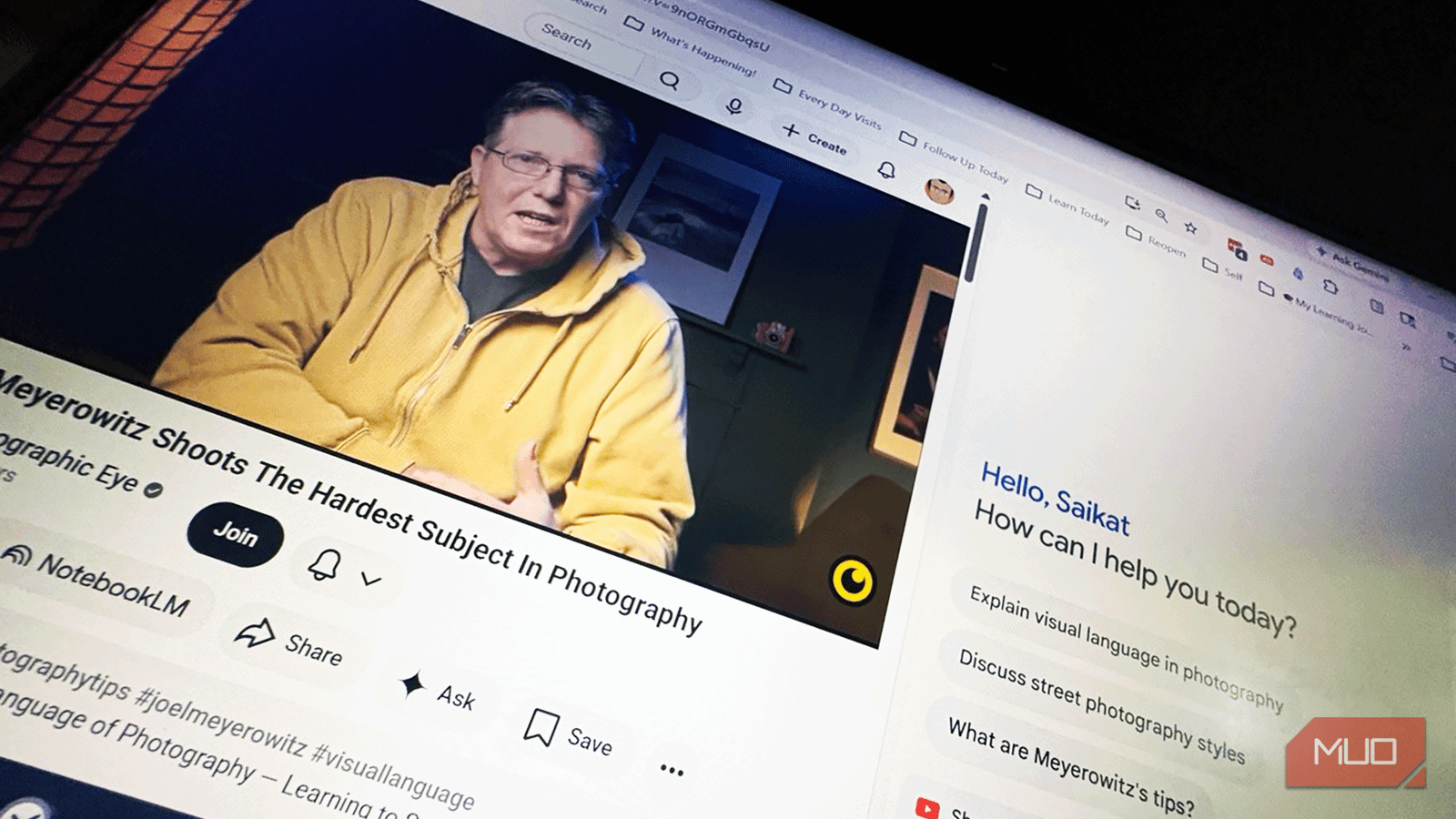
YouTube was built for passive watching, not active learning. But it’s a gargantuan online learning platform in its own right. Like everyone else, I save a lot of long YouTube videos. Like everyone else, my YouTube History list and Watch Later is a long lineup of unfinished videos.
Now, I am using Gemini to change that (thanks to my OCD about leaving things unfinished). Gemini helps me decide if a video is worth a watch. Then, it gives me the power to query the content and learn from the answers. I bought into the idea after using YouTube and the Gemini-powered NotebookLM as a serious study tool. Going from a passive viewer to an active interrogator has been a time-saving mindset shift.
I turned my YouTube playlist into a study podcast with NotebookLM
NotebookLM transformed my YouTube lessons into an AI-powered study podcast.
Gemini gives you a quick preview
Stop clicking play until you know it’s worth it

Don’t let the clickbait titles and the pretty thumbnails fool you. Before you hit play, enable the YouTube extension inside Gemini and paste the URL. Then ask:
Summarize this video and tell me if it covers [specific topic] in the first 10 minutes.
You get a TL;DR in seconds. If the summary doesn’t hit the points you need, you just saved 30 minutes of fluffy intros and sponsor reads. You can also use the Gemini sidebar for this. Users with Gemini Pro accounts can tap on the Ask icon and Summarize this video.
It feels like reading the back cover of a book and skipping the nuances. But if a key point doesn’t show up in Gemini’s summary, it probably wasn’t front-and-center in the video either. The summary tells you whether the video deserves your full attention. Then, you can stay more engaged and stop wondering when the “good part” will arrive.
NotebookLM turns a playlist into a knowledge hub
Build your own private wiki from any series

Combining NotebookLM with YouTube is excellent for long-term learning projects. Drop your YouTube links directly into a dedicated notebook, and it builds a “grounded” AI that only knows what’s in those videos.
Now you can ask questions like, “What was the speaker’s specific critique of X in [Video]?” without scrubbing through the entire video or multiple videos.
But NotebookLM is a separate tool, and context-switching between apps adds friction. Now, Gemini also can connect to your NotebookLM notebooks and both can work bi-directionally.
NotebookLM holds the whole YouTube series in memory and answers from it reliably. Gemini can fill the gaps by searching the entire web. Once your sources are loaded, it’s faster than watching a 3-hour long YouTube podcast over brunch and lunch.
Ask Gemini to work like a tutor
One reason I stop watching long videos is confusion. A creator explains something too quickly, and suddenly I’m lost. Rewinding multiple times breaks my momentum, especially during technical tutorials or complex discussions.
Now I pause the video and ask Gemini for help. I’ll ask it to simplify a concept, explain a term, or give me a real-world example. For instance, open the Gemini sidebar in Chrome (Menu -> Open Gemini in Chrome) while a video is playing. You can also launch Gemini in Chrome by entering Alt + G in Windows. Here’s an example of a prompt, I use with tutorial videos:
Extract every menu feature mentioned in this video and give me the timestamp for when each one is first discussed.
You get a clean, clickable list in seconds. Instead of watching 40 minutes, you jump straight to the three minutes that matter for your project. The Gemini sidebar isn’t replacing the video. It’s working like an adjacent tutor. I got a faster answer immediately. I also play around with prompts like on my topical playlists: “List the videos in this playlist by duration. Which video should I watch first?” on playlists to force some order.
Gemini turns passive videos into action plans
Stop watching and start doing with a checklist

The real reason we don’t finish long videos is that they’re passive. There’s nothing to do but sit there. To turn it into something concrete, ask Gemini:
Based on this video, create a 5-step checklist and export it to a Google Keep note for me to follow.
The Gemini with Google Keep combo turns any idea in the YouTube video into a tiny project plan. Lately, I have been trying to consume less by forcing myself to take at least one action step after watching a long podcast. Sometimes I ask for step-by-step instructions. Other times, I turn the video into a quick study guide I can revisit later.
Of course, some videos are meant to be absorbed slowly, not processed into bullet points. A documentary can’t be a how-to guide. But this is ideal for tutorials, walkthroughs, and instructional content. The checklist format makes you act on it immediately, revisit it later, and share it with someone else.
Ask Gemini for the contradiction, not the summary
The best prompts put a video through a stress-test

YouTube is filled with misleading information. Most people ask Gemini to summarize a video. That’s fine, but it’s not the best use of the tool. Instead, ask it to be a skeptic:
What’s the one thing this speaker says that goes against common industry advice?
That forces Gemini to find the truth buried inside the content. For many videos, this contradictory lens helps to avoid your own blind spots and extract the idea that’s worth keeping.
Prompts are a wide playing field. Once you look for holes to poke through, it can train your critical thinking. Spotting clickbait videos without verifiable information is a quick way to keep your Watch List short. Try prompts like:
“What does this video leave out?” for spotting gaps in tutorials or one-sided explainers. Or, “What’s the one stat or claim in this video I should independently verify?” for not taking things at face value.

- OS
-
Android, iOS, macOS, Windows
- Developer
-
Google
- Price model
-
Free, Subscription
Google Gemini is an AI assistant that can understand and generate text, images, code, and more. It’s designed to help people find information, solve problems, and create things more easily.
Gemini is made for deliberate watching
I used to think 2x speed was one way to blast through a YouTube playlist. But Gemini makes a stronger case for 0x speed: read the summary, pull the ideas, and only watch if it earns your attention. There’s a small downside here. Skipping too aggressively can sometimes remove useful context or examples that make the creator’s ideas easier to understand later in the video. That’s true, but I still end up finishing more videos overall. Instead of abandoning a video halfway, I move quickly through the filler sections and stay engaged with the core.