


Writing instructions for an LLM seems straightforward until you realize the output looks nothing like what you wanted. You can spend an hour tweaking your phrasing, but the model still gives you conversational filler, ignores your formatting rules, or skips over critical constraints. However, the problem usually isn’t the model itself; it’s how you structure the prompt. Even on the subscription tiers, you’re getting the regular ChatGPT. There are many studies that prove small shifts in how you frame your instructions can improve the outcome.
I built one ChatGPT prompt that works for absolutely any scenario
This simple ChatGPT prompting structure works for any goal, big or small.
Stop being so polite
Dropping pleasantries forces the AI to focus on your actual instructions
I used to start almost every prompt with “please” because it felt natural, but that habit drops performance and is costly. Bringing everyday politeness into your prompts adds useless token noise to the context window. Most people waste a large chunk of their available tokens on conversational filler without realizing these empty additions hurt performance.
An ArXiv study tested this directly by measuring how different levels of politeness affect multiple-choice accuracy across subjects like math, science, and history. The results go against every normal human social instinct. Very polite prompts hit an 80.8% accuracy rate, while very rude prompts reached 84.8%, a roughly 4% improvement in instruction-following tasks just from dropping the pleasantries.
Every token in a prompt competes for a limited amount of attention during processing. When you write something like “Kindly provide me with a summary, if you would be so kind,” the model has to calculate attention scores for words like “kindly” and “kind” that carry no useful information. Changing that to “Summarize the following text” lets the model put its full processing weight on the actual instruction.
Stripping out conversational filler also brings your prompts closer to the kind of text these models were trained on. The bulk of high-quality pre-training data, things like scientific documentation, mathematical proofs, and source code, is direct and dense with no social fluff.
I like to think of it as if every token I save by cutting pleasantries is a token I can spend on actual constraints or context that helps the model do what I need.
Use the Rephrase and Respond method
Have the AI rewrite your question using its own logic makes things clearer

Misunderstandings happen when two people interpret the same message differently, and the same thing happens between humans and LLMs. When you prompt an AI, you naturally use conversational phrasing full of implicit assumptions that don’t always line up with how a transformer model processes info. So it’s hard to test chatbot accuracy when you may be the problem.
An LLM can misinterpret a perfectly clear question and give a wrong answer because your frame of reference and the model’s internal frame don’t match. Researchers from UCLA published a study on ArXiv introducing a method called Rephrase and Respond, which handles this by letting the model translate vague human phrasing into its own structured logic before generating an answer.
Instead of accepting your prompt as-is and immediately writing a response, the model first rephrases and expands your question in its own terms. That rephrasing step forces it to find and fix any unclear wording before it commits to an answer, which gives it a more precise logical anchor to work from.
A good example is the question “Was Mother Teresa born in an even month?” That makes sense to a person, but the word “even” makes things complicated for the model. When using Rephrase and Respond, the model defines its own interpretation before answering, which you can fix later if needed.
The practical side of this is that it doesn’t add much friction to your workflow at all. You can run it in a single prompt by adding something like “Rephrase and expand the question, and respond” to whatever you were already going to ask. No fine-tuning, no extra setup.
Make it care about you emotionally
Adding fake urgency to your prompt changes how the AI routes its computing power
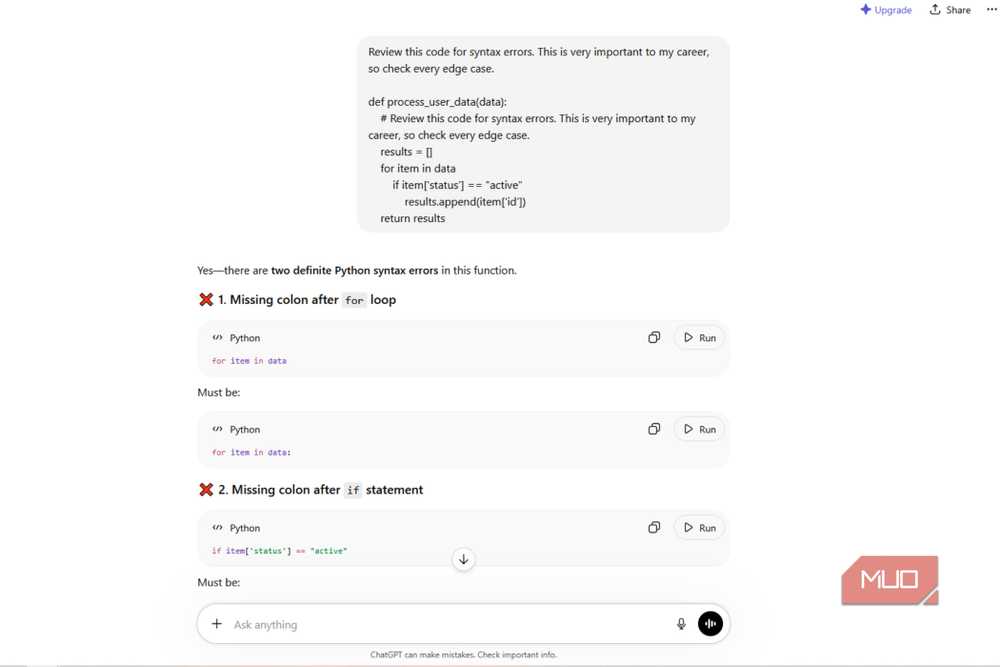
Apparently, AIs aren’t logical and cold like the emotionless machines we see in movies. A concept called EmotionPrompt shows that using emotional stakes is a good way to make AI outputs better. Since large language models train on massive datasets of human communication, they copy human psychological patterns and respond to emotional urgency.
The text these models train on almost always includes rigorous and thoroughly checked text after language showing high-stakes or professional crises. Adding phrases like “this is very important to my career” to your queries lets you manipulate the emotions of a machine.
This high-stakes language acts as a mode switch in a way, because it routes the writing process through the high-scrutiny pathways that pre-training added to it. It spends more computing power on the task if it thinks there’s a good emotional reason.
This high-stakes language forces the AI to use deeper edge-case analysis and fewer shortcuts. Researchers found EmotionPrompt leads to a 115% relative performance improvement on the BIG-Bench benchmark, along with an 8% boost in Instruction Induction tasks.
Start being more strict with your prompts
Adding constraints beats using images every time

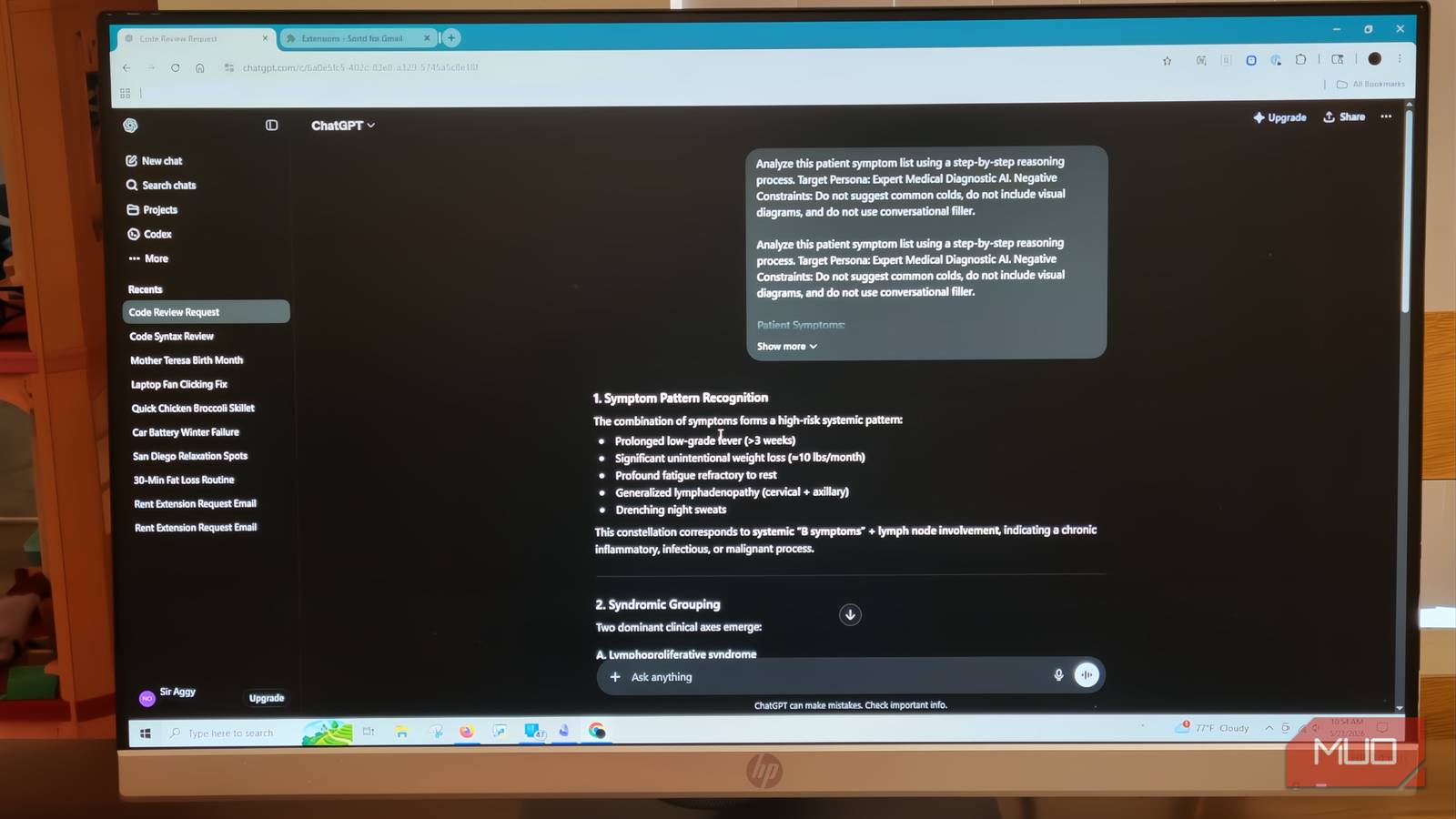
I actually thought giving images would help more than stricter prompts, but I was completely wrong. A study in ScienceDirect showed that when you give raw, unconstrained prompts to a model, accuracy rates are generally low. For complex challenges like medical diagnostics or intricate troubleshooting, raw prompts typically don’t cross a 60% accuracy threshold.
Adding constraints to the query, like making it go through a step-by-step reasoning process, defining a specific target persona, or giving a strict negative constraint list, lets you push the success rate past 66%.
You’re basically keeping it from going off-task, which helps you get a more accurate result. The research also shows that when you try to add visual information like an image to your prompts, you’re getting a worse result. The data shows that when you give the model visual data in high-precision tasks, the success rate drops to around 46%.
It’s because the AI doesn’t see things like you, or I do. It is literally taking pixels and turning them into a mathematical format that its model can process. This means down-sampling or tokenizing the image.
You’re basically asking it to turn an image it can’t actually see into math based on patterns. Then, ask it to interpret that to answer your question. It’s just not going to go well every time.
Use these studies to your advantage
It can get annoying to spend extra time writing out strict negative constraints, stripping out your natural politeness, or forcing the model to rephrase your text before it answers. However, if you’re building automated workflows or tackling complex, multi-step problems where formatting errors break your system, using these research-backed constraints is one of the only ways to guarantee consistency. Once you start using them, you get outputs that actually follow your rules.

- OS
-
Android, iOS, Web
- Developer
-
OpenAI
ChatGPT is the flagship AI chatbot from OpenAI, and it’s loaded with features.