




For anyone who remembers endlessly scouring the shelves of Blockbuster Video on a Saturday night, streamed entertainment is nothing short of a miracle. However, no matter how much I appreciate having entire libraries of content at my fingertips, I have recently come to realize that streaming fatigue is a very real issue, and this “burnout” has often led me back to my local media collection.
This frustration is just one reason why Kodi’s free local media player has quietly remained relevant. Once a movie or TV show is stored in my library, it stays there, with no regional restrictions and no warnings that content is “leaving soon.” I can revisit my favorite movies and shows whenever I like, just as I used to with physical media, and then play them back through a custom interface with all the familiar perks of a major streaming service. But that is just one of its many benefits.
Your smart TV isn’t complete until you install Kodi — here’s how to get started
This is the ultimate customizable media center app, and it’s the best way to stream.
Better organization, customization, compatibility, and quality still set Kodi apart
There are a few reasons Kodi excels over streaming services when it comes to media playback.
First, Kodi handles massive libraries exceptionally well. Movies, TV shows, concerts, documentaries, and music collections can all be organized using posters, fan art, metadata, subtitles, and watch-tracking information via its extensive collection of add-ons. The experience feels more like a personalized streaming service than a simple file browser.
Second, Kodi supports an enormous range of file formats and playback standards. High-bitrate formats, Blu-ray backups, and lossless audio files that often struggle on smart TV apps usually play smoothly in Kodi. For home theater enthusiasts who juggle multiple media types, this flexibility is a major advantage.
Third, Kodi runs on almost anything. Windows PCs, Macs, Linux systems, Android devices, Raspberry Pi setups, and even older hardware can all be turned into powerful Kodi systems. While streaming services prioritize convenience, Kodi prioritizes quality and control, both of which are important to any home-cinema enthusiast.
No ads, no algorithms, and no monthly fees
Kodi offers a cleaner, more relaxed entertainment experience

The issue of value is something I constantly question when it comes to streaming services. They increasingly feel designed around engagement rather than entertainment. Screens are increasingly dominated by autoplay trailers, recommendation algorithms, sponsored placements, and even advertisements on some platforms. Having paid my money, I don’t want to be constantly marketed to, no matter how good the recommendations are.
With Kodi, there are no mandatory subscriptions, no account systems, and no algorithm deciding what you should watch next. All you need is a modest home server (in my case, a beat-up old MacBook), mini PC, or external hard drive, and you can build a long-term media setup with no recurring costs. When I think about the number of streaming services I subscribe to, often with few monthly content updates (I’m looking at you, Apple TV+), Kodi feels like a breath of fresh air.
Kodi turns old hardware into a home theater powerhouse
One of Kodi’s best features is how little hardware it needs

As I mentioned, Kodi thrives on old tech that would otherwise remain unused or discarded. An aging desktop PC, a cheap mini computer, or an older Android box can still make an excellent media center. This has helped build a large community of Kodi enthusiasts who use affordable home theater setups. Pair Kodi with a NAS drive or shared home network folder, and your low-cost system suddenly becomes a powerful media hub capable of serving an entire household.
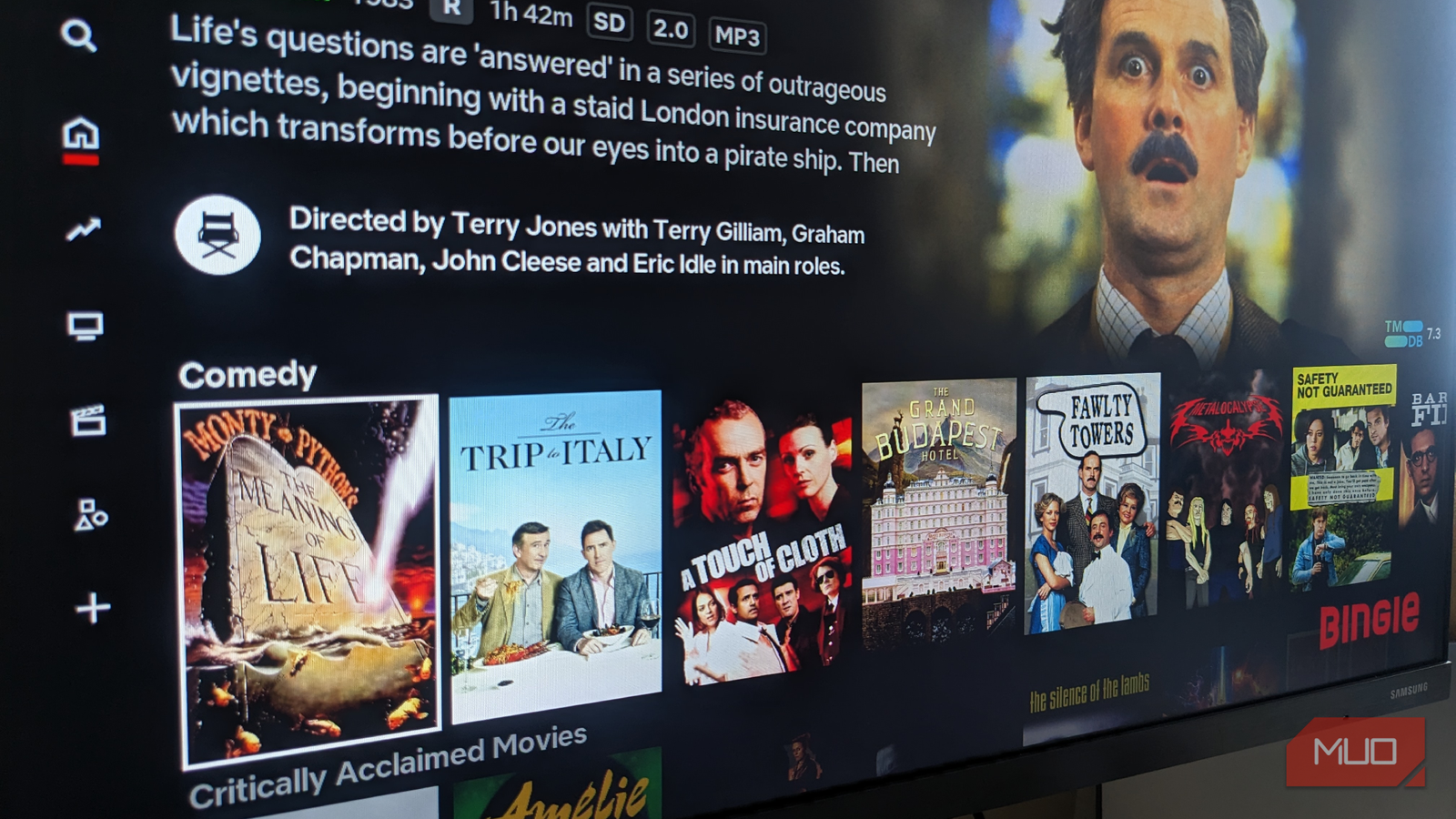
Local playback also gives users greater control over video and audio quality. Issues like streaming compression, bandwidth drops, and inconsistent image quality become far less of a problem when media is stored locally. On large TVs or surround sound systems, the difference can be obvious. Pair this superior playback with Kodi’s vast array of custom “skins” (I had mine duplicate Netflix in function and form), and you have a personalized system, tailored to your exact playback requirements.
Kodi’s biggest weakness is likely why some people avoid it
The setup process is more demanding than mainstream streaming services
Kodi may be powerful, but it isn’t exactly straightforward. Unlike subscription platforms, Kodi requires users to manage their own storage, organize libraries, configure metadata, and occasionally troubleshoot technical issues. Some add-ons break over time, while advanced audio or HDR settings can require tinkering. Even compared to similar services like Plex, Kodi could be described as fiddly at best, while Plex has a far more user-friendly, plug-and-play feel.
For casual users, opening Netflix and picking a show is undeniably easier. However, that convenience comes with tradeoffs, and I’ll always turn to my Kodi library when I am feeling subscription burnout, before putting myself through another cookie-cutter police procedural drama.
Kodi will always be my go-to digital media hub
I rarely see much fanfare surrounding Kodi anymore, but it never disappeared. As many of us have started to feel disenchanted with streaming services, it serves as the perfect backup option, which is likely why it remains as relevant as ever, almost a decade since I first sideloaded it onto an early-generation Amazon Fire TV Stick.
Kodi remains free, flexible, lightweight, and remarkably powerful for anyone who values local media. Will I be quitting my Netflix subscription any time soon? Absolutely not. However, I will also be using Kodi simultaneously for all my local media library needs.

- OS
-
Windows, macOS, Linux, Android, iOS/iPadOS, tvOS, Android TV, Raspberry Pi, …
- Developer
-
XBMC Foundation
- Pricing model
-
Free, open-source
- Initial release
-
June 29, 2004
Kodi is a free, open-source media-center application that enables you to organize, stream and play videos, music, and photos from local or network storage on a wide range of devices. It supports plug-ins, live TV/DVR, and a “10-foot” user interface optimized for TVs, while being self-hosted and under your control.