




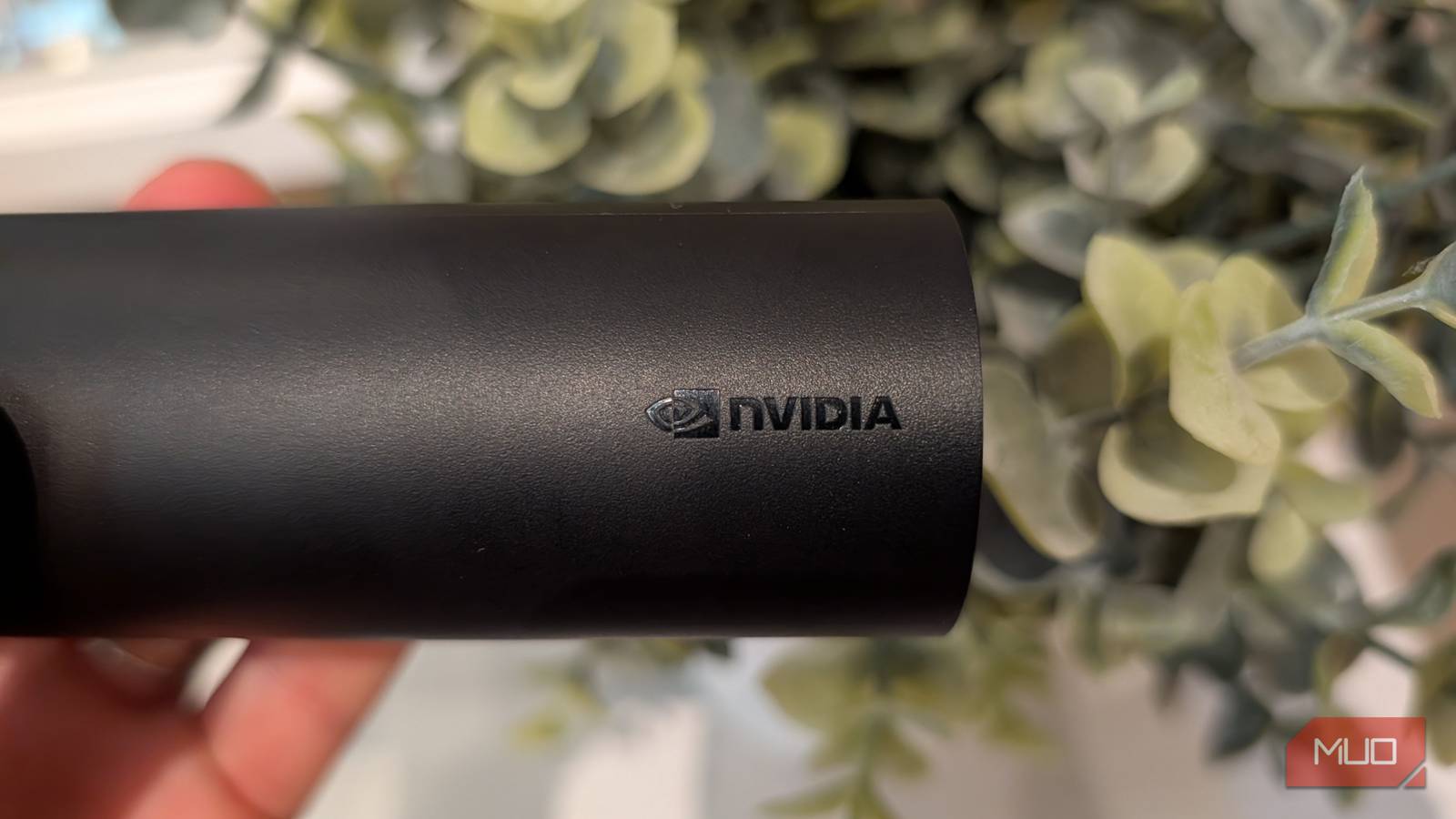
Nvidia does more than make AI chips. While it’s true that their chips power the data centers that run most of the large language models (which you can now run locally) for OpenAI for ChatGPT, Anthropic for Claude and others, Nvidia also makes the Tegra X1+ processor which has an insane 256-core GPU and is used to power a device that I’ve been using in my living room for years for all of my TV watching needs. It’s a device that you can still buy today if you want the very best in streaming, TV apps (though be aware of data collection), and even gaming.
There were two versions of the SHIELD TV. The “tube” base model, which I own and has been discontinued, has the same internals as the console-style Pro model, which is the one you can buy today. This streaming device has impressive capabilities, and it’s been the hub of my living room for several years now.
I plugged a Raspberry Pi into my smart TV and it changed how I watch everything
An old TV, a Raspberry Pi, and a setup that beats every streaming box on the market.
Nvidia makes an Android TV-powered streaming device and it’s awesome
The SHIELD TV and SHIELD TV Pro are overkill for a streaming device, and that’s great

Nvidia quietly got into the streaming device arena over a decade ago with the SHIELD TV and SHIELD TV Pro. While more pricey than your average Roku streaming device at $199, the SHIELD TVs offer more: true gaming prowess with console-level graphics, Dolby Atmos support, nearly unlimited storage expansion, and some of the best 4K AI upscaling ever, all running on familiar Android TV.
The triangular SHIELD TV remote that it comes with is fantastic and feels great in-hand. It automatically illuminates when you pick it up, it has a microphone for voice input and a speaker for paging the remote when you lose it, and it’s powered by regular AA batteries that last up to six months in my use.
SHIELD TV upscales all content to 4K
Using AI with its Tegra X1+ processor

The 256 GPU cores in the Nvidia Tegra X1+ that powers the Nvidia SHIELD TV Pro are used in gaming but also in content upscaling. Thanks to the fantastic graphical prowess of the Tegra X1+ chip, the SHIELD TV offers incredible 4K upscaling using AI, that believably turns regular HD content, and even non-HD content (does anyone else watch 90s sitcoms on Netflix?) into 4K, and the results are great.
Nvidia is so confident about their AI upscaling that they built in a comparison tool that you can access right from the remote, which brings up a comparison view that splits the screen between the native resolution on the left, and the upscaled resolution on the right. It’s really fun to play with, as you can see in real-time how well the upscaling works.
Is the AI upscaling good? Yes. It truly makes non-4K content look better, especially 1080p content. Obviously, where it falls apart is when you try to upscale non-HD content (like the aforementioned 90s sitcoms I stream on Netflix that is often in 480p or lower resolution), when the resulting video is just sharpened.
But for upscaling 1080p, when there is plenty of image data, the SHIELD TV is able to use AI to create new pixels and “guess” what image data is missing to go from 1080 to 4K, and it’s quite good. Obviously, it’s not perfect — you can’t just create image data from nothing, but the 4K upscaling on the SHIELD TV is the best I’ve ever seen.
But unlike other upscaling devices that just run sharpening algorithms, Nvidia uses deep learning neural networks where they’ve taken thousands of popular shows and movies, put it through a deep neural network that learned how textures and scenes vary from regular HD to full 4K. This model is then compressed and baked directly into the Tegra X1+ chip so that it can make any content you feed it look better.
the 4K upscaling on the SHIELD TV is the best I’ve ever seen
Even non-HD content looks great

When you turn on AI upscaling on the SHIELD TV, you have three upscaling modes to choose from (standard, enhanced, and AI-enhanced) plus three choices for detail enhancement (low, medium, and high). I find the best results come from picking AI-enhanced upscaling with medium detail.
Includes 10/100/1000Mbps Ethernet
With full gigabit support

If you want the lowest latency and fastest connectivity option, the SHIELD TV has a built-in RJ-45 Ethernet port that supports full Gigabit speeds. Of course, you can also use Wi-Fi, with support for 802.11ac 2×2 MIMO 2.4 and 5 GHz Wif-Fi.
Personally, I use Wi-Fi on my SHIELD and the performance has been great (even though you should try to use ethernet if you can). For storage, the SHIELD TV Pro has two USB 3.0 Type-A ports you can use to plug into nearly endless fast external storage.
SHIELD TV is built for gaming
Supports GeForce Now, works with Xbox Game Pass, and more

I don’t do much gaming, but for those that do, the 256-core Tegra X1+ GPU can really keep up. You can also play thousands of games available on Google Play via Android TV.
With GeForce NOW, you can tap into services like Steam, Ubisoft Connect, Xbox/Microsoft and Epic Games to stream a variety of games. And with Bluetooth 5.0 support, you can wirelessly connect a variety of controllers.
The SHIELD TV is one of the best streaming devices
Thanks to overkill specs
The SHIELD TV Pro is indeed pricey, but if you’re a serious streamer and want to be able to also play games and run Android TV apps on your TV, with the added benefit of upscaling non-4K content to a higher resolution, the Nvidia SHIELD TV Pro deserves serious consideration.

- Brand
-
NVIDIA
- Operating System
-
Android TV
The Nvidia SHIELD TV Pro is a video streaming device powerd by the Tegra X1+ CPU with 3GB RAM and 256 GPU cores. It offers 4K playback support with HDMI 2.0, USB expansion, and can access and play a variety of gaming content.