


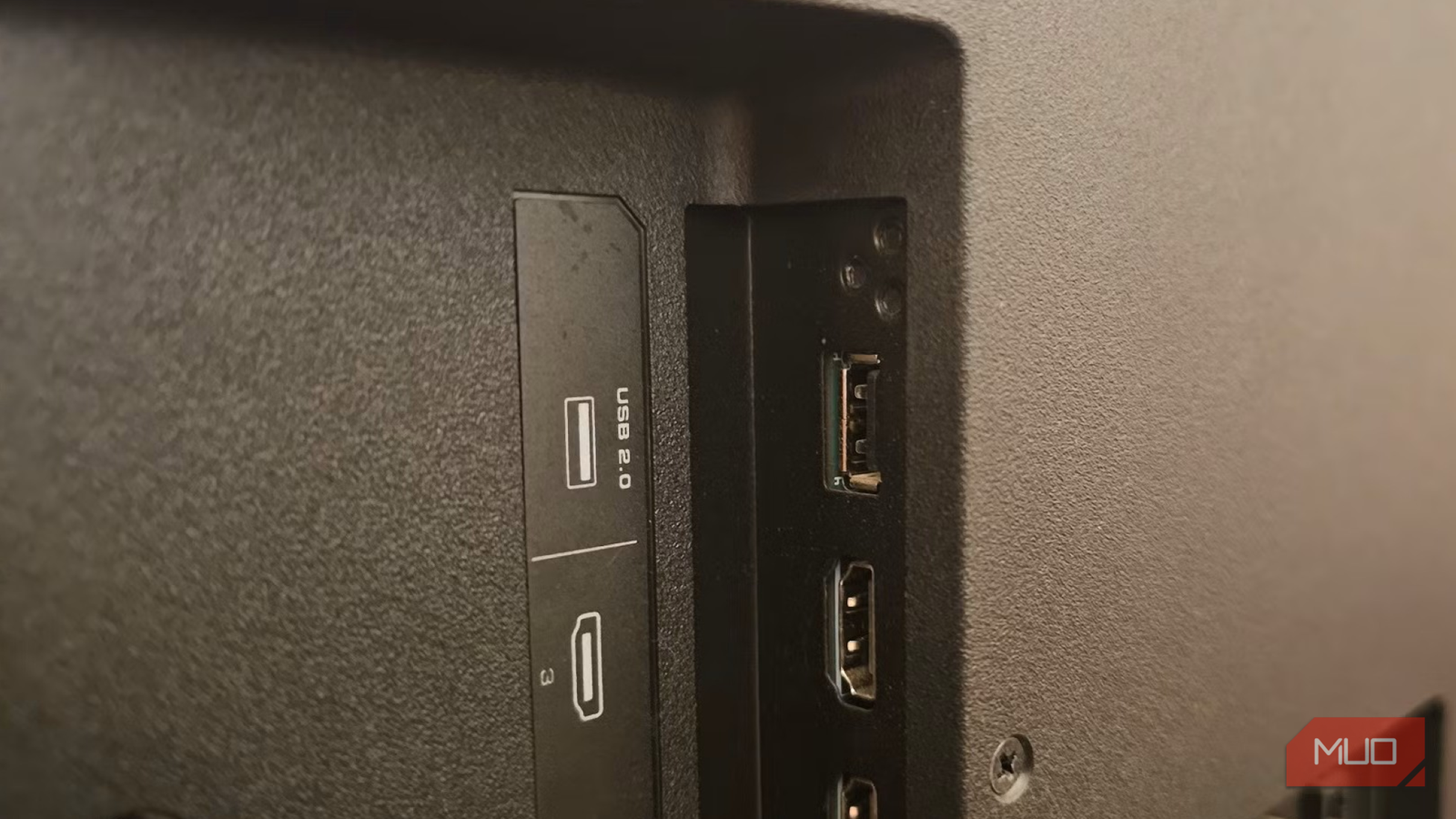
The ports on the back of your TV probably don’t get much attention, including the familiar ones like the USB-A ports. But that simple-looking USB port can actually do a lot of things. And no, I’m not talking about charging your devices or updating the software.
You can use that USB port to improve wired internet speeds with an adapter, power ambient LED backlighting, connect keyboards, mice, and game controllers, or play local movies and photos directly from a flash drive like the good old days.
Did You Know You Can Plug These 10 Devices Into Your Smart TV’s HDMI Port?
The HDMI port on your smart TV has so many uses.
Speed up your TV’s internet
Give your TV the speeds it deserves
Most people don’t know this, but the Ethernet port on many TVs is limited to just 100 Mbps. That means even if you’ve put in the effort of plugging in an Ethernet cable, your TV might actually be getting higher speeds on Wi-Fi instead. It sounds backwards, but it’s true.
If you want the reliability of Ethernet, though, there’s an easy workaround. You can bypass the 100 Mbps Ethernet limit on your TV with a USB to Ethernet adapter. Plug the adapter into your TV’s USB port, connect the same Ethernet cable to it, and your TV will recognize it.
Of course, the difference in speed is not obvious when watching Netflix or YouTube. But if you’re using your TV for cloud gaming, that higher bandwidth and lower congestion can certainly come in handy. The same goes for local streaming. If you want to stream massive 4K Blu-ray remux files from your Plex Media server or a NAS, a faster Ethernet speed can be useful.
Sure, not everyone might need this, but if you want the fastest possible speeds, your TV’s USB port can come to the rescue.
Add ambient backlighting
Make movie nights more cinematic

Your TV’s USB port can also give your room a surprising upgrade with almost no effort. Plug an LED light strip into the USB port on the back of the TV, stick the strip around the rear edges, and now you’ve got ambient backlighting that turns on and off with the TV itself.
You can keep things simple with a basic white LED that just adds a soft glow or go full gamer mode with RGB strips that change colors. You can also get one of those lights that sync with what’s happening on the screen for a more immersive feel.
And of course, LED strips aren’t the only option. You can also use the USB port to power a small USB lamp near your TV setup.
Turn your TV into something closer to a PC
Browse, game, and work

You probably think of your smart TV as nothing more than a device for streaming. But that little USB port on the side can actually make your TV feel a lot like a computer.
One of the easiest upgrades is plugging in a keyboard or mouse. Of course, it’s far better to use a wireless one, as it lets you control everything from a distance. In any case, your smart TV will recognize the peripheral instantly, so you can navigate apps, type passwords, and most importantly, browse the web without ever touching the TV remote.
The USB port can also make gaming far more fun. Plug in a game controller, fire up your favorite cloud gaming service, and your TV will turn into a gaming machine. With services like Xbox Cloud Gaming and GeForce NOW, you can play many of the AAA titles on your TV without an expensive setup. And if your TV has a Game Mode setting, make sure to enable it for a smoother gameplay.
Play local videos and photos from a USB drive
The old-school TV feature that’s still useful

Before streaming took over everything, one of the most common uses for a TV’s USB port was simply plugging in a flash drive full of photos or videos. And honestly, it’s still one of the most useful things you can do with it.
Most smart TVs come with a media player out of the box, but if yours doesn’t have it, you can download one from the TV’s app store. Then, plug in a USB drive or a hard drive, and you’ll be able to play your videos on the big screen.
Beyond media playback, you can even turn your TV into a giant digital photo frame. Apps like Fotoo let you create elegant slideshow setups with transition effects, background music, clocks, and customizable layouts. You can then leave your TV running during a family gathering or while simply relaxing at home. It’s one of those old-school USB features that never really stopped being useful.

- OS
-
Android
- Developer
-
Bopp Studio
- Pricing model
-
Freemium
Your smart TV can do a lot beyond streaming movies and shows — you just have to be curious enough to explore what it’s capable of. And honestly, the USB port is just one example of that. From HDMI ARC to optical audio, there are several other ports on your TV that are worth checking out.

- Brand
-
UGREEN
- DATA TRANSFER RATE
-
1000Mbps
- Color
-
Space Grey