




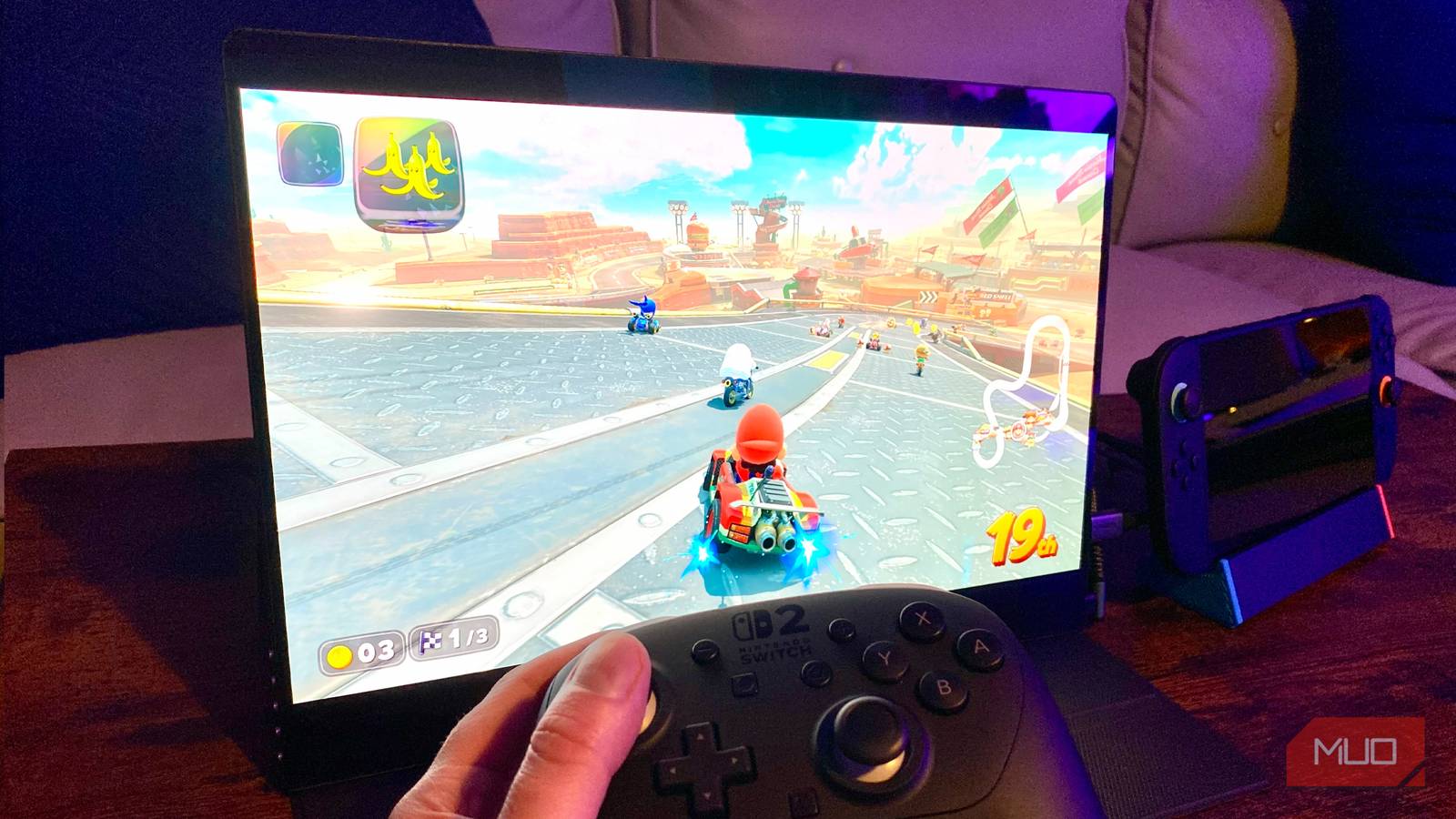
I love my Nintendo Switch 2, but hoo-boy does its screen suck. Though its 1080p display is higher resolution than that of the OG Switch OLED’s 720p panel, the latest Big N handheld hybrid’s screen looks way worse than its predecessor. Admittedly, I say that partly because I’m obsessed with this one awesome OLED accessory.
Why? Frankly, because LCDs are terrible. Sure, the best high-end LED/LCD displays can achieve admirably bright nits levels. Yet when it comes to the Switch 2’s dull, slow, and ultimately subpar panel, it just doesn’t cut the mustard when playing Donkey Kong Bananza or Mario Kart World.
That’s why I bought a portable OLED monitor to pair with the fastest-selling Nintendo console ever. I haven’t looked back since. If you want to squeeze the best from Switch 2 smash hits like Metroid Prime 4, you need to stop playing in Handheld Mode.
I replaced my monitor with a TV and I’m never going back
Connecting a PC to a TV isn’t as unhinged as you’d expect. Let me explain.
The Switch 2’s screen isn’t up to snuff
A crummy LCD display that’s not worth your money

Not to sound elitist, but my eyes are objectively offended by the Nintendo Switch 2’s screen. Alright, that might sound a tiny bit elitist. The sentiment still stands: this is a display that isn’t capable of delivering satisfying 1080p gaming results in 2026.
Though I admire the fact that Nintendo has finally released a handheld with a Full HD display, the Switch 2’s panel is sorely lacking in quality compared to the OG Switch OLED.
Not only is it blighted with the inadequate black levels associated with LCD screens, said display’s response times are simply not quick enough. Certain games on Switch 2 often trigger over 40ms of lag, which is an absolute disgrace compared to the best 120Hz monitors for gaming that operate at under 1ms. And bear in mind, the Switch 2’s screen is technically 120Hz.
Further slights against the Switch 2’s display? Screen contrast doesn’t pop, and black levels appear soupy. For a handheld that currently costs $499, if you’re gaming at home (and unless you have a partner/kids hogging your main TV), I can’t think of a single reason to use the Switch 2 in Handheld Mode over Docked Mode.
No wonder I finally paired my Switch 2 with a kickass portable OLED monitor that has totally transformed the way I play games on Nintendo’s latest console.
An exceptional OLED monitor
A screen that’s far better than the Switch 2’s LCD display
Enter the UPERFECT 15.6-inch portable OLED monitor. At 2880×1800 with a max refresh rate of 120Hz, this is the HDR display I didn’t know I needed to pair with my Nintendo device.
Not only is its OLED screen twice the size of the Switch 2’s default display, but it also offers the option of 1440p/120Hz gaming, which, on a 15-inch, 2.8K monitor, looks lovely from a close viewing distance. With my Switch 2 connected to a third-party dock, it’s a doddle to connect the UPERFECT monitor with a Mini HDMI to HDMI 2.1 cable.
I heartily recommend pairing your current Switch 2/Steam Deck with an OLED monitor. It’s vibrant, colors pop in a big way, and it feels hugely responsive in fast-paced games. My particular screen setup is highly specific, but it works for me. This is a 15-inch portable monitor with impeccable screen uniformity that avoids a problem bigger than OLED burn-in.
The smaller the screen, the less easy it is to spot screen jaggies (aka, poor anti-aliasing). First-party Nintendo games don’t generally include AA, so if you want to make Super Mario Odyssey look its best, you should play it on a lap-friendly, HDMI Mini portable OLED monitor like I currently am. Trust me, the impeccable black levels are worth it ten times over.
If you love Switch 2, don’t play it in Handheld Mode
Nintendo’s screen drains the life out of all-time classics

Being the unbearable OLED snob that I am, I knew fairly quickly I needed to upgrade the Switch 2’s LCD screen. I’ll level with you: I own a 77-inch LG OLED G3 TV that I could have easily hooked my second-gen Switch up to in Handheld Mode.
The trouble is, most first-party Nintendo titles, such as The Legend of Zelda: Tears of the Kingdom, don’t use anti-aliasing. This means they can look super-rough on big TVs. On the occasions I have hooked my Switch 2 up to my 77-inch OLED, the results have insulted my irises.
Neither my main TV nor the Switch 2’s LCD panel were providing me with truly satisfying visual experiences, mainly due to the hardware limitations of Nintendo’s device. Yet on a 15-inch, 2.8K OLED monitor, I’ve finally found a display that is well-suited to the somewhat underpowered console.
Pairing Switch 2 with an OLED monitor rules
For all of the Switch 2’s technical faults, once you pair it with a laptop-sized OLED screen, the results are far more eye-arousing than playing Nintendo’s handheld in your palms or when it’s connected to a giant TV. Do you really need to pair a Nintendo Switch 2 with an OLED display on the go? Perhaps not. But you should definitely think about it.
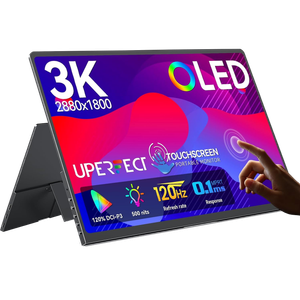
- Resolution
-
2800×1800
- Screen Size
-
14-inch
- Brand
-
UPERFECT
- Connectivity
-
Mini HDMI
- Max. Refresh Rate
-
120Hz
The UPERFECT OLED portable monitor is a 14-inch, 2.8K (2880×1800) touchscreen display. It boasts a refresh rate of 120Hz and just 0.1ms of input lag. This monitor also covers 120% of the DCI-P3 gamut, and hits 500 nits of brightness in HDR mode.