




I’ve been using my Nothing Headphone (1) for just about everything. They’re hooked up to my laptop during work for some background music, they come along to the gym for those high-energy playlists, and on quieter days, they’re my go-to companion for long walks. Whether it’s music, podcasts, or audiobooks, the experience has been fantastic. These headphones rarely give me a reason to complain. Well, almost.
The moment I hop on a call, especially while I’m out walking, the experience changes. The call quality drops so much that I often end up sliding the headphones down to my neck and just using my phone instead. It completely breaks the flow, and honestly, it’s been so frustrating that I’ve started questioning the headphones themselves. However, I found out why this is actually happening, and no, it isn’t actually your wireless headphones at all.
I stopped using wireless earbuds for work calls the day I tried this setup
Low-tech devices are often the best solutions to audio connectivity problems.
When your headphones suddenly stop sounding good
Why does your audio take a backseat on calls?

The main reason this happens, especially during calls, is how Bluetooth works behind the scenes. When you’re listening to music, your headphones use a high-quality stereo mode. That is what gives you a rich, detailed sound. The moment you join a call, Bluetooth switches to hands-free mode to use the microphone. And that switch changes everything.
In call mode, a portion of the bandwidth is reserved for the mic, which means the audio has to be compressed. That’s why voices start sounding flat, and sometimes even slightly muffled. It’s not your headphones suddenly getting worse; it’s actually Bluetooth changing how it handles audio.
There’s also a technical limitation at play. Bluetooth can only handle two audio channels at a time. So it has to choose between full stereo output and splitting the audio output between the audio output and the microphone input. During calls, it prioritizes the mic, which in turn degrades the listening experience.

Naturally, this raises the obvious question. Can headphones ever handle both properly? Can you get great audio and clear mic quality at the same time, whether you’re on a call or in a meeting? Right now, not really. At least not over standard Bluetooth.
Fixing what Bluetooth won’t
Making peace with Bluetooth’s limitations

Once I understood what was actually going on, I stopped blaming the headphones and started working around the limitation instead.
The simplest fix I found, especially on apps like Google Meet, where most of my calls happen, is turning on something called Studio Sound. What this does is clean up your audio by reducing background noise and making voices come through a bit clearer. It doesn’t magically restore full, rich sound, so don’t expect a dramatic transformation. But it does make conversations easier to follow, which is what you actually need on a call. If you want to try it, here’s how to turn it on:
- Join a meeting on Google Meet.
- Tap the three-dot menu and go to Settings.
- Under Audio, find Studio sound.
- Switch it on.
One thing to keep in mind: this setting has nothing to do with your headphones. It works at the app level, so whether you’re using your phone speakers, laptop, or headphones, it still improves how voices are processed during the call. Think of it as a small but helpful patch, not a full solution.

Nothing Headphone (a) review: You don’t need to spend $400 for good ANC
The only real difference is the price, and that’s just excellent.
Wired isn’t dead, it’s just quietly winning
When old-school just works better

When that’s not enough, I fall back on a basic pair of wired earbuds. I keep them in my bag just for calls, and every time I switch to them, the difference is instantly noticeable. For anything important, they just work. This is one area where wired headphones still win. There’s no Bluetooth switching modes, bandwidth juggling, and sudden drop in quality when a call starts. It’s a direct connection, so the audio stays consistent, whether I’m listening or talking. That’s probably why wired earphones haven’t disappeared. Even with wireless everywhere, I still notice people using them in metros or on flights. It doesn’t feel like nostalgia; it feels like reliability.
I’m not saying it’s only because of call quality, but there is a quiet comeback happening.
You don’t need to ditch wireless. I still use mine all the time. But if call quality has been bothering you, try switching to a wired connection for one call. You’ll hear the difference right away.

- Battery Life
-
35 hours with ANC, 80 without
- Microphones
-
6
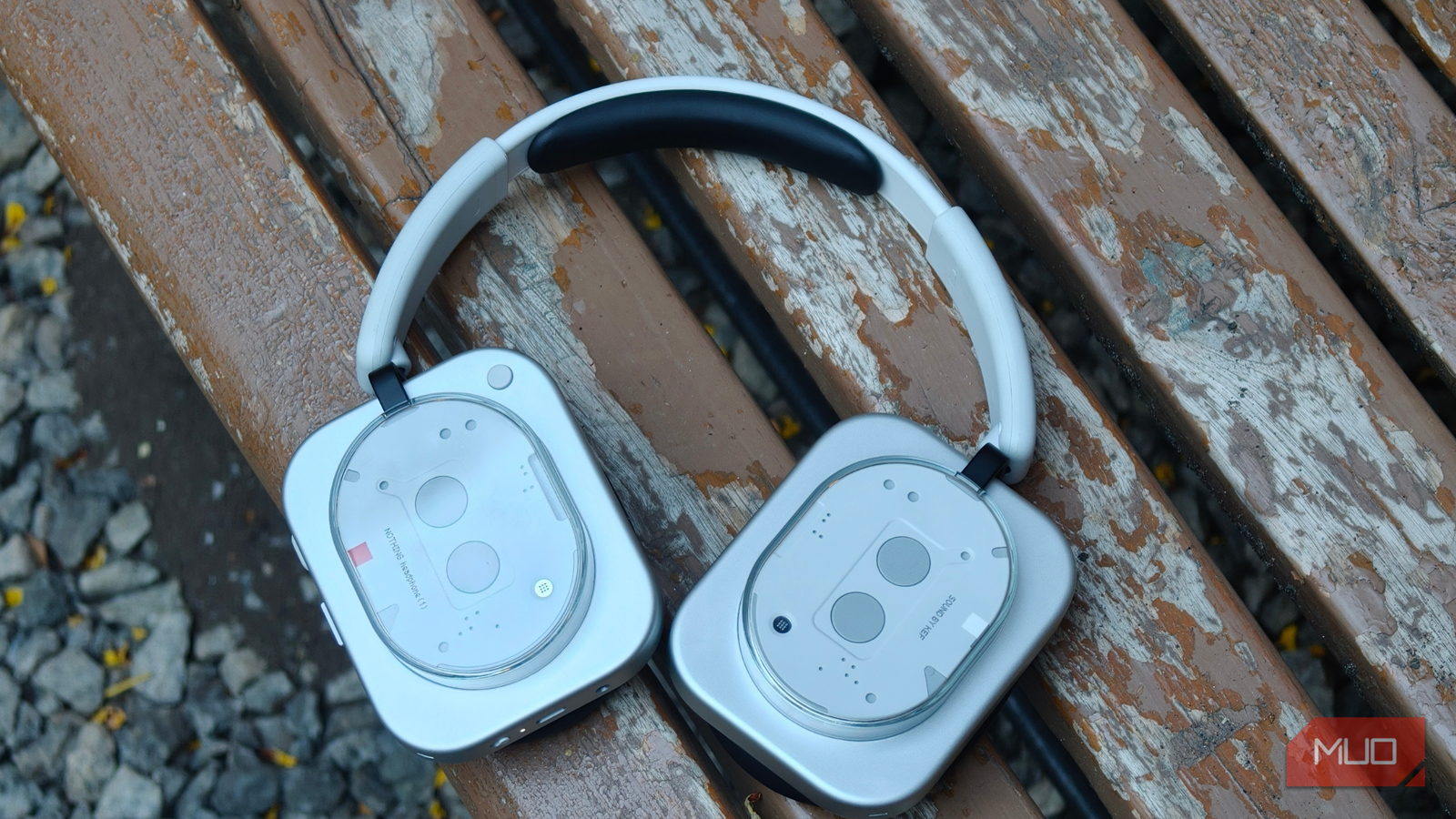
The Nothing Headphone (1) is a visually striking over-ear headset packed with advanced features. It sports a semi-transparent, retro-futuristic design that exposes internal components, lending it a signature aesthetic uncommon in audio gear. It uses 40 mm drivers tuned in partnership with KEF, with hybrid adaptive active noise cancellation (ANC) of up to ~42 dB, along with a transparency mode to let ambient sound in. Battery life reaches 35 hours with ANC, and up to 80 hours with ANC off, and there is also support for Bluetooth 5.3.
Not a flaw, just how it’s built
Wireless headphones have come a long way, and for most things, they’re really great. Music, podcasts, long walks, even casual calls, they handle it all pretty well. But here’s the catch. Bluetooth, at its core, wasn’t built for the kind of call experience we expect today.
The limitation is baked into its design. So no matter how premium your headphones are, better drivers or smarter noise cancellation can’t fully fix what’s happening beneath the surface.
Once that clicks, the frustration starts to fade. For me, my Nothing Headphone (1) still do exactly what I want most of the time — I love them for music, I use them on walks, and I wouldn’t trade that experience. I’ve just stopped expecting them to do something Bluetooth was never really designed to handle.