





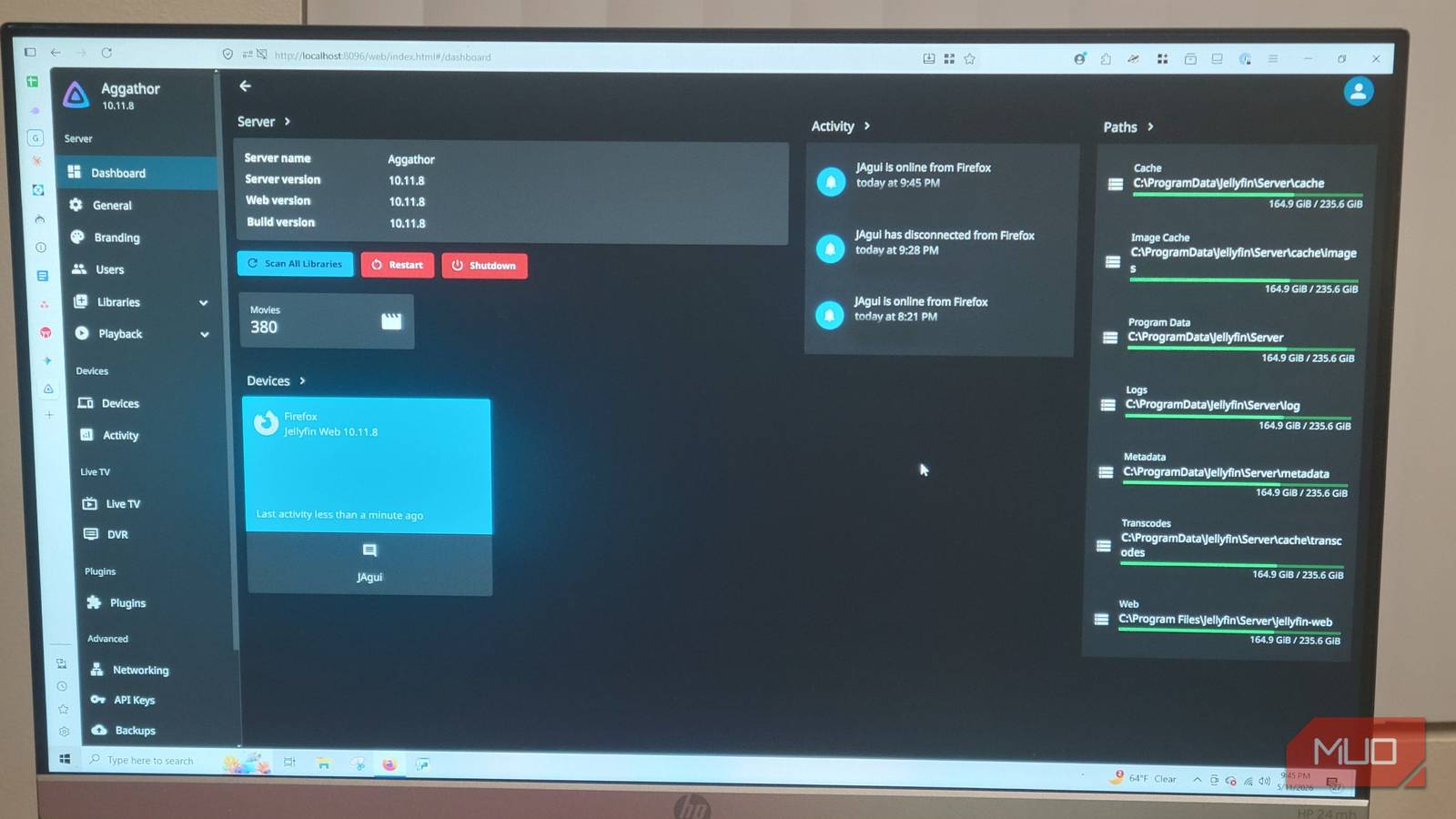
For years, Plex was a leading choice for home media servers, and it’s not hard to see why. There was a time when it was great for having a clean, central spot for movies, music, and TV shows. Things have changed, and even if you change settings, you can’t get the old design back. So, I’ve moved on to another service that gives me more privacy and is free, all in an open source package.
After a decade of streaming, I finally tried Jellyfin — and I’m never going back
I’m tired of the give and take that comes with premiums streaming services, so I’m making Jellyfin my home for media streaming.
Plex locked features behind a subscription
There’s too much money to be spent on Plex

Plex has focused on making money and adding content it doesn’t own. Many long-term users have become frustrated as recent updates have changed what the software focuses on. Plex used to be great with its apps, but now it feels like a commercial platform that pushes ad-supported movies, live TV, and social features right into the interface.
This shift feels like a move the core user base didn’t ask for. For people who host their own media and have spent a lot of time and money carefully setting up their digital libraries, this is just bloat. The interface has become filled with content you don’t own or care about. This is a company trying to make a profit, so it has to focus on recurring revenue more than the main server experience. It’s hard to blame it for that.
Unfortunately, this move away from only focusing on personal media is made worse by more paywalls showing up for basic features. A clear example is Remote Watch Pass, which makes non-premium users pay an annual or monthly fee just to stream their own files from their own home servers to their mobile devices when they’re not home.
This happens even if a user has already set up direct port forwarding on their router. Charging users to access their own equipment is annoying and unnecessary. It goes against the reason you go to Plex to begin with.
The biggest problem is the paywall for hardware-accelerated transcoding. Transcoding is likely the hardest task a media server does. It needs to convert high-bitrate files in real time into formats usable by different devices and network speeds. Plex puts hardware acceleration behind its premium Plex Pass subscription, which can cost up to $249.99 for a lifetime license or requires a monthly fee.
Without this subscription, Plex switches from GPU to software-based CPU transcoding by default, which is not as good. When forced to only use general-purpose CPU cores to transcode 4K HDR down to 1080p SDR, even high-end processors struggle a lot.
Jellyfin is a free and private server option
Free is the best price around
Do not take too long to move to Jellyfin. You don’t even have to risk anything, because this software is completely free. Unlike Plex, this free model comes with hardware-accelerated transcoding out of the box. Jellyfin uses your server’s GPU freely, like with Intel Quick Sync Video, Nvidia NVENC, or AMD AMF.
The most important part is that Jellyfin makes sure your data is private. When you use something like Plex, you’re letting external cloud servers handle the authentication. This means your server has to verify your credentials through a corporate network even when you are streaming a file over your own local Wi-Fi.
Jellyfin never sends data back to a central server. It uses local authentication to let your viewing habits, user profiles, and library contents stay strictly on your own hardware. That’s what you want to keep to yourself, and you can do that with this software.
If you’ve heard the names of free Plex alternatives but aren’t so sure about the differences, then you’ll likely have thought Kodi is a similar option. Kodi is designed to be a standalone media player. Each Kodi setup keeps its own local database, meaning that tracking your watched status or syncing a library across multiple televisions needs complex workarounds, manual updates, or third-party databases.
Jellyfin is different because it works as a centralized server that indexes your whole media library, manages all metadata, and tracks your watched status down to the second. Every device you use connects as a client. This means you can pause a movie on your living room television and resume it on your smartphone.
This lets any changes made to the server show up right away across all your devices, so you don’t have to manage individual media players. So don’t get confused; these are apples and oranges. If you want, you can still use Kodi as a customizable front-end client with Jellyfin in your backend.
You can get over remote access issues
Maybe you want to use other tools

When I first heard about Jellyfin, I was actually intimidated by the thought of it. Plex is easy to use and uncomplicated. You can access it remotely right away by sending connections through its own central relay servers, so there’s no issue with streaming its libraries from outside the house without ever needing to touch your router’s setup. Free and open-source alternatives like Jellyfin require you to manually handle your own networking.
Setting up reverse proxies, managing SSL certificates, or exposing open ports to the public internet can sound complicated for beginners. It’s a big barrier to entry. However, those commercial products are only getting more expensive.
If you don’t want to deal with the complicated process, use tools like Tailscale. Tailscale is a VPN that doesn’t need any configuring. It’s built on the WireGuard protocol and works by creating a private, encrypted tunnel right between your devices. So it’s like having your devices sit right on your house network, no matter where you are.
This is a good workaround that removes the need to manually open ports on your router. You just put the Tailscale application on the machine running your Jellyfin server, install it on your viewing device, log in, and your remote access problems are quickly solved.
Take a chance on a free server; it will cost nothing
Plex only looks like the only option around because you haven’t tried better alternatives. I know it can be intimidating to try something as huge as a media server, but once you get the hang of it, it feels simple. It’s better to try something free, since the sooner you get out of an unfair subscription, the more you’ll save.

- OS
-
Android, iOS/iPadOS, Android TV, Fire TV, Web browsers
- Developer
-
Jellyfin Community
- Pricing model
-
Free (open-source)
- Initial release
-
December 8, 2018
Jellyfin is a free-and-open-source media-server system that lets you self-host your movies, music, TV shows, photos and more and stream them to any device without subscriptions or third-party tracking.