





For the longest time, I was convinced that cutting the cord was the ultimate upgrade for my car. A wireless CarPlay receiver felt like the kind of small tech change that would dramatically improve my everyday drives. It meant no more cables lying around. Just step in, start the car, and everything connects automatically. It sounded absolutely perfect. When I first started testing a CarPlay feature that genuinely impressed me, I couldn’t stop talking about how wireless was something I eventually wanted to upgrade to. I was sold on the idea before I even bought the receiver. So eventually, I gave in to my excitement and ordered one. The first few days were exactly what I had imagined. The car started, my phone connected, and music and maps popped up without me doing a thing. It felt clean and modern. But after using it for over a month, the initial thrill slowly faded. Ironically, the wired setup I was so eager to leave behind now feels dependable. Plug it in and it just works. Plus, it charges my phone at the same time without any additional thought.
Wireless CarPlay isn’t bad. In fact, for many people, it will still feel like a clean and clutter-free upgrade. But it’s not the flawless experience I had built up in my head. The convenience comes with trade-offs, and those trade-offs become more noticeable the longer you use it. So if you are planning to switch from wired to wireless, pause for a moment and make sure you’re aware of these flaws.
These apps make Apple CarPlay so much better
Revolutionize your driving experience with these game-changing CarPlay additions.
It can be a hit or miss
Great…until it isn’t

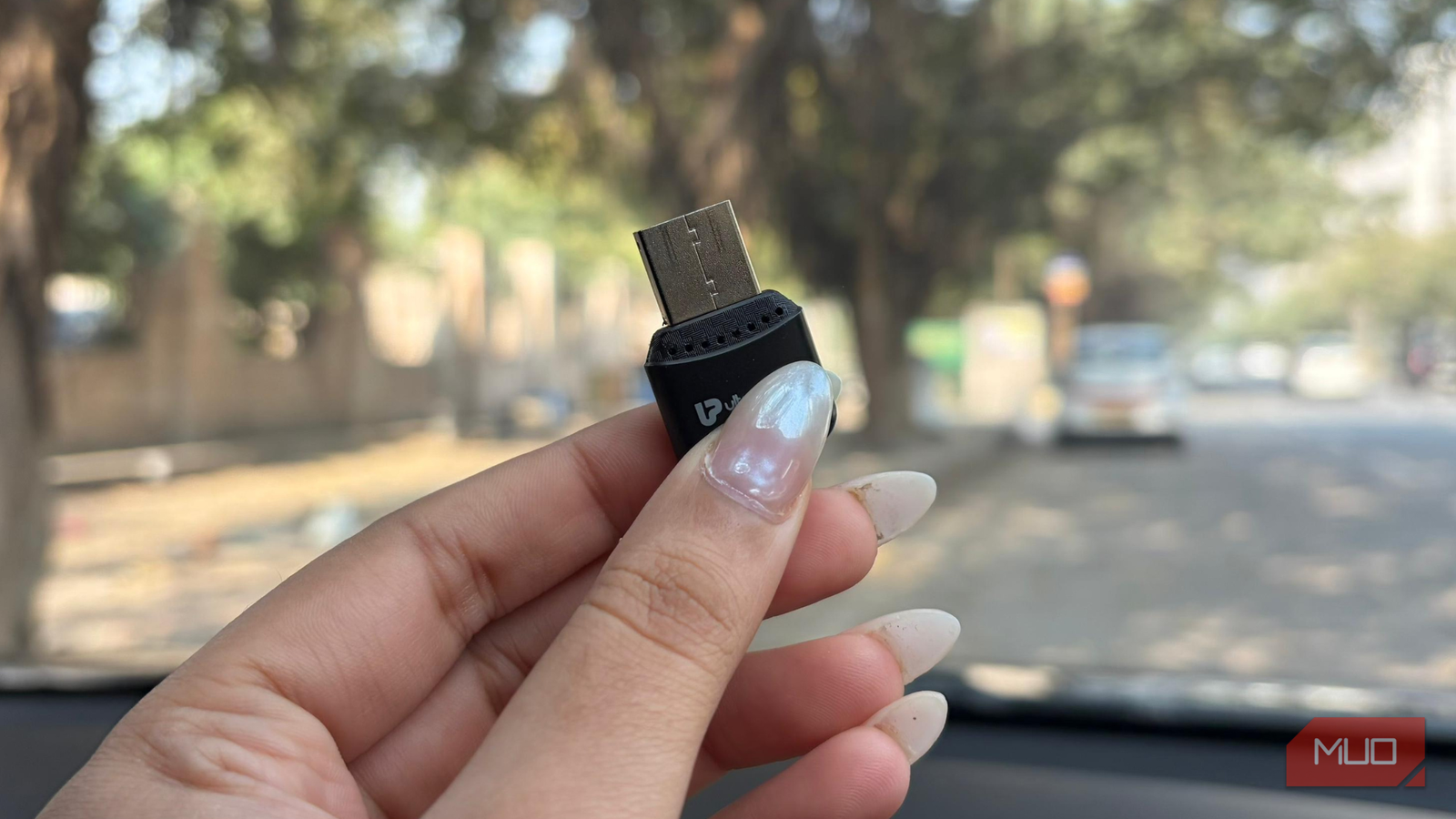
The first time I used it, I plugged it into my car’s USB Type-A port, and to its credit, the setup process was surprisingly simple. Pairing it over Bluetooth took just a few minutes. I even connected both phones in one go. I run CarPlay, and my partner uses Android Auto. Since the two systems operate differently, I expected at least a little friction. But the initial configuration was smooth. The first drive, however, told a different story.
CarPlay launched quickly and worked perfectly for about ten minutes. Music was playing, maps were visible, and everything looked stable. And then, without any warning, the infotainment system kicked me back to the car’s default interface. It felt odd, but I brushed it off, assuming it was a one-off glitch. Well, it wasn’t.
Over the next few days and even weeks, the same thing kept happening. In the middle of navigation or while streaming music, the screen would randomly exit CarPlay and return to the standard system menu. The connection would simply drop as if nothing had even been running. And before blaming the obvious suspects, I ruled them out. It’s not an internet issue. My phone signal is stable. It’s not a loose connection either; the receiver stays untouched and firmly plugged in. Nothing physically interferes with it while driving.
That’s what makes it frustrating. The performance feels unpredictable. Some days it works flawlessly. Other days, it randomly just disconnects. You start the car not knowing whether it will behave or act up. And when you rely on navigation or music during a drive, that uncertainty becomes hard to ignore.
There’s no certainty about which device it will latch onto
The dashboard’s favorite child changes daily

Having two different ecosystems on a single infotainment screen sounds manageable in theory. My partner uses Android Auto, and I rely on CarPlay when driving. Both platforms have their own strengths, and while I really appreciate certain features on Android Auto that CarPlay doesn’t offer, that comparison deserves a separate discussion.
To keep things simple, we made a basic arrangement. When we’re traveling together, we use CarPlay. When we’re driving separately, each of us sticks to our preferred systems. To avoid the confusion, this felt like the best solution possible. But the receiver doesn’t seem to follow any such understanding.
Instead of connecting in a predictable order, it randomly selects a device. Some days it instantly launches CarPlay. On other days, it defaults to Android Auto without any clear reason. There’s no consistent priority, no memory of the last connected device, and no way to anticipate what will appear on the screen when the car starts. The randomness quickly becomes frustrating. You sit down, ready to navigate or play music, only to realize the wrong phone has taken over. Switching between the two isn’t always seamless, either. Even after disconnecting one device, the receiver can stubbornly refuse to connect to the other.
What makes it worse is the “solution.” The only reliable way to force it to switch is to physically unplug and re-plug the receiver into the USB port. Essentially, resetting it every time. For something meant to simplify the experience, it often ends up complicating it instead.

These 4 quick Android Auto games make every wait bearable
Waiting at a charger or drive-in? These quick Android Auto games make time fly effortlessly.
Wired suddenly feels underrated
I’m not unrealistic. I know technology isn’t perfect. Occasional bugs or minor hiccups are part of the deal when you’re using any gadget. But there’s a difference between a rare glitch and a problem that keeps showing up when you least expect it. When CarPlay disconnects repeatedly in the middle of a drive, it stops being a small inconvenience and becomes irritating. The last thing anyone wants while navigating traffic or following directions is for the screen to suddenly go blank.
Of course, wired connections aren’t flawless either. A cable hanging near the console doesn’t look the cleanest. In a manual car, it can get in the way of the gear lever. If someone’s sitting in the passenger seat, the wire might brush against their leg. These are valid annoyances. The difference, though, is that most of these wired inconveniences are manageable. You can route the cable neatly along the dashboard, use clips to secure it, or position it so it stays out of everyone’s way. With a little effort, the mess can be controlled.
Unpredictable disconnections, on the other hand, aren’t something you can neatly tuck away. When a wireless receiver randomly drops the connection, there’s no quick fix besides restarting or replugging the device. That defeats the very purpose of choosing wireless in the first place. If you’re considering switching to a wireless setup, take your time. Go through user reviews carefully. Look for consistent feedback about stability. Otherwise, you might end up spending money on something that promises simplicity but delivers frustration instead.