




What makes your smart TV actually feel “smart” is the internet. Take that away, and the whole experience suddenly feels very limited. No Netflix, no YouTube, no endless scrolling through content. It’s almost like you’re left with an oversized monitor. If you deal with frequent outages or unreliable connectivity, this can be quite frustrating.
Luckily, it doesn’t have to be that way. With the right apps and a bit of setup, you can still stream your own media library, display photos, play casual games, and do a lot more on that “offline” TV.
Your Android TV is wasted without these 5 amazing apps
Stop using your Android TV the default way.
Plex
Your personal Netflix
The best use of your TV is to stream content, and that requires a working internet connection. But with Plex, you can store movies, shows, music, and even photos on a USB drive or NAS, then stream them directly to your TV. The only thing is you need to do all the setup beforehand.
First, you need to install the Plex Media Server on your PC or laptop and then add your media files to it. Plex can then scan and categorize everything with posters and details. Once that’s done, install Plex on your smart TV, sign in, and your library will become accessible via the local network. No internet required, just the same Wi-Fi.
The best part is Plex’s interface makes it feel just like you’re using a streaming service. You get posters, descriptions, and organized libraries, but it’s all your own collection.

- OS
-
MacOS, Linux, Windows, iOS, Android
Plex is a powerful media management and streaming service that centralizes your personal media—like movies, music, photos, and TV shows—into one easy-to-access library. It also offers free streaming of movies, TV, and live channels, making it a versatile entertainment hub for all your content.
LocalCast
Skip the server and stream from your phone

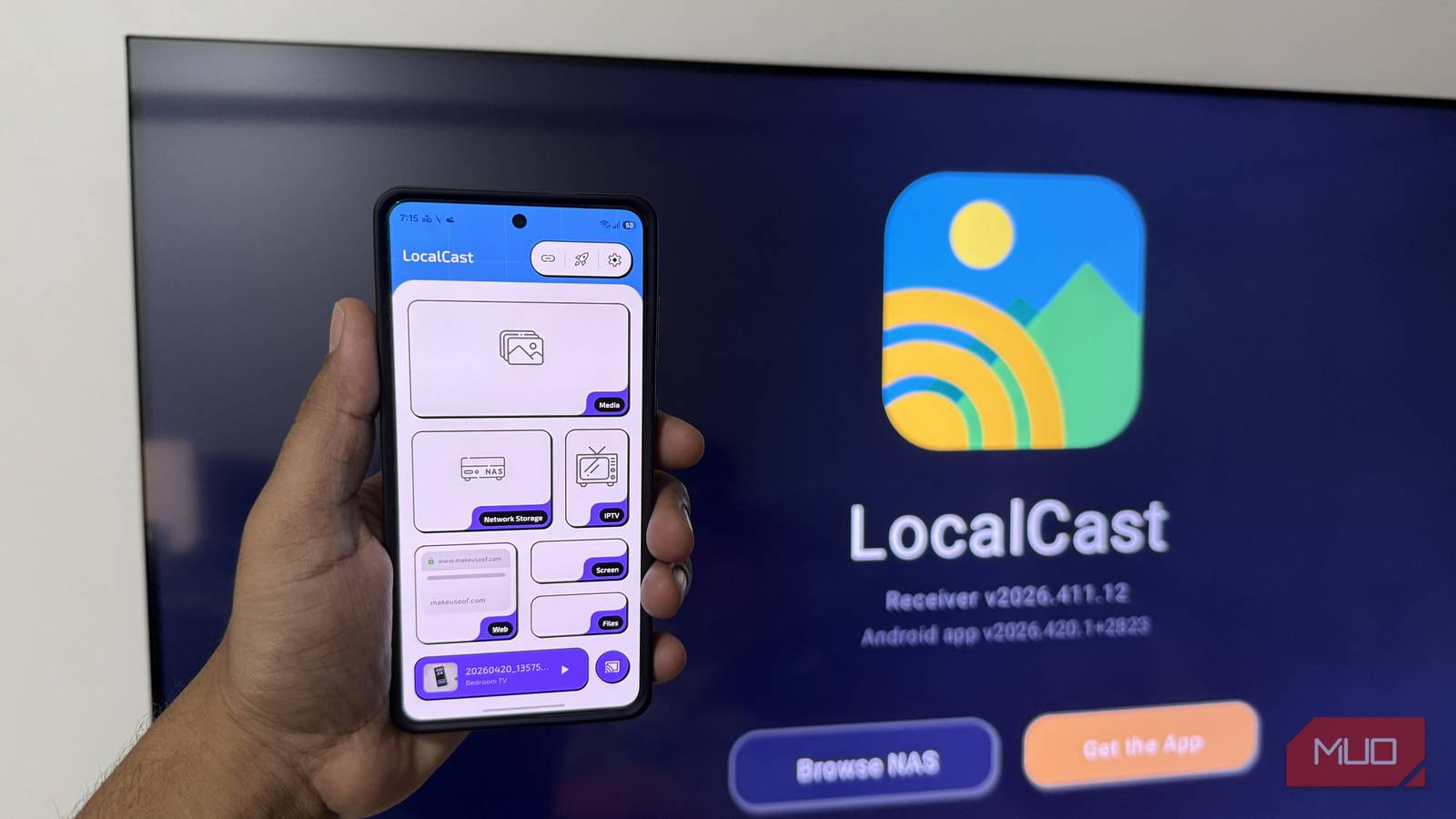
If you don’t want to deal with setting up a full media server, LocalCast is the next best thing. It lets you play videos, music, and photos directly from your phone to your smart TV without the internet. It works over your local Wi-Fi network, so as long as your phone and TV are connected to the same network, you’re good to go.
The best part is, you only need to install LocalCast on your phone to get started. From there, pick the file stored on your device, a connected USB drive, or even a local network. Choose your smart TV as the target and hit play. It’s an easy way to enjoy your content on a bigger screen without mirroring your phone’s display.
LocalCast is free for basic use, and you don’t need to create any account to get started. There’s also a Pro subscription that removes ads and unlocks extra features such as image and video controls, sleep timer, custom themes, and subtitle support.

- OS
-
Android, Android TV
- Price model
-
Free, Subscription available
LocalCast lets you cast photos, videos, and music to your smart TV over local network.
Fotoo
Turn your TV into a photo frame

Modern TVs make up for a great digital canvas. With slim bezels and clean design, they almost look like picture frames on your wall. Most TVs already offer a screensaver feature that shows you beautiful images from the internet, but if you want something more personal, Fotoo is a great pick.
Instead of generic images or that boring “no internet” message, Fotoo lets your TV show your own memories as a slideshow. For this, you need to save your photos on your TV’s local storage or a USB drive. If the photos are on your phone or PC, you can transfer them with an app like Send Files to TV.
Once everything’s in place, install Fotoo, and select Gallery as the source. Of course, you can customize transitions, display order, and timing if you want.

- OS
-
Android
- Developer
-
Bopp Studio
- Pricing model
-
Freemium
Fotoo turns your old tablet, phone, or TV into a beautiful digital photo frame and slideshow player, streaming pictures from your gallery or cloud with music, transitions, and weather/time overlays.
Offline games
Play, don’t just watch

Smart TVs may not be as powerful as phones or PCs, but they’re still capable of running fun, lightweight games. On your TV’s app store, you can find several simple titles like puzzles, racing games, or arcade classics that work without the internet. Of course, availability can vary depending on your TV’s OS, but on Android TV, you’ll find popular titles like Crossy Road and Asphalt 8.
These games are perfect for short internet outages when you just want to do something interactive on a bigger screen. And the whole experience gets even better if you pair a gaming controller, either via a cable or Bluetooth.
Bluetooth Remote
Fix the worst part about using a TV

All the above apps are great, but you don’t have to use that clunky remote to control them. Sure, your phone might already have an app like Google TV that can act as a remote, but even that requires your phone and the TV on the same network.
Bluetooth Remote is different. As you can already guess from its name, it uses Bluetooth to send commands to your TV, so you don’t need an internet connection or even a local network. It essentially turns your phone into a wireless mouse and keyboard for your TV. It’s also completely free and open-source.
Using your phone to interact with your TV is especially great with apps like Plex or playing games. Browsing large libraries or trying to control games with the TV remote can be awkward. Bluetooth Remote app is a simple app that changes it.

- OS
-
Android TV
- Price model
-
Free
Bluetooth Remote lets you use your phone as a wireless keyboard and mouse for any smart TV.
Your smart TV is still a powerful piece of hardware, with or without the internet. You just need to be a little creative when it’s offline. The good part is most of these apps are free and don’t require much setup.