






Have you ever noticed that even after upgrading to some of the best high-end headphones, they still sound just fine despiteflagship hardware? Sometimes, even though you’ve dropped a few hundred bucks, the difference between the headphones you had and the upgrade feels negligible. And that’s even if you have the best-in-class music streaming subscription or a flagship phone with a high-end DAC to pair with it.
I felt the same, but that was until I started using Wavelet. After using Wavelet for an extended period, I figured that the muddy bass and stingy vocals were not issues with the app, my Android phone, or my headphones. It was due to the audio processing that happened between them.
But with Wavelet, I was able to fix audio processing. Not just that, but it opened up another whole dimension of audio tinkering on my phone that was previously available only on some high-end DACs costing hundreds of dollars.
- OS
-
Android
- Price model
-
Free (with in-app purchases)
Wavelet is a powerful, system-wide audio equalizer for Android that improves headphone sound quality. It features over 5,000 AutoEq profiles, custom bass tuning, and virtualizer effects, allowing you to achieve high-fidelity audio across all streaming services without requiring root access.
Auto EQ
The magic fix that changed everything
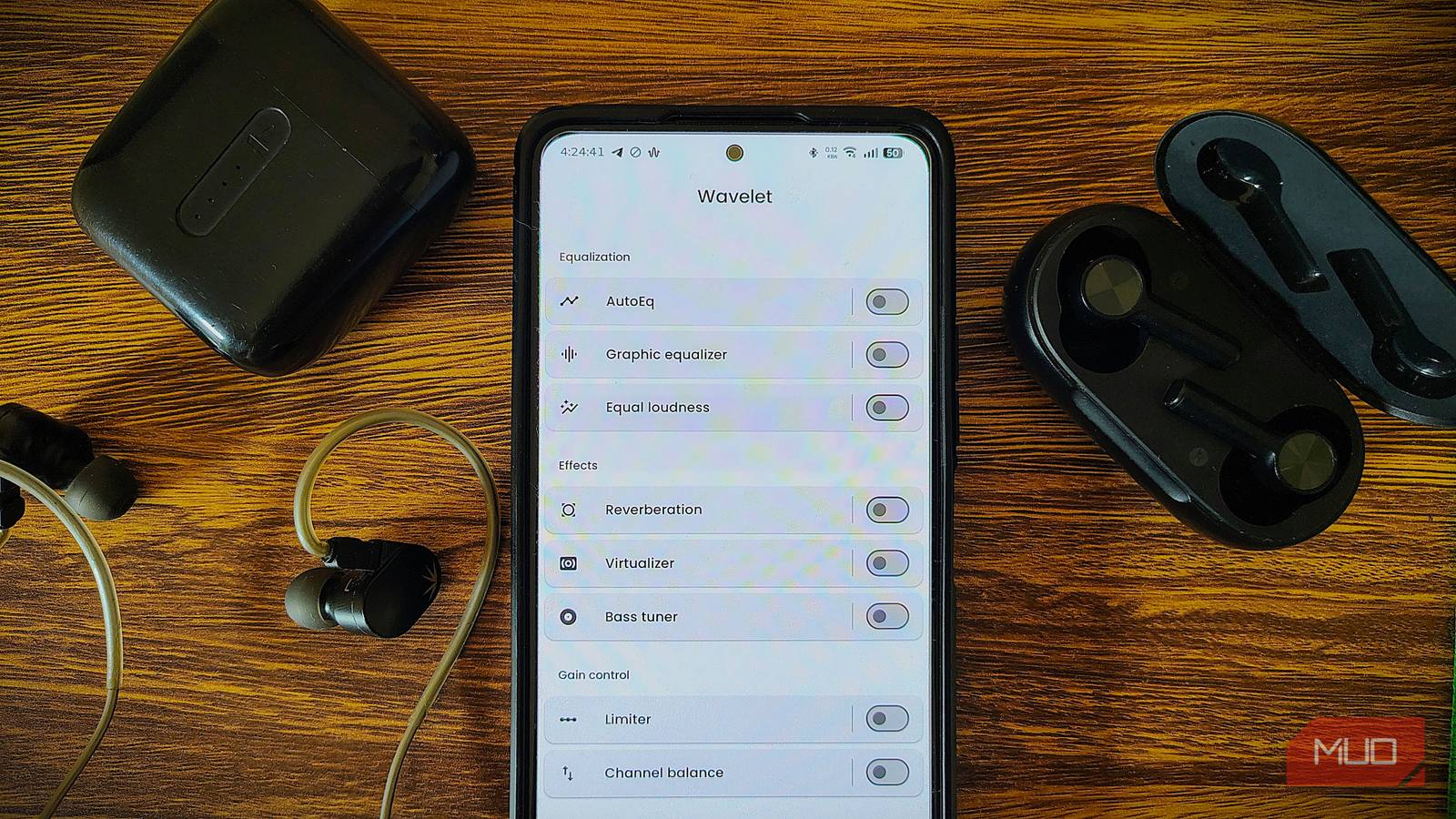
This is the one feature that made the instant difference. AutoEq consists of an open-source database containing frequency corrections for over 5,000 headphone models. These databases help fix the “In-house sound” that most manufacturers tend to use.
This house-sound profile boosts the bass to make pop music more fun, or rolls off the treble to hide cheap components or make headphones sound more “lively”. This profile is rarely accurate. AutoEq replaces this profile with the measured response of your specific model and accurately aligns it to a neutral standard.
Wavelet applies a filter designed to counteract the physical peaks and dips of your exeat hardware. You don’t need to tinker with multiple dials manually; it just works. But if you are already deep into the high-res audio rabbit hole and have obscure gear, you can even import your own custom EQs to Wavlet.
Equal loudness
Turns out the headphones were not faulty

The Equal Loudness feature helps us address the loudness issues we encounter with the headphones. You might have noticed that the music sounds powerful at high volume but tinny at low volume. It’s called the Fletcher-Munson effect: at low volumes, human ears lose sensitivity to bass and treble.
Wavelet solves this by actively monitoring your volume. As you turn the volume down, it gently boosts the lows and highs to compensate. The result? Your music hits just as hard at 15% volume as it does at 80%. It’s a game-changer for late-night listening.

TV speakers aren’t good, but this app makes them noticeably better
Make your TV speakers better before you get a soundbar or home theater system.
Then there’s also a Virtualizer feature. Usually, 3D audio effects are just gimmicks that worsen the audio quality even further. But Wavelet’s implementation is surprisingly subtle. It separates the stereo channels, which is a lifesaver for the closed-back headphones that often feel claustrophobic, giving them a wider stage.
There are more treats

There’s more within Wavelet than just the EQ and loudness. The app also includes quality-of-life features, such as a bass tuner and a limiter. These features not only add value to the app but also positively impact your overall experience.
The bass tuner feels like a scalpel in front of Android’s native “Bass Boost” feature that distorts everything. There are multiple modes within the bass tuner. If you often listen to hip-hop, I’d suggest Transient mode. And if you are binging movies, Sustain is a great choice. But again, you can make granular changes and set the bass to your liking.
And then there’s a limiter. It acts as a safety net for your ears. It sets a volume ceiling to protect your ears from sudden loud noises, such as ads and pop-ups, and protects the drivers and eardrums from blowing out.
It’s still just software
But it gets the job done

If you are using a cheap driver, you can’t fix it even with the most premium DAC. Not to mention, many audio-tinkering apps’ EQs introduce phase shifts, which can severely degrade the experience with premium headphones. Many argue that one should avoid software-based audio modifications and leave the factory defaults as they are, as it can backfire.
These arguments aren’t entirely wrong; you can’t turn $10 earbuds into studio monitors with an app. But you are missing a point. The bottleneck for 99% of people isn’t the physical capability of their headphones; it’s the terrible default tuning.
Wavelet is lightweight, battery-efficient, and uses “Automatic Post-gain” to prevent the digital distortion that plagues other EQ apps. It reveals what your headphones are actually capable of.
Wavelet unlocks your headphones’ hidden potential
We are obsessed with hardware upgrades. We buy new phones and pricier headphones, hoping for a better experience. But it’s not always the new hardware that fixes audio quality issues.
Wavelet proves that sometimes, the gear you already own is better than you think — it just needs the right set of instructions. It turns flat into full with just its free tire, while the Pro unlocks more. It’s one of the best upgrades you can give to your headphones. I didn’t realize my headphones could sound this good until I used this app.