




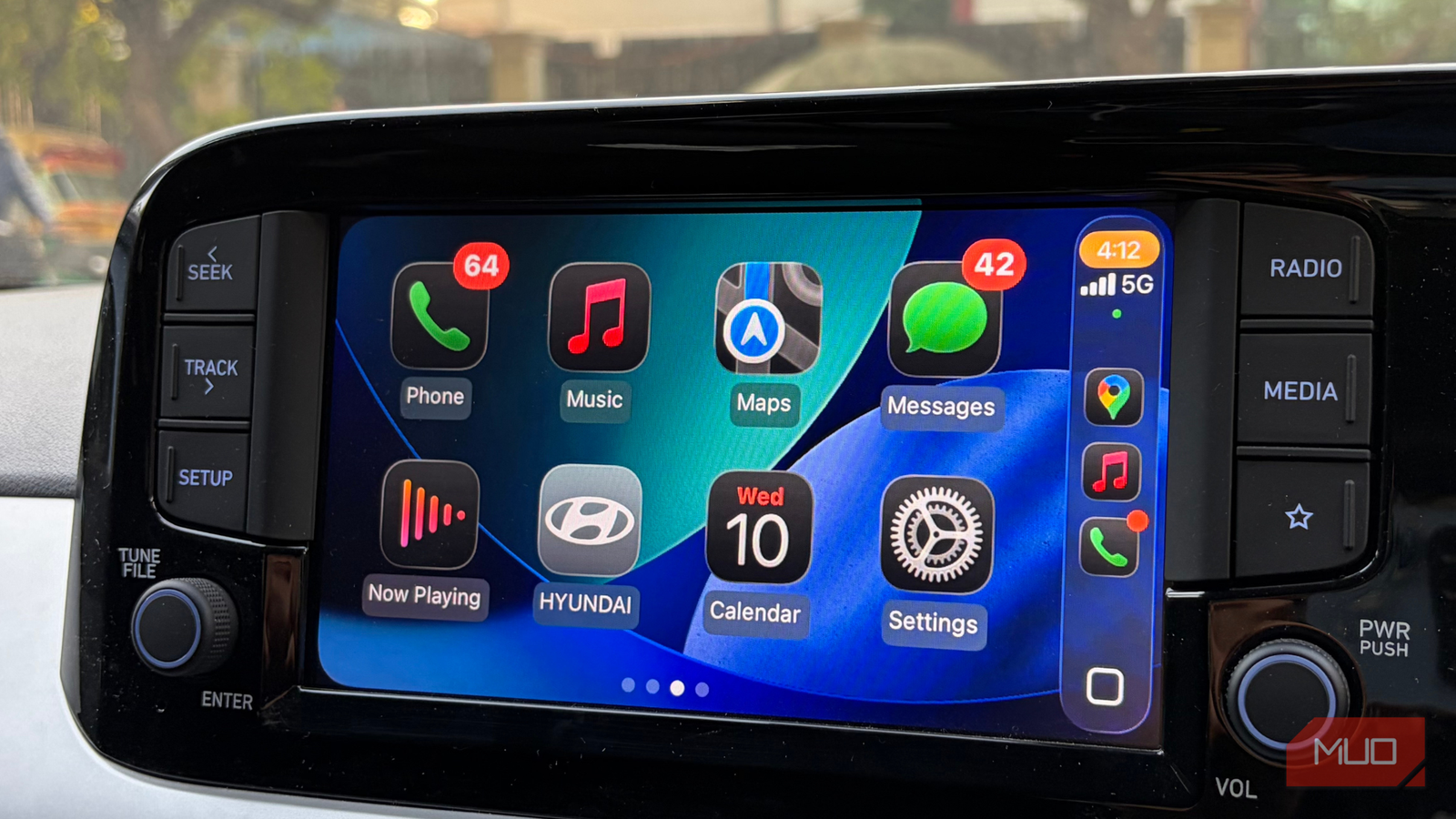
I’ve spent a long time using Apple CarPlay, and there’s a lot it gets right. The interface feels clean; the animations are smooth, and setting things up the way I like feels absolutely wonderful. For me, it’s an experience I don’t really have to think about once it’s up and running.
Where it starts to feel a bit limiting is the app selection. Apple’s own apps, like Apple Music, Maps, and Calendar, are solid and reliable; no complaints there. But over time, I’ve found myself wanting a little more flexibility, a little more character in the apps I use every day. There are alternatives out there that simply do certain things better, or at least in a way that suits me more. That’s exactly why I keep going back to a handful of CarPlay apps that just fit my routine better. These are the ones I’d pick any day over the defaults, and once you spend some time with them, it’s hard not to see why.
I tried wireless CarPlay and learned to appreciate wired
The trade-offs that come with wireless CarPlay.
You’ll know your Waze
Because it knows the road better than you do

I’d pick Waze over Apple Maps any day, at least where I’m based. I know Apple Maps works quite well in places like the US, but my experience here has been very different. Waze just feels more in tune with what’s actually happening on the road in real time.
What really sets Waze apart for me is how alive it feels. It’s a community-driven navigation app, so I’m constantly getting updates about traffic jams, accidents, and roadblocks. It actively helps me avoid trouble along the way. I get alerts about speed limits, police presence, and smarter reroutes as traffic starts building. There have been so many instances where it nudged me onto a better route and saved me a good chunk of time.
It also takes care of little things you don’t immediately think about. For instance, it shows fuel stations along the route and even highlights the cheaper options, which means I don’t really need a separate app like GasBuddy anymore.
Even compared to Google Maps, I find myself leaning towards Waze more often. And interestingly, it’s not just me — my parents prefer it too, largely because it’s easy to read. The icons are bigger; the interface is cleaner, and everything feels more legible at a glance. Since both of them rely on numbered glasses, that clarity actually makes a difference for them while driving.

- OS
-
Android, iOS
- Price model
-
Free
Waze is a robust, feature-rich, community-driven navigation app that shows live traffic, EV charging stations, and police stops.
Let music drive you
YouTube Music nails what Apple Music misses on CarPlay
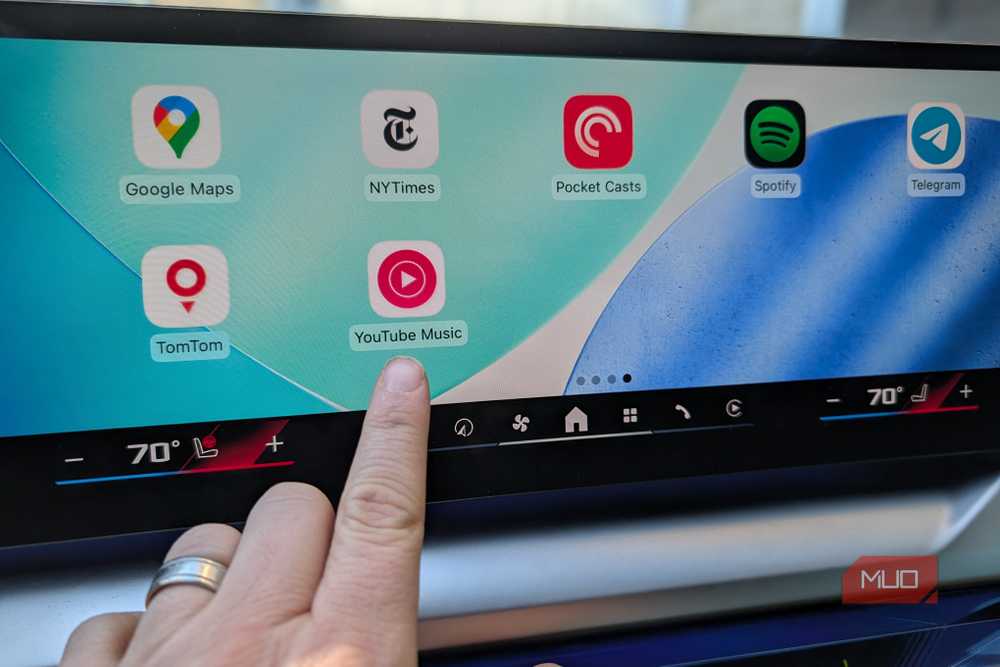
YouTube Music has pretty much taken over from Apple Music for me, and honestly, I don’t regret the switch at all. The biggest reason why I made the switch is that the recommendations just feel more in tune with what I actually want to hear.
Now, I still appreciate how Apple Music fits into the Apple ecosystem. It works seamlessly across my iPhone and MacBook, and when I’m sitting down, I can easily tweak playlists or skip songs I’m not in the mood for. But things change when I’m driving. With CarPlay connected, I’m not really in a position to keep fiddling with songs, and that’s where the experience starts to fall apart for me. On longer drives, especially, the recommendations don’t always land right, and they eventually break the flow.
That’s exactly why I started using YouTube Music specifically for CarPlay. It just seems to understand my listening patterns better, so I don’t feel the need to constantly intervene. I can just let it play and focus on the road, which is exactly how it should be. Another bonus is how it fits into the larger subscription. Since I already pay for YouTube Premium, YouTube Music is also included. So, I’m not really spending extra just for music, which makes the whole switch feel even more practical given the subscription fees.
Stories could also drive you
Sometimes, a good podcast does a better job
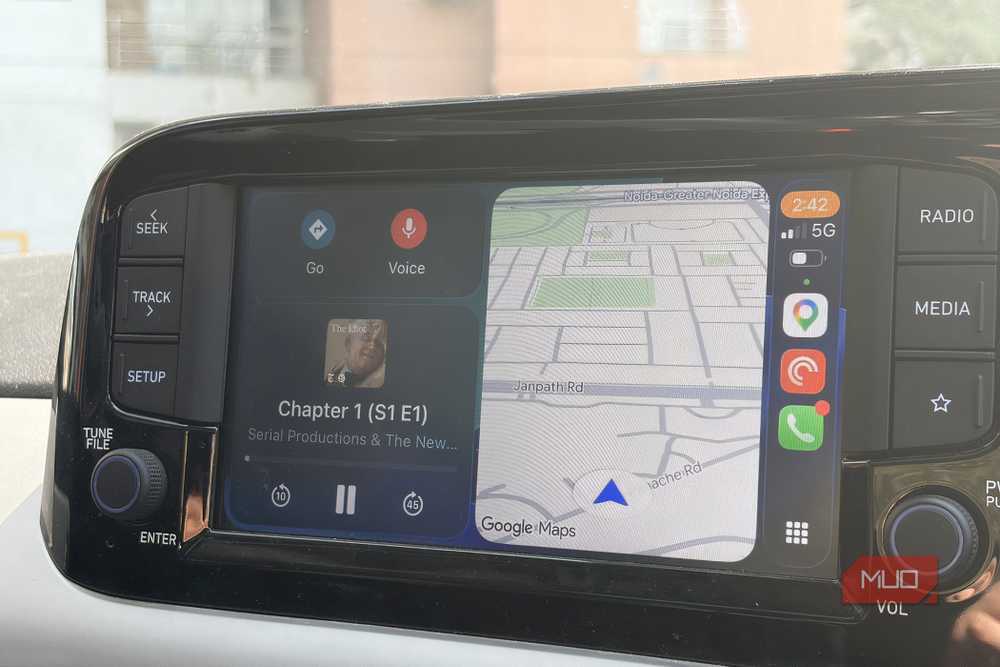
On most days, I’m on the road for at least an hour, and not every drive calls for music. There are days when I’d rather just listen to something a bit more engaging, and that’s where I rely on Pocket Casts. I usually switch to podcasts during those longer stretches, especially when the topic is one I really enjoy. It makes driving feel lighter, almost as if time passes without me noticing.
What I also like is how well this app fits into the CarPlay experience. I can easily jump into the next episode, pick up right where I left off, and keep track of playback through a clean, easy-to-read widget on the dashboard. It works exactly the way I’d want it to when I’m driving.

- OS
-
Android, iOS, Web
- Price model
-
Premium
Pocket Casts is a podcast app that lets you listen to your favorite shows wherever you are. It’s widely appreciated for its clean interface and seamless cross-platform syncing. You can tune in on the go, connect it to Apple CarPlay or Android Auto, listen on your phone, or simply use the web version.
Don’t judge me, but this just works
I’m breaking away from the blue bubble, and I feel much better
Please don’t come at me for this, but I’ve always leaned towards WhatsApp over iMessage. And now that CarPlay supports WhatsApp more seamlessly, it’s become something I end up using almost every single day, both for work and personal chats.
It fits quite well into my driving experience. Notifications show up right on the dashboard, so I don’t have to pick up my phone or get distracted. I can see who has messaged me while driving, take calls directly through the app, and if something truly needs a reply, I can always pull over and respond properly. This app has been adapted with safety in mind, which is exactly what you want when you’re behind the wheel. Of course, this might not be everyone’s preference, especially if you’re deep into Apple’s ecosystem, but for me, it’s become a useful part of my daily drive.

- OS
-
Android
- Developer
-
WhatsApp LLC
WhatsApp is a free end-to-end encrypted texting and voice and video calling app that is used by over 2 billion people worldwide. It helps users to stay connected with their friends and family via the internet.
The lazier way to read in your car
Let the story flow, exactly how you like it

If you’re anything like me and your attention starts to wander a few pages into a book, audiobooks can be a bit of a lifesaver. Instead of forcing your way through something you’re not fully absorbing, it’s often easier to just listen and let the story come to you.
That’s exactly how I ended up using Libby on CarPlay, and it’s quickly become something I look forward to opening every day. All you need to do is sign in with a library card, and you’ll have access to a huge catalog of audiobooks, all for free. It feels a lot like borrowing a physical book, just without the effort of actually going anywhere.
What makes it stick, though, is this one thing. You can tweak the narration speed from 0.6x to 3x. I usually settle at 1.25x; it keeps things moving without sounding rushed.

- OS
-
Android, iOS, Windows, Mac
- Price model
-
Free/w Library Card
Libby is a free app from OverDrive that gives you instant access to thousands of ebooks, audiobooks, and magazines from your local public library: no subscription fees, no late fees, ever. Download the app, sign in with your library card, and start borrowing titles immediately.
The parking anxiety I didn’t sign up for
A quick check before leaving helps a lot

Driving has its own set of annoyances, but for me, parking easily tops the list. There are days when I hesitate to go somewhere simply because I’m not sure whether I’ll find a decent spot. Weekends make it worse, crowded streets, endless circling, and that frustration building up with every lap.
CarPlay, unfortunately, doesn’t really solve this on its own — Apple doesn’t offer a dedicated parking app, so I had to come up with a workaround. That’s when I came across SpotHero. If you start checking this app before heading out, it really changes how you’ll plan your outings. Knowing in advance whether parking is available reduces a surprising amount of stress.
All you have to do is just enter your destination, pick your time, and book a spot in advance. In many cases, you even save a fair bit compared to on-the-spot parking. However, this app is not available everywhere, though. So, I rely on Parking Pal, which offers a very similar experience.

- OS
-
iOS, Android
- Price model
-
Free
SpotHero is an app that helps you find and book parking spots in advance across the US and Canada. You can choose from garages, lots, or valet services, often at lower prices, with options for daily, monthly, or airport parking.

You probably didn’t know this Apple CarPlay feature exists and it changes a lot
The CarPlay feature that remembers your spot for you.
The version of CarPlay I actually enjoy using
At the end of the day, CarPlay still does what it’s supposed to do, and it does it well. But once you start stepping outside Apple’s default apps, you realize how much more personal the experience can actually feel. It becomes something that adapts to how you drive, listen, and move through your day.
For me, it’s these small swaps that made the biggest difference. None of it is revolutionary on its own, but together, it transforms the entire driving experience. And that’s really the point. You don’t need to overhaul everything. Just a few thoughtful changes, and suddenly, CarPlay feels a lot more like one that just gets you.