


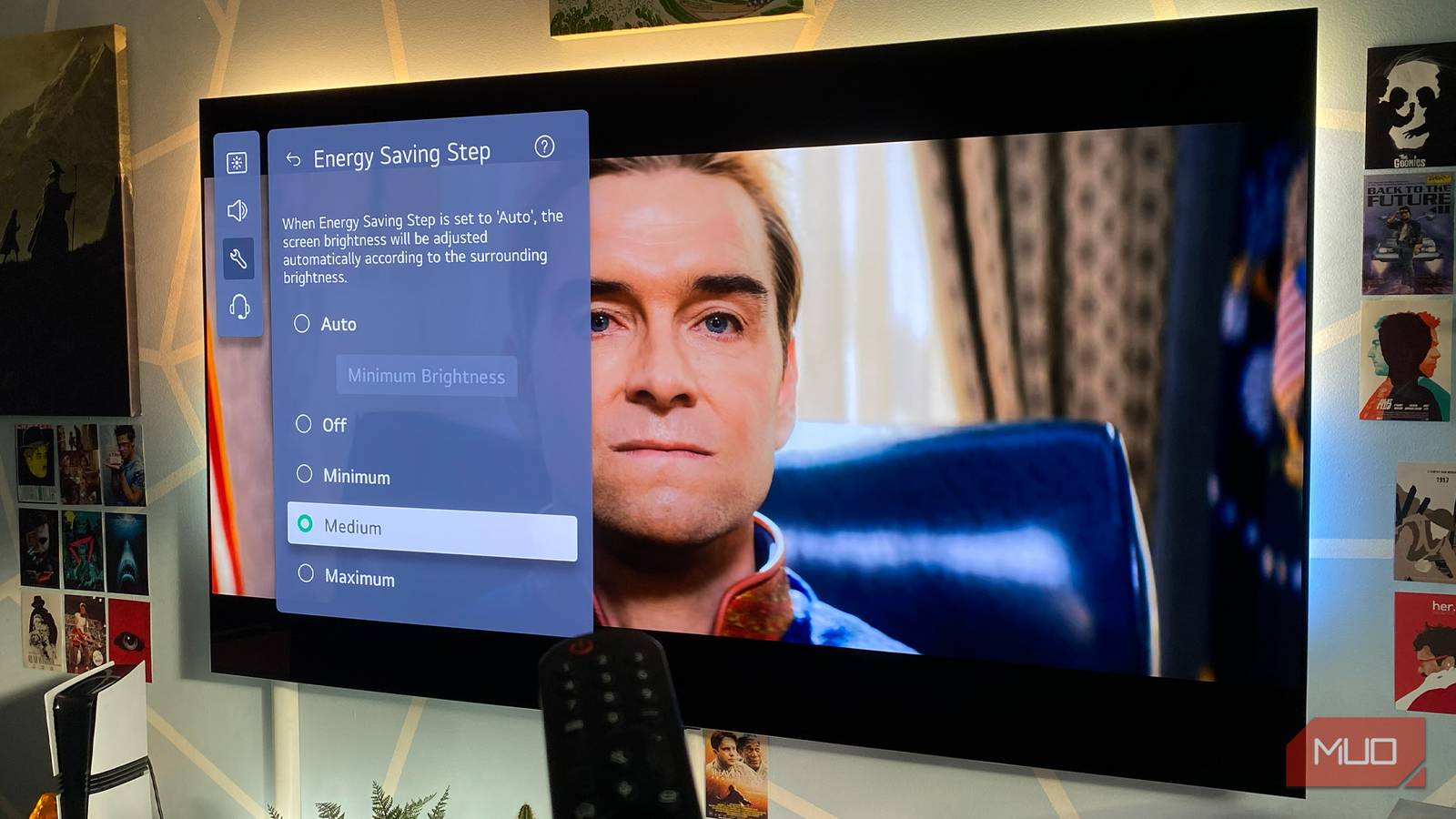
As I write this, electricity bills are utterly unreasonable. While most folks are justifiably reducing their energy output, the one thing I won’t compromise on as a massive TV nerd is the quality of the pictures I’m watching. After discovering my OLED TV looked washed out until I changed one picture setting, I’m never going to sell my viewing experience short again.
For most of the year — particularly during summer months — power-saving features/eco modes on your TV should be avoided at all costs if you want to get the most out of your display. Capping max screen brightness might slightly reduce your energy footprint, sure. Yet I’d rather recycle every last can of soda and bottle of beer I’ve ever consumed than willingly hobble the peak vividness of the best OLED I’ve ever owned.
Here’s why you should (mostly) never enable power saving on your TV.
Your brand new screen looks dimmer than the store display for one very specific reason
The real reason your monitor feels underwhelming is hiding in plain sight.
Here’s how power saving works
Eco-friendly and oh so dull

Power/energy features normally appear as an “Eco” mode option on many TVs. How this tech works varies based on the type of television you own. On LCD sets, enabling energy saving lowers backlight levels, while on OLED displays, overall pixel brightness is dimmed.
In general, eco modes reduce electricity consumption by knocking down screen brightness. The dimmer the pictures your TV produces, the less energy it will eat up. If you’re desperate to save power wherever you can with your entertainment setup, enabling a low or mid-level energy saving is worth considering. Not for me, though.
Although OLED TVs might soon feel obsolete thanks to an emerging display tech, I still adore the LG G3I bought back in 2023. Even though my display can lean on a Micro Lens Array panel to boost overall brightness, historically, OLEDs have normally been dimmer than the best LCD TVs. That’s why I’d almost never consider enabling energy saving on my favorite ever television.
My OLED is capable of hitting a peak brightness of around 1,500 when displaying HDR content, and when this level of vividness is coupled with the perfect black levels the self-emitting TV tech has long been associated with, enabling power saving on my LG would make as much sense as tucking into a ghost pepper-flavored sundae on the hottest day of the year.
Capping brightness big time
Eco modes massively reduce how vivid TVs look
For those of you who own HDR televisions, energy saving is one of the last features you should ever consider enabling on your display. High Dynamic Range content consumes more power than SDR, and when you cap screen brightness via an eco mode, you’re putting your TV at a disadvantage.
Part of the reason the best HDR movies look so much more alluring than SDR films that haven’t been remastered for the newer format is that the gap between the brightest and darkest parts of an HDR image is truly startling… in a good way. When you switch to your TV’s eco mode, you immediately reduce the pop of HDR by dimming the brightest highlights. Think of it like turning up on a beach on the sunniest day you’ve ever seen, then immediately sticking on blackout goggles.
Reducing HDR vividness makes both movies and video games look noticeably flatter. I’ve been playing a lot of Forza Horizon 6 of late, and the difference between zipping around the roads of its condensed Japanese countryside in Vivid mode on my LG G3 at peak HDR brightness, then cranking power saving up to maximum, genuinely makes it harder to win races, as everything looks so dull at high speeds.
The best TVs are seemingly locked in an endless war to increase overall nit levels. For gamers who regularly play in sun-filled living rooms, massively reducing screen brightness via an eco mode is roughly as sensible as wearing a chocolate watch on the surface of the Sun.
The case for energy-saving modes
A dimmer picture can be kinder on your eyes

As much as I’ve laid into power saving, there are instances where it can be beneficial. Reducing your TV’s power consumption is the big plus I’ve already touched on, but there are also more subtle reasons to consider embracing your display’s eco mode.
Depending on the television model you own, enabling energy-saving features can actually extend your panel’s lifespan. Lowering the backlight on LCDs and dimming pixel brightness on OLEDs can help ensure your TV lasts longer.
Speaking of OLED sets, enabling eco mode may reduce the dangers of screen burn. Even though I’ve avoided OLED burn-in for years with a three-step routine, I still occasionally fret about the prospect of permanent image retention. By turning on power-saving presets, you’ll make static onscreen elements like HUDs during video games less bright, in turn reducing the risk of burn-in.
Eye care also enters the equation. Staring at an overly bright screen for hours on end, especially at close viewing distances, isn’t particularly healthy. If you regularly watch a lot of movies and shows in a pitch-black room at night, enabling energy saving should help reduce eyestrain, making your overall night-owl bingeing sessions more comfortable on your peepers.
If you think your TV is too dull, check that power saving isn’t enabled
Energy-saving features do occasionally have their place. If you’re watching every last penny when it comes to bills, reducing your TV’s brightness might make a teeny difference to your monthly outgoings. It’s also worth enabling at least mild eco-mode presets if you regularly view content at night to help reduce eye strain. Yet for daytime viewing (particularly during sunny summer months), you should always select the picture mode that squeezes the highest peak brightness from your display.