


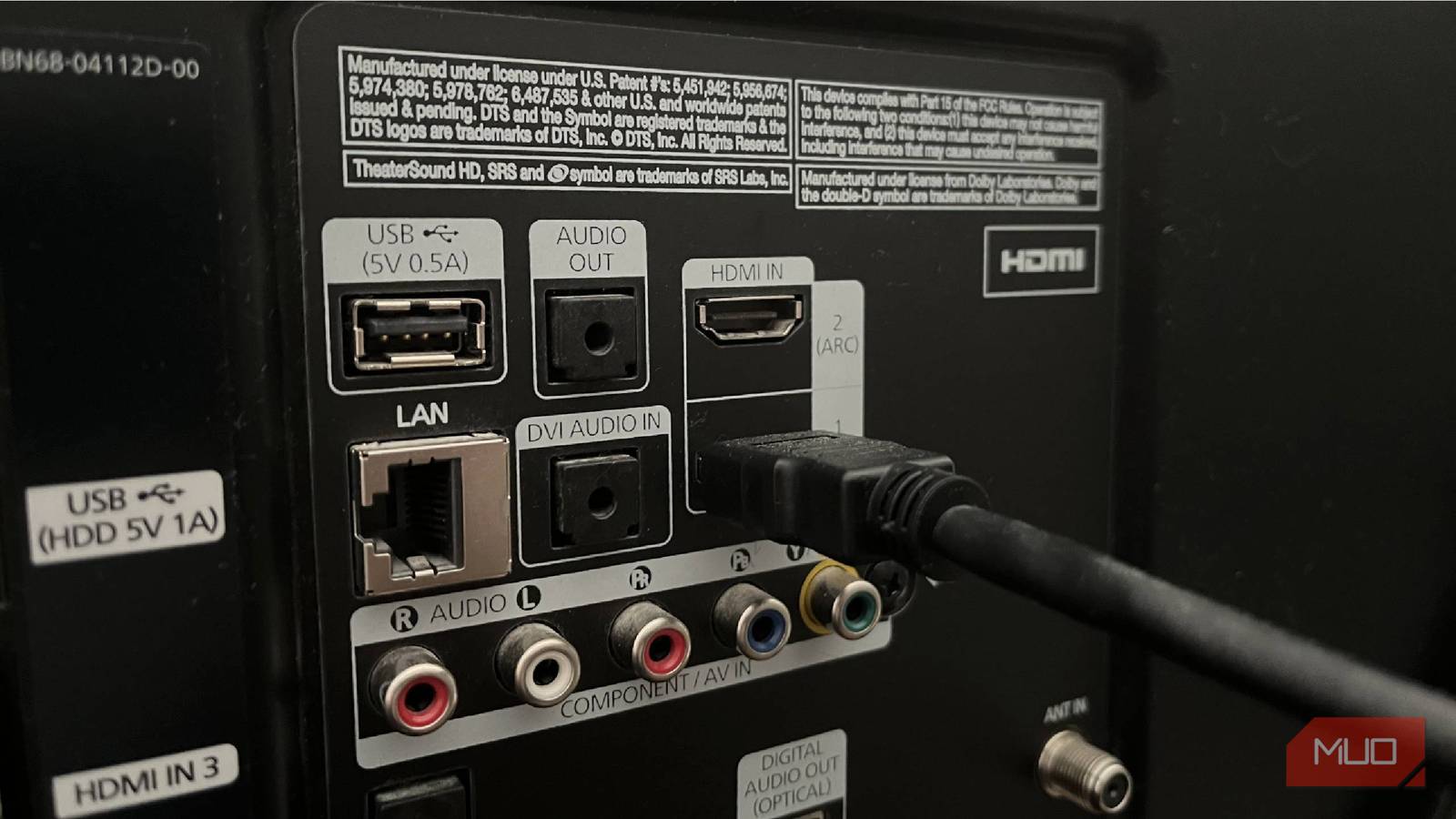
It’s easy to assume that all HDMI cables are the same. You plug them into your TV and connected device, and the picture you expect pops up. But while all HDMI cables provide basic functionality, old cables don’t bring the modern features that let modern devices look their best.
Updated HDMI cables don’t cost much more than old ones, so if you’ve been using old ones for a while, it’s a worthwhile upgrade to swap them out.
Understanding the latest HDMI generations
New cables mean better features
While HDMI still uses the same physical connection type from its launch decades ago, the internals have been upgraded over time to carry more information and add more functionality. These aren’t immediately noticeable from looking at a cable outside the package, but they’re important to check.
I briefly went over HDMI generations in my explanation of why gold-plated HDMI cables aren’t necessary. Every several years, the HDMI is updated to a new generation, but the terms around these changes are confusing. There’s a lot of overlap, and sellers aren’t always clear.
As of 2026, HDMI 2.2 is the latest standard. It was announced in mid-2025, but it’s not widely used yet. While you can buy HDMI 2.2 cables now, they won’t have any practical purpose for a while. Their 96Gbps bandwidth enables output of 16K at up to 60Hz, 12K at 120Hz, or 4K at 240Hz.
These are all extreme outputs that most people won’t need. There’s almost no 8K content available today, let alone 12K or above. Hardcore PC gamers could target 4K at 240Hz, but DisplayPort is more common for PC gaming, and DP 2.1 already supports this.
The current standard for most purposes, then, is HDMI 2.1. It has a bandwidth of 48Gbps, which allows for 8K at 60Hz or 4K at 120Hz. Crucially, HDMI 2.1 also includes several modern features that older standards lack, which we’ll discuss shortly.
Older cables offer lower performance
As you step back through the generations, each HDMI standard offers less bandwidth.
HDMI 2.0, released in 2013, offers 18Gbps and caps out at 4K/60Hz. This is also the oldest cable generation that supports HDR. Still-older HDMI generations (anything starting with 1.x) introduced in 2009 or earlier are not worth using today.
If you’re not sure which generation your HDMI cables are, look along them for these terms:
- Ultra96: HDMI 2.2
- Ultra High Speed: HDMI 2.1
- Premium High Speed: HDMI 2.0
- High Speed or Standard: HDMI 1.x
If your cables don’t have this printed on them and you don’t have a digital receipt to check the product listing, identify them by connecting them to a game console or PC and checking the available output options.

When buying new cables, don’t get anything lower than Ultra High Speed. HDMI 2.1 is great for modern consoles (PS5, Xbox Series, and Nintendo Switch 2). HDMI 2.2 cables are slightly more expensive than 2.1 cables, and can work for future-proofing, but aren’t vital right now.
If your cables are Premium High Speed, consider replacing them depending on their purpose. And if they’re in the HDMI 1.x family, it’s definitely time to upgrade.
Outdated cables lack modern features
Unlock everything your TV can do
Higher raw output isn’t the only improvement newer HDMI generations offer. HDMI 2.1 (or above) unlocks several features that are vital on modern consoles and useful for many other devices.
One is dynamic HDR, which is an improved version of HDR that constantly adjusts instead of being a blanket setting. Another is Auto Low Latency Mode, which lets your TV minimize input lag when it detects you’re playing a game and disables this when you do something else.
Variable Refresh Rate (VRR) is another TV gaming feature that older HDMI versions lack. This allows your TV’s refresh rate to sync to the frame rate that your game console is outputting, reducing screen tearing and preventing annoying stutters.
Finally, HDMI 2.1 and later support eARC, which is an enhanced version of the older ARC (Audio Return Channel). This allows your TV to send audio to your soundbar or audio receiver over HDMI, with the new version having much higher bandwidth that allows for uncompressed Dolby Atmos audio.
Knowing when to upgrade your cable
Time for a new one—if you can benefit
Just because you’re using an outdated cable doesn’t mean you need to upgrade immediately. If you have an older TV that you use to watch 1080p content via a connected Blu-ray player, upgrading from an HDMI 2.0 cable won’t improve that experience. But if you have a new 4K TV with a high-end soundbar and game on modern consoles, using an old cable reduces the quality of your experience.
Remember that your device and TV both need to support an HDMI standard for you to utilize it. An HDMI 2.1 cable won’t unlock dynamic HDR or VRR if you connect it to an HDMI 2.0 port on an older streaming box or your TV.
A general rule is that if your cable came with an old device or you used it in the 1080p days, it’s likely time to upgrade (assuming you’re using a 4K setup). If your PS5 is using the same cable you used with your PS4, which you swapped over from your PS3, that cable is too old.

When you buy a new device, it should come with an HDMI cable that supports all its features. But if not, make sure to buy an HDMI 2.1 or 2.2 cable for it. You don’t want to bottleneck a setup that costs thousands of dollars with a $10 cable.
While I’ve focused on HDMI standards as the most important reason to avoid using old cables, there are practical concerns too. If you’ve been using the same cable for a decade, the wear and tear can lead to instability. When you have problems with an HDMI cable dropping out, showing black screens, or otherwise not working, swap it out for a new one.
HDMI changes slowly, but keeping up is important
HDMI has only had a handful of major updates since its launch in 2002, and like most changes in standards, migration takes time. As we see with HDMI 2.2 today, a new standard being released doesn’t mean you can immediately take advantage of it with your TV, game console, or other devices. The next generation of consoles, along with high-end TVs that release this year, will likely support HDMI 2.2.
For modern setups, it’s worth upgrading to Ultra High Speed HDMI 2.1 cables. They’re inexpensive and enable modern features, so you get the full power of your display. Take time to check yours now, and you might get an “upgrade” that was hiding in plain sight.