


I don’t mind paying for good software, and YouTube Premium is actually a decent subscription even after the recent price hike. But now that I’ve tried LibreTube, I don’t think I’ll ever subscribe to YouTube Premium again.
LibreTube is a free, open-source YouTube client for Android that offers a cleaner, more privacy-focused way to watch YouTube. I first tried it while exploring open-source alternatives for Google’s apps, and the more I’ve used it, the more it has become my default way to watch YouTube.
7 video sites that are better than YouTube
If you’re done with YouTube, here are the best alternatives you should try.
YouTube feels refreshingly simple with LibreTube
No ads, no accounts, and no tracking
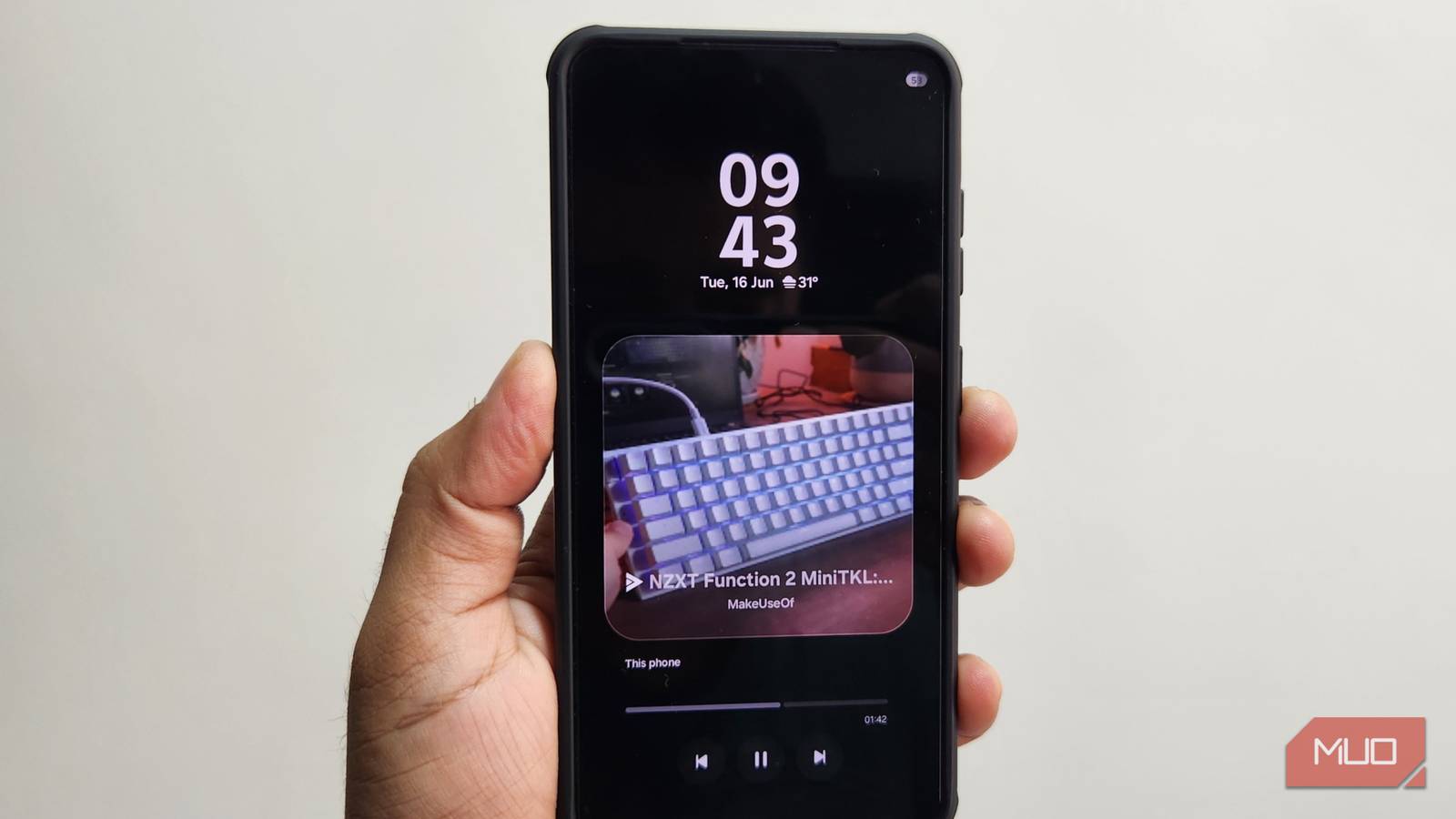
The biggest draw of LibreTube is that it’s completely free. It gives you almost all the YouTube Premium features without a monthly fee. I mostly started using it for background playback, and it works brilliantly. I can play a podcast or a recipe video and lock the screen. There’s even support for picture-in-picture mode, which means I can watch videos while doing other things on my phone. And if it’s something I need offline, LibreTube lets me download YouTube videos or save just the audio.
All of this is great, but the main reason I like LibreTube is because of all the extra perks it offers. One of my favorites is the audio-only mode. It essentially turns LibreTube into a music player, which is kind of genius. It’s a great way to save data and enjoy songs without switching to a different app like YouTube Music.
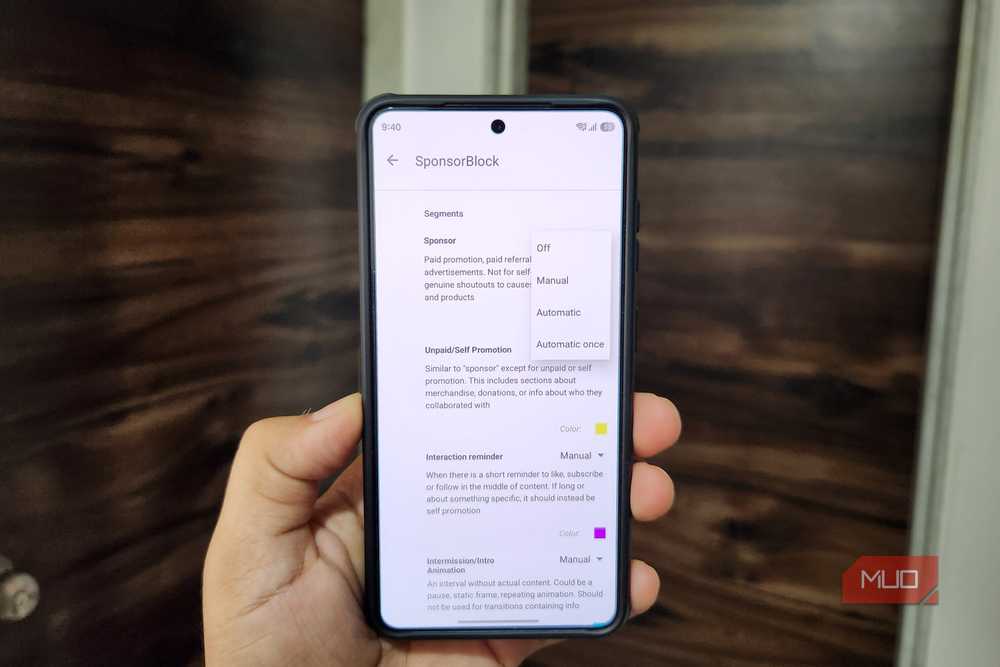
Another useful feature is the SponsorBlock. LibreTube can automatically skip sponsored segments in YouTube videos, which is helpful while listening to videos with the screen off. And it gets even better. If you only want to use LibreTube for music streaming, you can configure the app to skip non-music sections automatically. There are similar options for skipping previews, recaps, greetings, outros, and much more. That means all you get is the content you want and nothing else.
LibreTube gives me what the official app won’t
It’s not just about money
Using LibreTube isn’t all about saving money for me. As I said earlier, YouTube Premium is one of the better value-for-money subscription services out there. For anyone who spends hours on YouTube every week, the subscription easily justifies the cost because it works across every device you own.
My issue with YouTube has always been with the app rather than the subscription. The official app doesn’t give me the level of control LibreTube does. The biggest example here is Shorts. I have absolutely no interest in them, yet YouTube puts them front and center in the Home tab. Yes, there’s now an option to disable Shorts from the time management menu, but that doesn’t hide the Shorts tab. On LibreTube, there’s no Shorts tab at the bottom, and you can even reorder the sections in the navigation bar as you like.
Another small but extremely likable thing LibreTube offers is gesture controls. I can swipe up or down on either side of the screen to control brightness and volume. Heck, I can even set different video quality preferences for regular and fullscreen viewing. It’s details like these that make me prefer LibreTube over the official YouTube app.
LibreTube’s design also deserves some credit. I’ve tried other YouTube alternatives like NewPipe, but I can’t stand its outdated interface. LibreTube looks way more polished. It follows Material You design principles and has tons of customization options.
All the YouTube essentials are still there
I’m not missing out anything

The idea of watching YouTube without your Google account sounds great from a privacy standpoint, but that usually also means you lose access to important features like your subscriptions, search history, watch history, playlists, and more. That’s not the case with LibreTube, though.
You can still subscribe to channels, access your watch history, create playlists, and do most things that’d normally require an account. The app stores all of it locally on your phone, which means I’m not sacrificing much convenience by choosing LibreTube. The obvious trade-off here is that my YouTube data doesn’t get synced across devices. If you watch YouTube only on your phone, this won’t matter much. But if you like the continuity across devices, this can be a deal-breaker.

- OS
-
Android
- Price model
-
Free (open-source)
There are a few compromises, but I can’t complain
It’s no secret that Google has been cracking down on YouTube alternatives like LibreTube. And because of this, LibreTube can be inconsistent at times. Every now and then, you may find that the app refuses to load anything or show errors. The other thing I occasionally miss is Gemini integration. On YouTube, I can simply ask Gemini to summarize the video or ask specific questions about it, which is handy for long videos.
Still, these compromises are relatively easy to live with. And of course, I can always fall back to the YouTube app when LibreTube breaks or I need a feature that’s only available in the official app.
- SoC
-
Snapdragon 8 Elite Gen 5
- Display
-
6.3-inch Dynamic AMOLED 2x
- RAM
-
12 GB
- Storage
-
256 or 512 GB