



Smart homes are littered with gadgets, media boxes, and screens that all use proprietary remotes. Some of them can be easily controlled with your smartphone, but there’s a catch — these few-and-far-between entertainment devices use proprietary apps. The situation forces users to choose between using a handful of physical remotes or a handful of individual apps, and neither are a great option. My movie-watching and music-listening setups use a mix of new and decades-old hardware, and I sought to find one app to control it all.
Universal remote apps that are actually useful are hard to find. Most smartphones today do not include an infrared (IR) light blaster, which is crucial for controlling older TVs and most other AV equipment. Any phone can control smart TVs and set-top boxes that use Wi-Fi for controls, but controlling other device types without a hardware IR blaster is an elusive feat. The best way remains to use a phone with an IR blaster or add an IR dongle to the one you already own — but there’s one app that should work for everyone.
Anyone can use this free universal remote app
This one uses Wi-Fi to connect to your smart gadgets
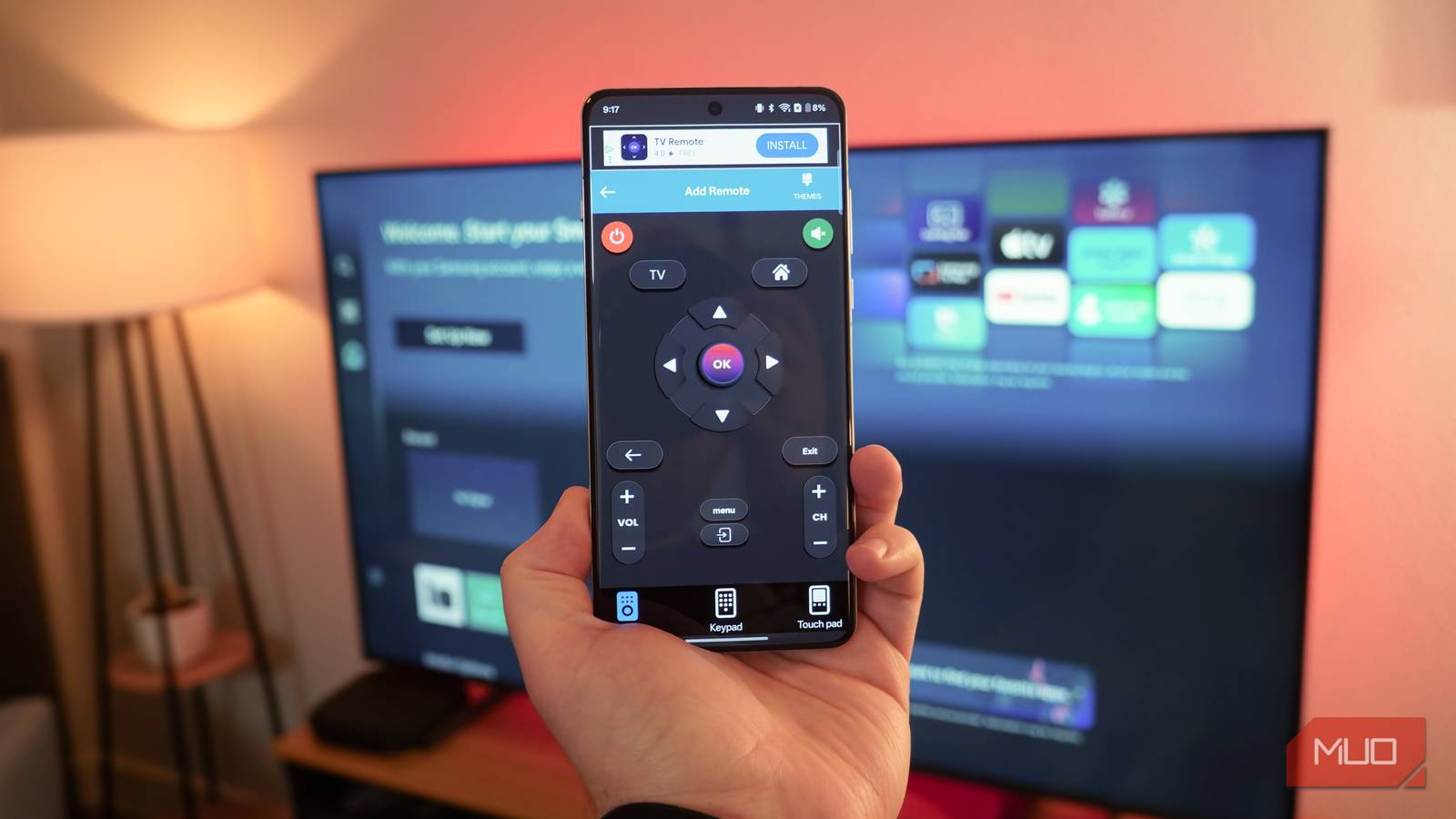
Unless you have a flagship from OnePlus, Xiaomi, Oppo, or Vivo, there’s a good chance your smartphone does not have the handy IR blaster needed for seamless universal remote functionality. Fear not, because there are other solutions. A great free app on the Google Play Store that will work with any Android phone is the Universal TV Remote App-IR. This app includes IR support for the phones that have it, and Wi-Fi support for the ones that don’t.
The key here is whether your TV is a “smart TV” with support for remote controls over Wi-Fi. Leading models from Samsung, LG, Sony, TCL, Hisense, and Vizio typically support this functionality, among others. It’ll also work with some set-top and streaming boxes, like those from Comcast. With a supported device, it’s as simple as adding your TV model to the app and using it to remotely control your TVs.
Every free universal remote app we tested came with intrusive and annoying ads. If you’re willing to pay for a better, ad-free user experience, check out MyURemote on the Google Play Store. For a $16 one-time purchase, you can get an ad-free and fully-featured universal remote app.
This app is far from perfect, but I’ve used it to control TVs from multiple brands, including Samsung and LG models in my home. The big issue is with the advertisements — they’re both intrusive and a bit deceptive. This app, like every other “free” universal remote app I tested, uses dark patterns to entice you to click an ad or sign up for a subscription. If you avoid those, however, this app works as advertised.
The more glaring fault is likely with your smartphone. Without a hardware IR blaster, there are hard limits to how many devices (and which kinds) can be controlled by an Android app.
- OS
-
Android
- Price model
-
Free (ad-supported)
The Universal TV Remote App-IR can control TVs and other devices using Wi-Fi connectivity or your phone’s IR blaster. It has semi-intrusive advertisements, but works well for controlling multiple TVs considering that it’s free.
Using a phone with an IR blaster changes the game
Control almost anything in your home with a single, free app
If you happen to own a phone with an IR blaster, the script is flipped. I have a OnePlus 13, which includes a hardware IR blaster, and that means I can control all kinds of devices with a simple app. In fact, I managed to control a five-disc CD changer from TEAC I snagged from a thrift store without an attached remote. With the free Irplus app, I use my smartphone to control playback, change discs, and more on a CD player from the 1990s.
It’s worth checking your junk drawer of old tech to see which old phones you might have lying around. Many older Android phones, including models from Samsung, HTC, and LG, included IR blasters in the early days of smartphones. If you have one, it might be worth trying to start it up for use as a universal remote. The Irplus app I use works with phones and tablets running Android 4.4 or later, so it’s likely your old phone will work just fine.
The great thing about the Irplus app is that it’s the closest thing to a truly-free universal remote app for your smartphone. The few ads that are present are unobtrusive, appearing as banners that don’t block your remote controls. Overall, the design of the app is dated, but that isn’t a problem for a universal remote app — simplicity is key, and that’s what Irplus gives you.
I’ve used this free app with my OnePlus 13 to control TVs, CD players, AV receivers, and Blu-ray players, making it the most versatile app installed on my Android phone.

- OS
-
Android
- Price model
-
Free (ad-supported)
irplus is a universal remote app for Android that uses a device’s inbuilt IR blaster to control a variety of device types. It’ll work with TVs, CD players, Blu-ray players, AV receivers, and other kinds of devices. It’s free with ads that don’t get in the way of controlling your favorite AV hardware.
OnePlus users: IR Remote is the best app I’ve tried
Don’t worry — everyone else can use the other remote apps

Trying to find a free app that works as a universal remote without any extra hardware is a tough endeavor. It is possible, provided that most of your entertainment setup is modern and supports Wi-Fi controls. However, using an IR blaster for true universality is clearly still the best option. That requires either a certain smartphone, like my OnePlus 13, or adding a cheap USB-C dongle to the one you already own.
On that note, the exclusive IR Remote app for the OnePlus 13 is hands-down the best universal remote app I’ve tested. It has absolutely no ads, features a clean user interface, and offers support for the widest range of home accessories. I use it to control my decades-old CD player and my flagship Apple TV, plus everything in between. OnePlus users, consider yourself lucky.

My OnePlus 13 Has This Amazing Feature That More Android Phones Really Need
An underrated feature I didn’t know I was missing until I had it.
For everyone else, the situation is tricky. Most users will have to choose between the free and simple option that doesn’t require any extra hardware, or the best solution that necessitates spending a bit of cash on a hardware accessory or picking the right phone. I certainly love using the IR blaster on my OnePlus 13, and it’s one hardware feature I wish most Android phones never gave up.