






My first introduction to The Browser Company was back when Arc was still in its early beta days, and I ended up becoming one of its earliest adopters. Arc was easily the best browser I had ever used, and nothing else even came close to how well it fit my workflow.
But like most good things, it did not last. The team eventually shifted its focus away from Arc and onto its new browser, Dia. I tried it a few months ago and honestly hated it. Arc had so many features that every modern browser should copy, yet Dia launched without any of them. I was left pretty disappointed for a long time, at least until recently.
Dia was not off to a good start
The AI hype did not save it
I’ve already written about my issues with Dia before, but I think it’s worth repeating here. At launch, Dia missed everything that made Arc the best browser I’ve ever used.
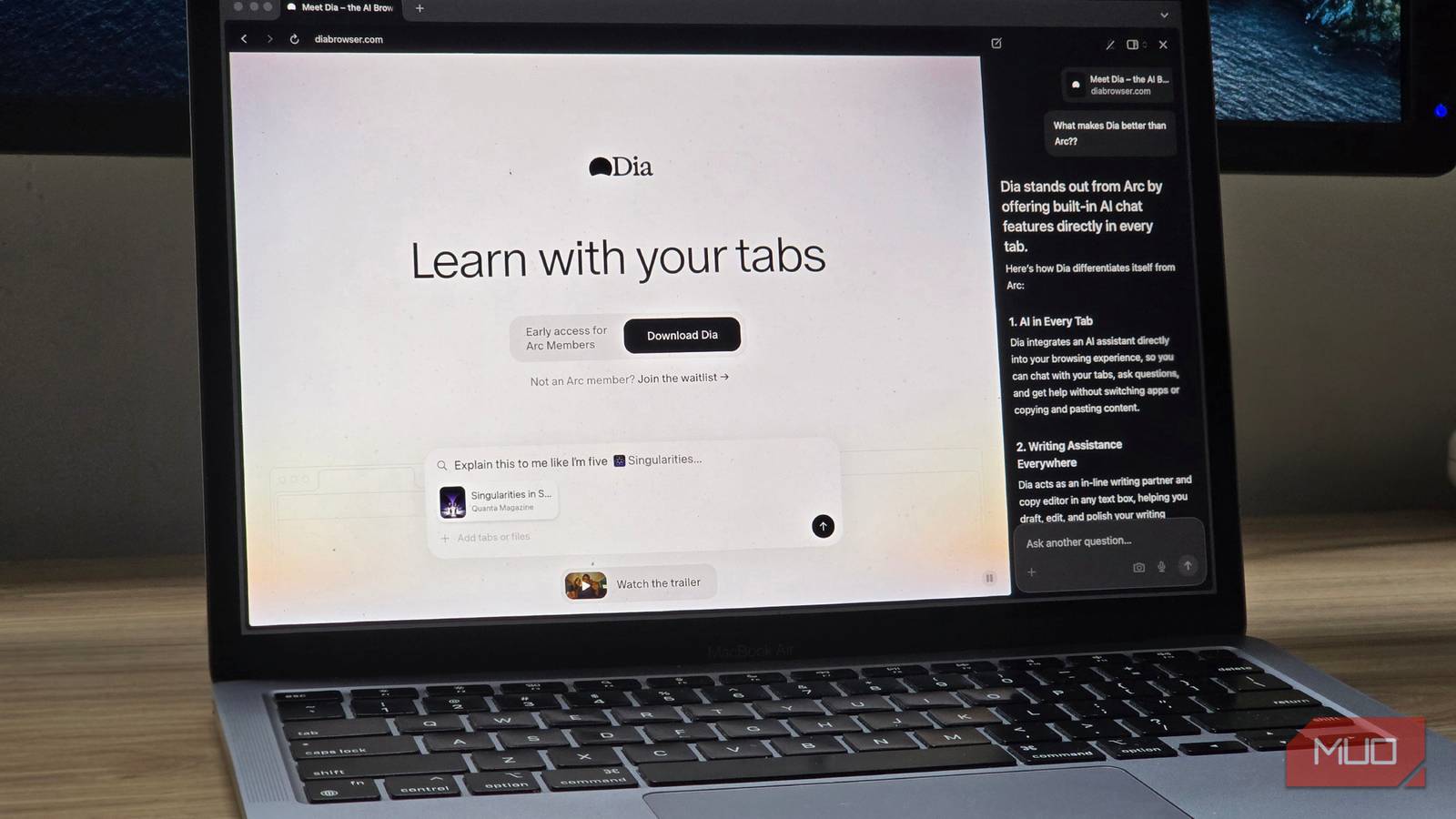
Instead, just because it’s 2025, all of that was thrown out in favor of AI features nobody asked for. When Dia first launched, it was basically just Chromium with an AI sidebar slapped on top. The sidebar could read your tabs, and you could ask questions to an LLM about whatever was on the page, something that’s since been copied by the likes of ChatGPT Atlas and Comet.
The problem is, even if you’re someone who finds these AI features useful, you should also know that AI browsers are a pretty big security risk. And I am not saying this as some theoretical doom-and-gloom warning. I literally tested it myself.

I was able to create a prompt injection attack myself with almost no effort, and it worked on Dia. I managed to create a simple webpage with hidden instructions, and the AI followed them exactly, letting me manipulate the model however I wanted.
Anyway, as I mentioned earlier, Dia has had some real competition lately from much bigger players like OpenAI and Perplexity, and I think that pressure has been good. Instead of doubling down on the AI-everywhere approach, the team seems to have finally taken a step back and asked themselves why Arc was such a success in the first place?
Over the past few updates, I’ve been noticing Dia turning in the right direction, and I couldn’t be happier for it.
The Browser Company finally decided to embrace its Arc roots
The return of vertical tabs
If you’ve ever used Arc before, you know the best part about it was easily the vertical tabs sidebar. I’ve tried every browser on the planet that claims to have vertical tabs, and nothing—absolutely nothing—feels as smooth as Arc’s implementation.
That’s why its absence in Dia’s early versions hurt so much. It was the one feature they had to get right, and they just ignored it completely.
Thankfully, Dia’s new sidebar works almost exactly how it did in Arc: you get your pinned tabs at the top in that neat little 3×3 grid, and everything else shows up below it. I can’t even tell you how much I missed it for the few months Ihad been back on Chrome.

A week with ChatGPT Atlas convinced me to uninstall it
It has all the smarts but really has none of the usefulness.
And just like Arc, you can even collapse the sidebar with Command + S, and you don’t need to right-click on any menus to get to that function, like in the Zen browser.
Dia even has one of my favorite quality-of-life improvements from Arc. When you press Control + Tab, instead of cycling blindly through tabs, you get a proper preview window. It’s basically the same way Alt+Tab works on Windows, but for all your tabs in your browser. As a person who likes to keep his hands stuck on the keyboard, it is a huge plus.
There are still some features on my wishlist
I want the AI to calm down a little

I’m really glad that Dia now feels closer to the browser I loved, and I’ve actually been using it as my default browser minus the AI stuff (more on that later.) Even with the improvements, there are still a few things I really want to see.
The biggest one is support for spaces and profiles. Arc did this in a very smart way. You did not have to open a new window every time you wanted to switch to a different profile. There was a simple section in the sidebar, and you could switch between them inside the same window with no friction. It was fast and clean.
In Dia, profiles work as they do in Chrome, which is fine, but not ideal. I would love something closer to Arc’s system.

I also want the option to create folders in the sidebar. It would make the organization a lot easier, and believe me, because I have tried this exact feature in Arc.
My biggest wish, though, is for Dia to give the AI features a lower priority. There have been so many times when I wanted to run a normal Google search, but Dia answered with an LLM instead. Google is still much faster for regular browsing, so I should be able to choose when the LLM comes in rather than having it trigger automatically depending on the context of the question.
Combined with the security issue I mentioned earlier, these two problems are enough for me to avoid the future AI features. Even putting that aside, AI is so much more than just LLMs.
I would love to see AI do more interesting and productive things. For example, automatically grouping your tabs into categories based on the context rather than generating blobs of text for me.
Dia is finally on the right track (for now)
For the first time since I started using Dia, it feels like the focus is on actual browsing and productivity again. The new changes make a huge difference in daily use, and it is clear that the team is slowly rebuilding the browser into something meaningful.
There is still a lot of work ahead, but I feel good about using Dia every day now. If they keep listening to feedback and keep polishing the core experience, I think it could grow into something genuinely great. For now, I am just happy it is no longer a chore to use.