


I have been deep into OpenClaw for a while now. It is a great tool, genuinely, but at some point I started wondering if there was something that did everything it does and then some. So I went looking.
I am the kind of person who, once something is working, immediately starts wondering what the ceiling is. The ceiling on OpenClaw turned out to be lower than I wanted. So I went looking, found Hermes, and things got a lot more interesting.
Hermes beats OpenClaw in the ways that actually matter
Do more, with fewer tokens
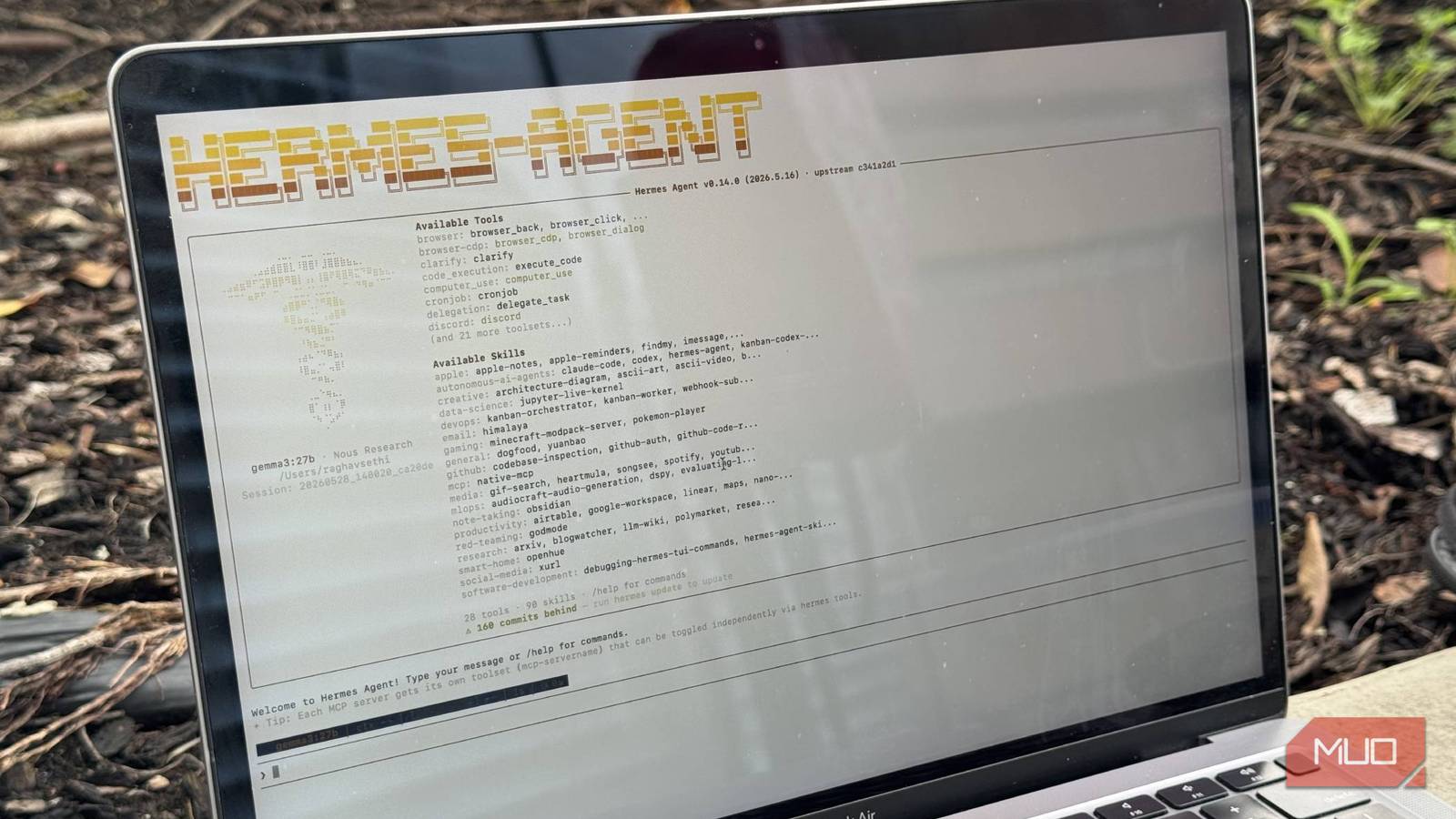
If you have not heard of Hermes yet, it’s basically an open-source autonomous agent, the same as OpenClaw, but with some massive benefits on top of it. Both platforms are actually quite similar otherwise. You can run both on a VPS (or any computer), choose your model, and have it do tasks for you. The real difference is what each agent does after a task is finished.
OpenClaw has always felt like a gateway at first. Its whole design is built around routing and connections, such as plugging in your chat apps, your LLMs, and then executing tasks one at a time. That works well, and the Clawhub skill marketplace is massive. But every session starts from scratch. Proper memory setup between sessions requires manual configs. The agent does not learn anything from what it did yesterday by default, because that is not what it was built to do.
Hermes, on the other hand, feels like an agent first. After complex tasks, Hermes enters a “reflective phase”, where it looks at what it just did, figures out what worked, and writes a markdown skill file encoding that approach for next time. You don’t really need to confirm this or prompt this, it just happens. The result is that the same recurring task gets faster and better over time without you touching anything.
The fix for local LLMs was never a bigger model
My local LLM kept choking on context until I added this 500MB model.
The memory works differently too. Hermes does a full-text search for its own past conversations, so you can ask it to pick up something from two weeks ago, and it finds it on its own. OpenClaw has something similar, but in my experience it has never worked well.
Another really HUGE advantage I noticed was that Hermes burns significantly fewer tokens. I am talking roughly 50% less on similar tasks, which is a major advantage, especially if you’re using cloud LLMs, or just want faster responses. That alone made it a no-brainer for me to switch.
Cool things I’ve done with Hermes
Hermes, fix my life, no mistakes

The first thing I set up was a research pipeline for articles. I give Hermes a topic; it pulls from live sources, maps what angles are already saturated, and comes back with a structured brief including gaps worth writing about. I used to spend an hour doing that manually across tabs. Now I wake up, and it is sitting in my Discord server waiting for me.
From there, I got a bit more ambitious and built a price-tracking setup for tech gear I actually want to buy. It monitors specific listings, compares against historical prices, and messages me when something drops into range.
The one I am most happy with is a personal changelog. Every evening, Hermes pulls what I worked on across my tools, writes a one-paragraph summary of what actually got done that day, and logs it. A month in, I have a running record of my work that I did not have to maintain myself. I keep going back to it more than I expected.
So let’s say six months later, when I am staring at a codebase wondering why I did something a specific way, I can just ask it, and it pulls the exact conversation where I reasoned through it. It is like having a second brain that actually remembers the thinking behind things, not just the outcome.
I’ve also been really getting into self-hosting apps lately, so I’ve set up a home server monitor. Hermes watches my self-hosted services, and if anything goes down it messages me before I would ever notice myself.
I hooked Obsidian to a local LLM and it beats NotebookLM at its own game
My notes now talk back and it’s terrifyingly useful.
What to do if you’re already on OpenClaw?
Migration is super easy

Firstly, installing Hermes is extremely simple. Just open up your terminal and enter this command:
curl -fsSL https://raw.githubusercontent.com/NousResearch/hermes-agent/main/scripts/install.sh | bash
The setup wizard will guide you through connecting with your model provider and whichever messaging platform you want. It’s not going to take you more than 15 minutes to set up, especially if you’ve installed OpenClaw before.
If you are coming from OpenClaw, just run hermes claw migrate during setup. It finds your existing config and brings across your memories, skills, and API keys automatically. You can also add the --dry-run flag to preview what you’re moving before anything happens
Some config parameters, like API keys, need additional flags like --migrate-secrets to transfer over, so I would suggest going through the Hermes migration docs before you start so you know exactly what to expect.
For my setup, Hermes lives on my M4 Mac Mini with 24GB of unified memory and just stays on. That is the whole infrastructure. I access it through Discord, so it is just another server I have open all the time, and sending it a task feels no different from sending a message. But obviously, you can use other messaging platforms like Telegram as well.
For models, I run Gemma 4 locally via Ollama for most things, which the Mac Mini handles without breaking a sweat. For heavier tasks, I route through NVIDIA Build and use MiniMax, a 230 billion parameter model. The combination means the running cost day to day is close to nothing. Lighter tasks stay local, heavier ones go out only when they need to, and the whole thing just works without me thinking about it.

5 useful things I do with a local LLM on my phone
Privacy aside, a local LLM is just really convenient.
It’s extremely powerful… and dangerous
One thing worth mentioning before you go all in: be careful with what you give it access to. Hermes can run shell commands, access your file system, and make web requests autonomously, so it is worth thinking about permissions before you set it loose.
Use the built-in command approval flows and preferably use a completely isolated machine for Hermes. The tool is powerful precisely because it is not sandboxed by default, and that cuts both ways.