



I’m not someone who’s obsessed with AI tools. Now, that doesn’t mean I never use AI in my everyday life. I often use ChatGPT for several tasks, like brainstorming ideas, drafting emails, solving calculations, analyzing documents, creating images, and more. So yes, ChatGPT became an indispensable part of my daily workflow. But after months of using ChatGPT, I started noticing that it isn’t the best AI tool for every task.
ChatGPT can give you great answers, but it doesn’t perform the best for everything. For specific tasks such as factual lookup, creative image generation, interactive presentations, and more, you can find several other tools that outperform ChatGPT in their respective niches. That’s when I started experimenting with alternatives, and the results were amazing. Here are 5 tasks I stopped using ChatGPT for, the tools I use instead, and why they work better for me.
Multimodal tasks
Google Gemini
ChatGPT is a language-centric model with great creative writing and complex reasoning abilities. Earlier, I used it for all my needs, whether drafting replies or interpreting screenshots. However, ChatGPT won’t give me satisfying responses when I try to give it multiple inputs like text, images, audio, and documents simultaneously. When I switched to Google Gemini, I was surprised to see how well it handles multimodal inputs with ease. I can upload an image, drop a screenshot from research, and add pages from a PDF, and Gemini will understand everything and give me a cohesive response.
Yes, Google Gemini excels at multimodal tasks. It sees, understands, and reasons across different inputs in one go. This has been a game-changer when I’m working with mixed content. Earlier, I had to switch back and forth between multiple tools, which was quite annoying and time-consuming. Now that I’ve switched to Gemini, all my tasks are handled in one place, and the results are more accurate. That’s not all. Gemini offers free access to image-generation tools and advanced Voice Mode, but both require a paid subscription to ChatGPT. Beyond these, I’ve also noticed that Gemini provides more accurate, up-to-date, and research-backed responses than ChatGPT.
Deep research and factual lookup
Perplexity AI

When I want to do some deep factual research or fetch real-time information, I find Perplexity far more useful than ChatGPT. It combines large language models with real-time web searches to fact-check and provide proper citations for every claim. ChatGPT, on the other hand, is trained on a broad dataset of texts. It means ChatGPT might give you outdated or unverified responses, especially for current events and certain niches. Perplexity searches the live internet and gives proper citations (news articles and research papers) for each response. So, rather than finding multiple sources myself, I get ready links that I can verify.
When I’m researching a new topic for my article, I need some solid citations. For such tasks, Perplexity AI offers great help. When I want to get information on something new, Perplexity reduces the guesswork and saves my time. Beyond surface-level facts, Perplexity has become my go-to research companion, helping me dig deeper without getting lost down rabbit holes. It offers a dedicated Deep Research mode that analyzes hundreds of sources to produce comprehensive reports on complex topics such as finance and technology.
Note-taking and studying
NotebookLM
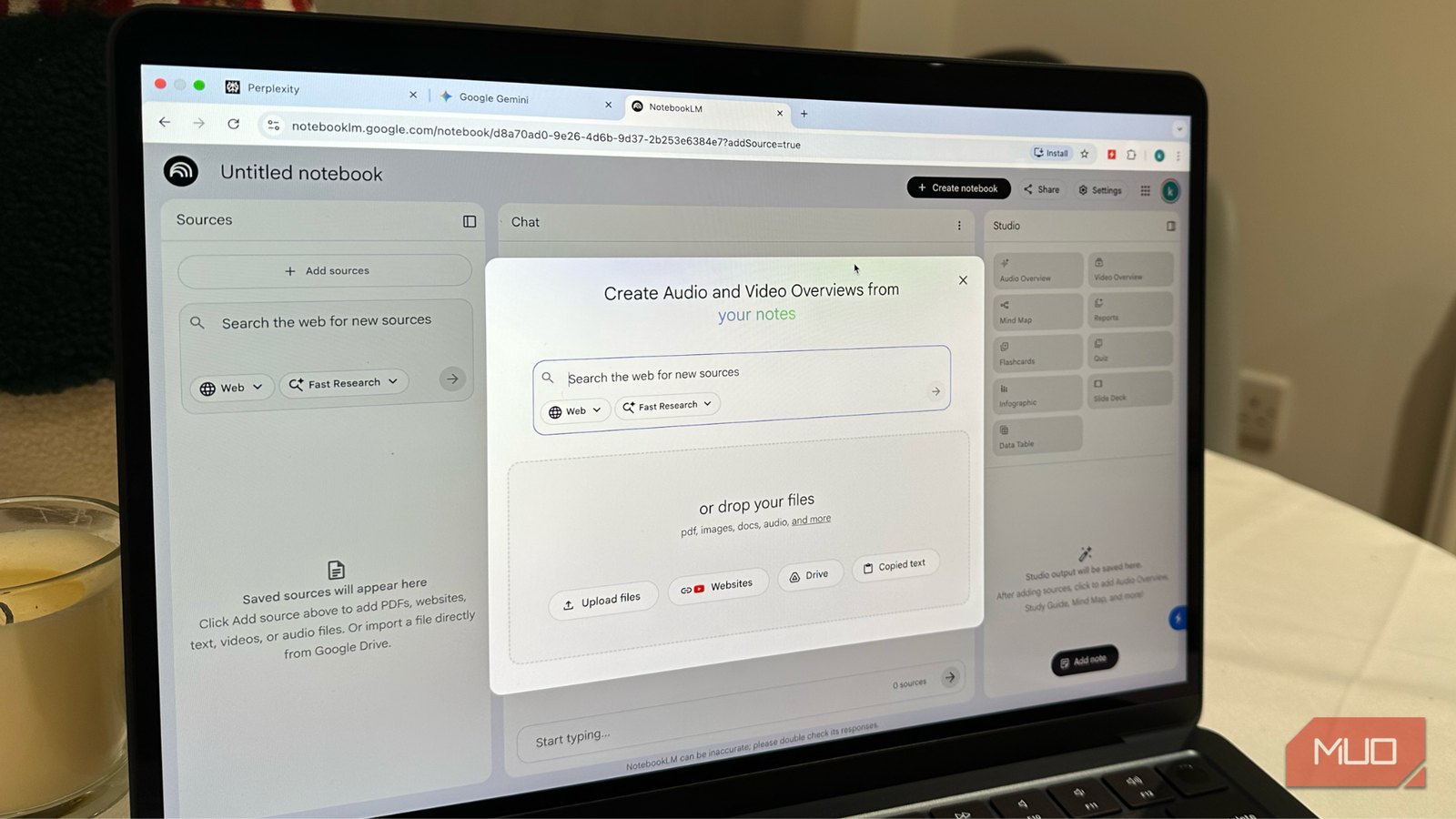
This is the most surprising ChatGPT replacement in my workflow. NotebookLM is an AI-powered research and note-taking tool that analyzes your sources and delivers meaningful responses. It’s a great tool for learning, studying, and note-taking. It works as your note-taking assistant by grounding responses from your uploaded notes, images, and other sources that you provide. You can upload lecture slides, academic research papers, or transcripts and ask NotebookLM to summarize, compare, or generate insights from them. Since the tool knows only what I feed it, it significantly reduces hallucinations and unwanted internet chatter.
This makes a huge difference when I want to study concepts in depth, summarize complex papers, or analyze reports. It can extract key points, create study guides, and prepare my meeting briefs. Even better, it can produce engaging, podcast-style audio summaries from my own files. This makes me feel as if I have a personal tutor built right into my workflow. Now, rather than asking ChatGPT to help me learn something, I head to NotebookLM to learn exactly what I want, using materials I already have. This has helped me save a lot of time.
Creative image generation
Adobe Firefly

I have used ChatGPT to describe my images or create prompts to generate a specific image. And it does a pretty decent job, I must say. When it comes to generating creative visuals like social media posts and product images, nothing beats Adobe Firefly. It helps me create stunning Pinterest-inspired images that are commercially safe to use. So, ChatGPT might help me with ideas, but Adobe Firefly transforms those ideas into polished visuals that I can use without any worries. It has a highly capable text-to-image generator that can even apply special effects from your written prompts.
There are several generative image tools out there, but Adobe Firefly gives me control over style and creative direction. With Firefly, I can create cleaner images that are legally safe to use in my social posts and marketing materials. One of the best things is that Adobe Firefly is deeply integrated with Adobe Creative Cloud, so you can access it directly in Photoshop, Illustrator, and Premiere Pro. For me, it is one of the rare AI tools that is worth paying for.
Interactive presentations and custom designs
Canva

When I have to create interactive presentations or creative logs, Canva has surprisingly replaced ChatGPT in my workflow. Of course, ChatGPT can suggest structure ideas and write text for my slides, but it cannot create beautiful and editable designs for me. On the other hand, Canva lets me build editable designs with a single prompt and drag-and-drop ease. Whether it’s a social media carousel or a product presentation, Canva offers me stunning results that I can use immediately.
Canva also allows me to apply specific colors, fonts, and logos to my designs. This ensures consistency and uniformity, which you can’t expect from generic ChatGPT prompts. It also excels at designing complex, perfectly formatted, multi-page documents and presentations. Besides catchy designs, Canva also offers Magic Write, which lets me draft short, punchy descriptions for ads, presentations, and social media posts.

I stack free chatbots so I never pay a cent for AI
Free AI tools are legitimately powerful; you just need to know how to stack them.
Now I use the right tools rather than relying on just one
ChatGPT is an incredible tool, but it’s not optimized for every task. In fact, no single AI tool is designed that way. So, instead of relying on ChatGPT for everything, I’ve switched to dedicated tools built for the job. Now, my workflow is faster, more reliable, and a lot more fun. If you have also been defaulting to ChatGPT for almost everything, try switching to tools that excel at what they are actually built to do. Just like me, you might also see your productivity and work improving in ways you didn’t imagine.