


Jellyfin is currently my go-to media server, and I love that I can organize and stream my own movies, TV shows, and music without paying for another subscription. However, for it to fully replace Plex, I needed to be able to access my entire media collection from anywhere. Tailscale provided the missing link for remote connectivity, and together, they offer a surprisingly straightforward way to build a personal streaming service.
Jellyfin and Tailscale make a great combination
My personal media library, with remote access and no subscription fees
Having built a large media collection over the years, I’m increasingly aware that true ownership is rare and subscription services reign supreme. Jellyfin offers an alternative: a free, open-source media server where I can keep all my media in one place without paying a monthly fee. However, I want to access my media from anywhere, as if I were logging into my Netflix account, and that’s where Tailscale comes in.
When I’m away from home, Tailscale creates a private, encrypted network between my authorized devices, letting me connect to my home server without exposing Jellyfin directly to the internet. Together, the two services give me a personal streaming setup that I control, with the flexibility to watch my media from almost anywhere.
I connected my devices to a private network
Setting up Tailscale was surprisingly straightforward
Tailscale is available on several platforms, including macOS, Windows, Linux, Android, and iOS. I first installed it on my MacBook Jellyfin server and my iPad, which I used to access Jellyfin remotely. Once connected, both devices appeared as active in Tailscale, sharing a common IP address for remote access. I didn’t need tricky port forwarding on my router or other configurations to make my server publicly available.
That’s just the start: I can use Tailscale to access other services running on my home computer, as long as I’ve granted the necessary permissions. So I have found a convenient way to access my home network securely, without having to become a networking expert.
Tailscale lets me use Jellyfin away from home
I can now access my files without exposing my media server to the internet

There are other ways to access my media server away from home. One option is to configure port forwarding on my router, allowing remote devices to connect to my server. However, that approach introduces additional configuration and security considerations.
Tailscale provided a simple, straightforward solution by acting as a middleman to create a private, encrypted network between two devices. All I had to do was install Tailscale on my server and the devices I want to use remotely, sign in, and connect them to my private network. I can then use my server’s Tailscale IP address or hostname to access Jellyfin.
Once everything is configured, I can access my Jellyfin server from another location, as long as my server is running and both devices are connected to the internet. And instead of exposing Jellyfin directly to the internet, I can restrict network access to authorized devices and users, so what could be a complex process becomes remarkably simple.
Self-hosting isn’t always the easiest option
There are some downsides, and Jellyfin Mobile might be all you need
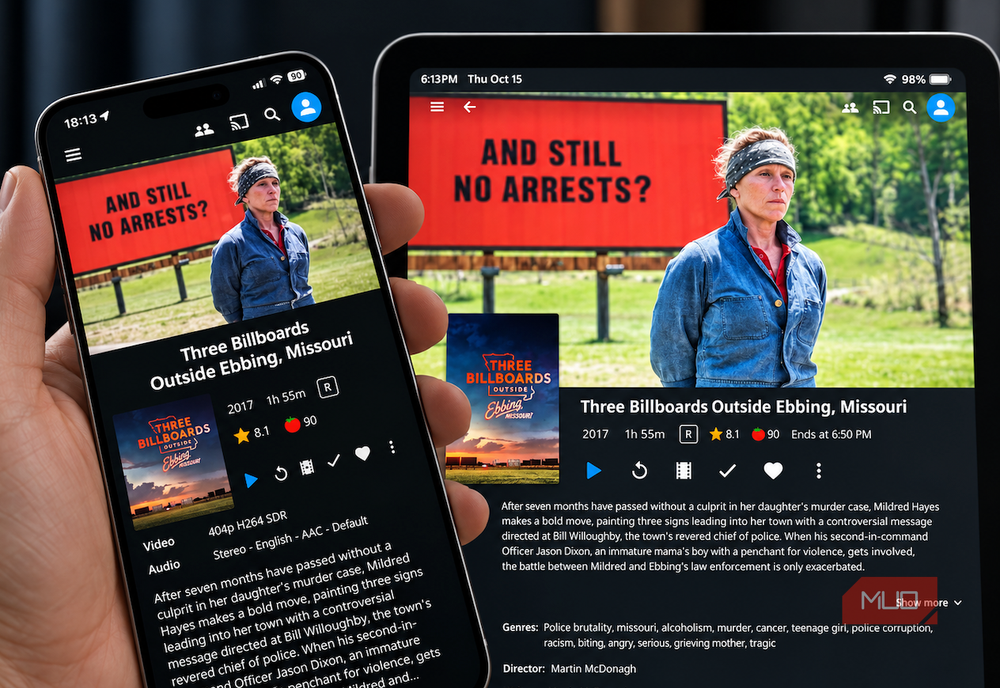
There are certainly positives to running your own media server, and I have been bitten by the self-hosting bug recently. However, it’s important to consider a few things before setting up your media server with Jellyfin and Tailscale.
My server needs to remain switched on and connected to the internet. If my home computer goes offline, my media library goes offline too, so I don’t bank on having remote access for long periods. My home upload speed also affects streaming quality, especially when watching high-resolution content remotely. I also have to make sure that both apps are updated, manage storage, and configure permissions to keep them running in unison.
If you just want to watch media on your phone or tablet, you can access it directly from the Jellyfin Mobile app without having to use a mobile browser. However, Jellyfin Mobile isn’t a replacement for Jellyfin Server or Tailscale. You still need to make your server accessible from outside your home if you plan on using it remotely, and while other methods are available, Tailscale is the most straightforward I’ve tried.
My personal media library goes wherever I go
There are clear advantages to hosting my own media server. I am fully in control of my collection, without being beholden to subscription fees or watching my favorite titles routinely disappear from streaming libraries. Adding Tailscale improves this experience by adding another layer of convenience outside my home network, without requiring me to expose my server to the internet.
The solution isn’t perfect, since it’s not entirely hands-free, and I still need a reliable internet connection. But once connected, it works exceptionally well, so if you’re comfortable with a little tinkering and maintenance, Jellyfin and Tailscale offer a compelling alternative to paid streaming platforms.

- OS
-
Android, iOS/iPadOS, Android TV, Fire TV, Web browsers
- Developer
-
Jellyfin Community
- Pricing model
-
Free (open-source)
- Initial release
-
December 8, 2018
Jellyfin is a free-and-open-source media-server system that lets you self-host your movies, music, TV shows, photos and more and stream them to any device without subscriptions or third-party tracking.