




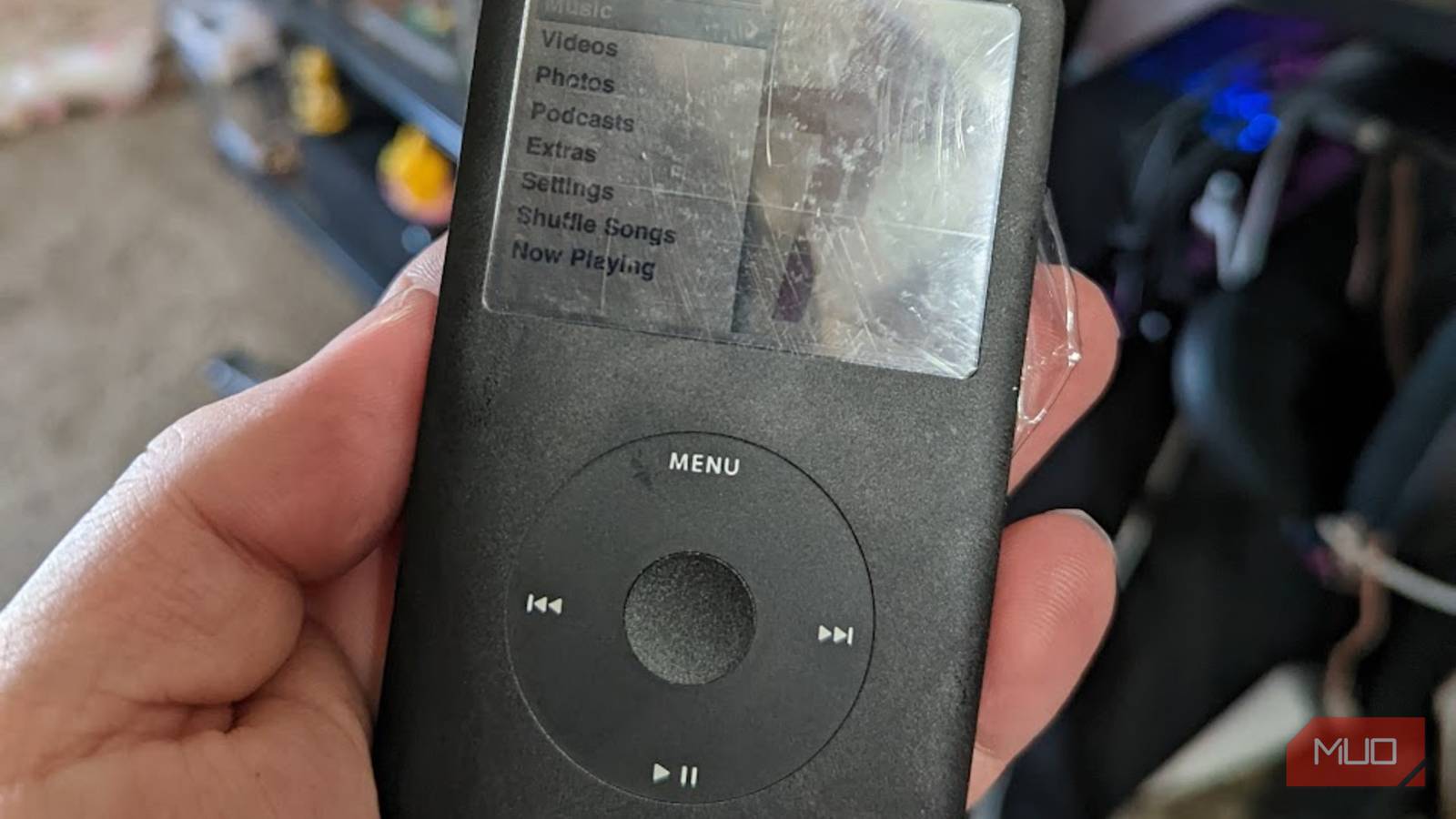
Tinkering with older electronics brings an extra layer of joy to my life. While it doesn’t even feel like it’s been that long, the iPod Classic was originally released in 2001 and has already been discontinued for over a decade. Rather than let my iPod sit in a drawer destined to a life of obscurity, I decided that I should attempt to breathe new life into one of my favorite media players.
After sweat, tears, and a bit of blood (more on that later), I reinvigorated my 6th-generation iPod Classic with a slew of new parts, and it’s now become my go-to piece of equipment when I decide to leave the house. Rather than depending on streaming services, locally stored music has become my muse over the years, and this really helped cement the fact that it was time to say goodbye to Spotify.
It all started with a swollen battery
If you see this spot, it may be time to take action
This project originally took shape back in 2022, during the time when I discovered a YouTube channel by the name of DankPods. This snarky, sarcastic creator sent me on a mission I didn’t imagine I would be partaking in at the time—a quest to find my long-forgotten iPod Classic. Seeing how he completely reinvigorated and customized his iPods gave me a sudden spark of inspiration, and it was time to chase this down.
After finally finding it, I was shocked to see something terrible. The dreaded dot on the screen, something that can be attributed to a swollen battery. I had to act fast or risk losing a ton of memories of a device that I had carried with me throughout my final high-school years. Unfortunately, I was about to find out that accessing the internals of this particular generation of iPods can be painful.

12 ways you can still use your old iPad
An old iPad can’t handle the latest games, but it can be your remote control, digital photo frame, dedicated ebook reader, and more.
The 6th/7th Gen iPods are difficult to open
There’s a reason why folks say you should use 5th Gen iPods for modifications

After tracking down all of the parts that I needed, it was time to start attempting to crack this thing open. While replacing the battery may have been enough for some, I wanted to modernize things a little bit and future-proof my iPod for as long as possible. Outside of an upgrade to the battery, I also swapped out the HDD with an iFlash Adapter and a new shell to make it look as fresh as it sounded.
I quickly learned that this was going to be an exercise of patience, due to the metal clips that adorned the outside of the iPod. I may or may not have accidentally also broken the battery connection cable, which required me to send the iPod off to someone on eBay to repair it. It was a costly mistake, but for a 3,000mAh battery? It was worth every second of pain that I endured, even if I did cut my fingers open on the metal spudgers more than I anticipated.
Exercise caution around swollen batteries and dispose of them properly if you attempt to modify your devices in any way. MUO is not responsible for any damage done to devices during modification processes.
Installing new parts was generally easy
It was much easier to add parts than to take this beast apart
After breaking my iPod, retrieving the board, and gathering all my parts, it was time to start putting everything together. This process, thankfully, was far easier than I had imagined and helped reinvent the look and feel of my trusty MP3 player. It still had all of the classic style that I loved, but a massive new battery and a tremendous amount of storage made putting all of my music and then some back on this device a breeze. But the best part of it all was the idea of using custom software like Rockbox to completely change the look and feel.
Using Rockbox also unlocked the hidden potential of my iPod in one major way—FLAC files. FLAC, as preferred by most music archivers who want to listen to their library at the highest quality possible, is the best way to take your library on the go. Using higher-end equipment to rip your music at CD quality, rather than using MP3 on a device like this, is a game-changer for anyone interested in portable audio.
Rockbox doesn’t require hardware modification
It still rocked my socks off, but those scared of tearing stuff apart can rest easy

For those who aren’t eager to rip apart their tech, I do have some great news for you. Rockbox is completely usable on a “stock” iPod, as well as a variety of other MP3 players. If you’re curious to see what this software can do, you can just flash it directly onto your iPod without modifying the hardware in any way.
Would I suggest upgrading some parts eventually? Absolutely, as all technology eventually hits a breaking point, and the iPod isn’t getting any younger. But if it isn’t broke, don’t fix it. Give Rockbox a try and let it breathe a bit of new life into your device, and see the difference that newer software can make.
Kiss your streaming platforms goodbye
Save your money and your bandwidth this way, or look into alternate options
If you’ve got an old iPod lying around, give it another shot at life. After spending so much time listening to streaming services like Spotify, hearing some of my favorite tracks in crystal clear quality was a shock. I didn’t realize how much I was missing by doing it this way, and curating playlists on iTunes or elsewhere has me feeling like a kid again. Yes, some streaming apps let users to tweak settings to make up for sound quality, but it just isn’t the same to me.
There are a ton of amazing dedicated MP3/FLAC players out there, and even more modifications you can make to your iPod that I didn’t touch on here. From start to finish, I’ve grown ever fonder of my all-time favorite music device, and I can’t wait to keep using it for years down the line.

- Storage Capacity
-
Up to 1TB
- Compatible Devices
-
iPod Classic
- Brand
-
iFlash