






Weekly planning always sounded like flossing to me. Great in theory, but an easy victim of my laziness. But weirdly, I feel guilty about it as the week goes by so fast. Then I realized the problem wasn’t me. It was the system. Or the lack of one.
Every standard time management system assumes you have the self-discipline of a monk. I don’t. I didn’t want the system to become a second job, so I turned to ChatGPT to run an intervention on my laziness. With ChatGPT’s help, I am running an experiment to outsource all the boring parts. Also, I am keeping the stakes low as weekly planning feels more flexible than daily planning.
1
Create a weekly planning project inside ChatGPT
A dedicated project gives ChatGPT long-term memory and structure
Instead of dumping my weekly chaos into random chats that don’t string together, I made a dedicated “Weekly Planning Project” inside ChatGPT. Basically, a little digital core where I store:
- Long-term goals
- Recurring tasks
- My energy highs/lows (like a self-auditing journal)
- Weekly templates
- All the stuff I tend to forget
I also checked the Project-only memory setting to restrict ChatGPT’s memory to the project alone (though memories still leak). Treating weekly planning like a “project” allows ChatGPT to understand my successes and failures across a week. Then, it can store my patterns in its memory and build on them. Also, I don’t have to repeat myself with the chatbot.
2
Setting the ground rules that are guardrails for ChatGPT (and me)
Baking in some hard constraints
Inside that project, I baked in a bunch of simple, no-BS guidelines so I stop pretending I’m a productivity machine who can run on all cylinders. It’s a blueprint in a PDF document of how I imagine my days and weeks will go. Hopefully, this will help ChatGPT become a more consistent planner as I play with the system. Here are some of the important bits. This is the part where you customize it to your own ebb and flow. Just looking back at the last few weeks will help you find your boundaries.
- Three weekly outcomes only
- Max three tasks per day
- Only two deep work blocks per week
- Wednesday and Friday = low-energy days
- Weekend plans must stay light
- Health, writing, learning, and relationships are non-negotiable
- Consistency always beats intensity
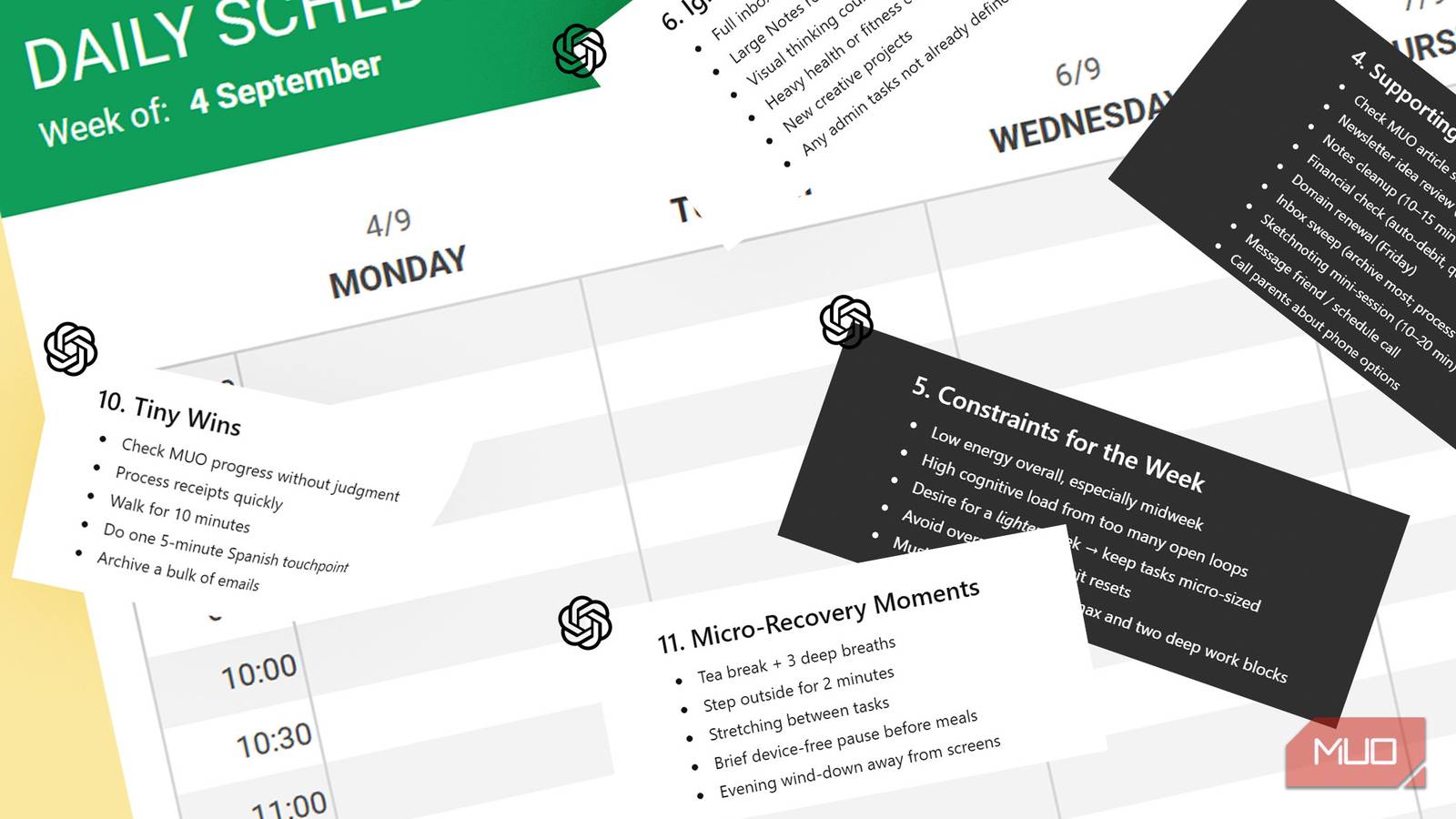
Also, to keep ChatGPT’s output on the rails, I laid out a strict output structure. The logic (ideally) should keep my planning to under ten minutes. Apart from the above guidelines, I also included an “Ignore List,” “Habits for the Week,” “Anticipated Obstacles + Solutions,” and “Micro-recovery Moments,” etc. You can see them in the custom instructions screenshots. If this turns into information overload, I will tweak the custom instructions and pare them down accordingly. I saved all this in a PDF document for uploading to ChatGPT as a reference document.
3
Upload reference files to give ChatGPT long-term memory
Feed the machine with the basic information so it knows your goals

The “10-minute” planning window will only work if I don’t have to keep repeating myself to ChatGPT every morning. So, I gave ChatGPT a single PDF file with my life goals, my recurring tasks, and a clean weekly template.
For instance, a “Life Goals Master List” section in the PDF document ensures ChatGPT knows all about life goals around core life pillars like health, creativity, learning, relationships, and long-term writing projects. A “Weekly Planning Template” is the blueprint ChatGPT needs to follow and fill out to display the weekly plans consistently. See the snapshot of how the simple document looks in the screenshot above.
4
Use a weekly kickoff prompt to trigger the entire system
A single prompt to jumpstart your weekly plan

Every Sunday, I start a new chat within the Weekly Planning Project and provide two inputs:
- A brain dump
- My constraints for the upcoming week
Then I run my kickoff prompt:
Here is my brain dump + next week’s constraints.
Summarize everything, highlight unrealistic items, suggest three Weekly Themes, propose my Top 3 Outcomes, and draft a complete Mon–Sun schedule using our system. Ask for confirmation before finalizing.
The brain dump is like a rambling free writing journal entry. Right now, I am stress-testing it in this way. The idea is to spot nonsense and any ChatGPT hallucinations. Alternatively, you can make it more neat and organized with bullet points or any other format. ChatGPT summarizes the chaos, spots nonsense, proposes themes, and spits out a full Mon–Sun plan. In about 45 seconds, I get a cleaned-up version of what my life should look like in the coming week.
5
Use a midweek review to recalibrate your plan
Check in midweek to rebalance, cut scope, and finish strong.

Here’s a snapshot of my weekly schedule. But no plan survives contact with real life. That’s why I added a midweek reset prompt for Wednesdays or Thursdays:
Here’s what actually happened so far.
Compare my original plan with reality, identify bottlenecks, and rebuild Thu–Sun with a leaner, more realistic schedule.
This is an opportunity to spot all the dropped tasks and recalibrate the weekly plans. Remember, the weekend is like a buffer where you can catch up (or rest). But hey, life isn’t all about productivity. There’s no harm in carrying forward tasks to next week as long as we are making some progress.
6
Close each week with an “End-of-Week Review”
A weekly debrief ensures your system improves over time

On Sunday night, before the next kickoff, I paste quick notes about what I completed or skipped. Then I run the End-of-Week prompt.
Summarize the week in five bullets.
List wins, misses, lessons, patterns, and a simplified Weekend Reset Checklist.
Suggest two or three Weekly Themes for next week based on these.
ChatGPT compares the initial plan with the actual outcomes and identifies patterns like overloaded days, missed deadlines, habits I skip, tasks I missed, etc. And somewhere, deep under the hood, ChatGPT is learning. It’s a small blow against privacy, but I ensure not to tell it anything deeply personal.
There are many little ways you can use ChatGPT to save time. Once you have the basic system running, find ways to daisy chain other tasks within the weekly planning system.
Why this system works (even when I don’t)
Yes, this took me a while to set up. But I took a lot of help from ChatGPT to fine-tune the system. The experiment continues. The biggest payoff for now is that I have reduced my mental drag. I just need to fire it up on a Sunday, and it actually just takes 10 minutes to lay out the week for me. Now, my focus is on turning this into a ritual. Maybe you can run this in a more simplified form and come back here to tell us how it went. You can also build in a few ChatGPT automations to finish a few tasks. I am cutting mine down to just a couple, so that spending too much time on the tool doesn’t get bigger than the tasks.
This isn’t a perfect system. Those uploaded goals, constraints, and “planning principles” can age very fast if you don’t refresh them. The system can also trap you into planning and not doing. So, remember ChatGPT is a bot… it can’t do the work for you.