


No one, and I mean possibly no one, likes ads. Sure, the people behind them and the people earning from them have their reasons for keeping them around, but as a regular person trying to watch a YouTube video or read an article without five banners fighting for my attention, I’m obviously not a fan. Ad-blocking extensions are everywhere, and while I’m not here to recommend one, I figured building one would be a fun way to test what AI coding tools do when handed a problem that sounds simple on the surface but gets messy fast.
So, I gave Claude, ChatGPT, and Gemini the same challenge: build me a Chrome ad-blocker. I wanted to see how each one approached the same task, what kind of extension it produced, and whether the final result could actually block ads without breaking the web in the process. Frankly, it might just be the funniest AI experiment I’ve done. Here’s how it went…
Here’s how the experiment was set up
I gave them all the same vague instructions on purpose
For this test, I used the CLI tools for each coding agent: Claude Code with Opus 4.8, Codex with GPT-5.5, and Antigravity CLI with Gemini 3.1 Flash. I went with the recommended model for each CLI, because I wanted this to feel like the default experience someone would get if they opened the tool and asked it to build something.
Whenever I do these experiments where I pit AI-built projects against each other, I try not to over-explain the task. The prompts are vague on purpose. I clearly lay out what I want the tool to make, but I don’t hand-hold it through every technical decision, library choice, or implementation detail. Otherwise, the test becomes less about what the model naturally decides to build and more about how well it follows a detailed checklist.
So for each tool, I used a basic prompt explaining that I wanted to create a Chrome ad-blocker using Manifest V3. I asked for a working extension I could load into Chrome locally, but I left the actual strategy up to the model. I wanted to see whether it would rely mostly on network-blocking rules, cosmetic filtering, YouTube-specific tricks, or something else entirely.
They blocked the ads, but not the spaces ads left behind
The ad was gone but its outline remained
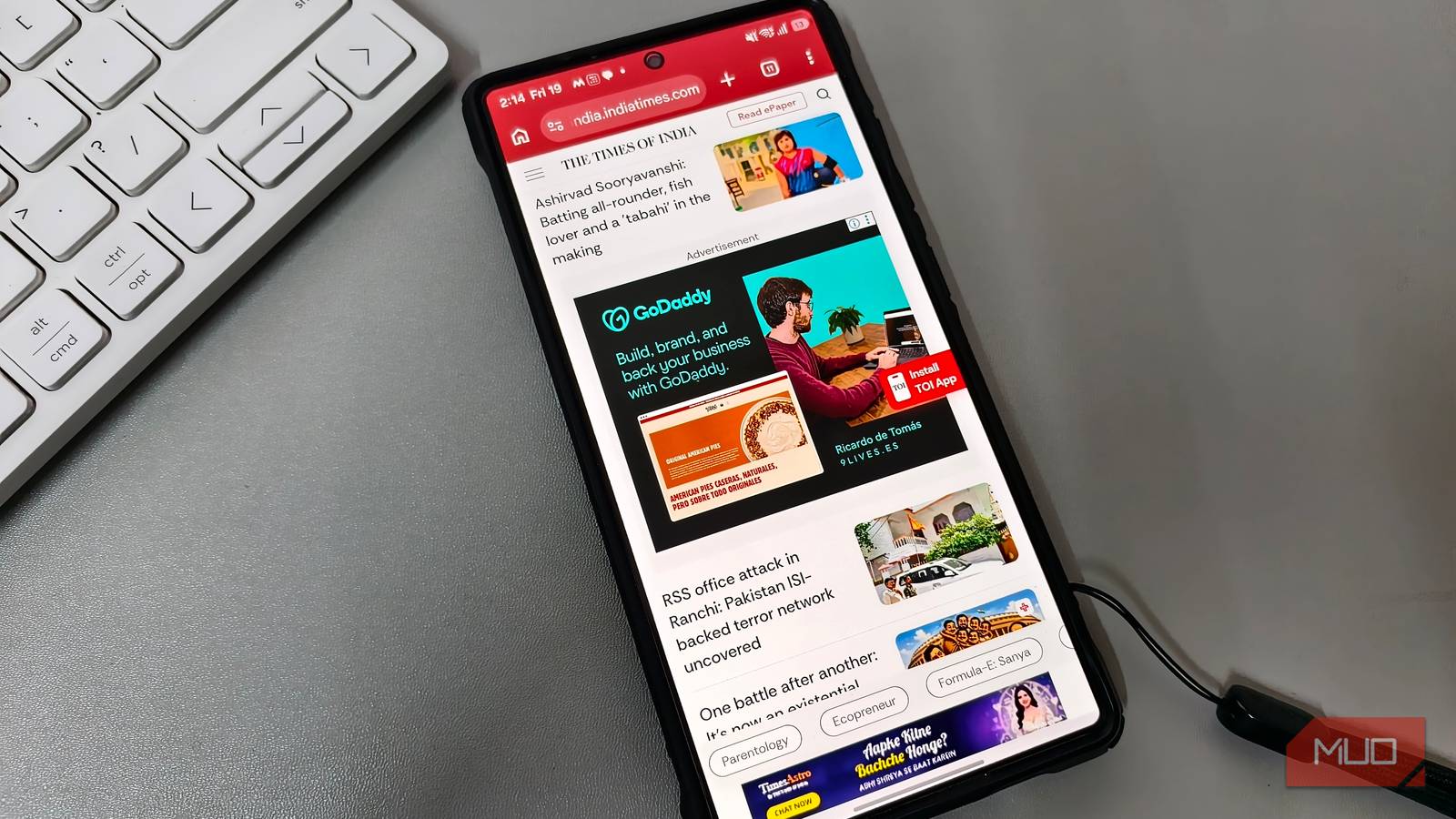
Once Claude Code, Codex, and Antigravity were done cooking up their extensions, it was time to put them all to the test. First, I wanted to see how each extension handled regular web ads. I started with publication-style pages, since that felt like the most realistic place someone would use an ad-blocker while reading. I also tested MSN, mostly because it is exactly the kind of cluttered, ad-heavy homepage that makes ad-blockers prove themselves.
This is where all three extensions technically did the job. The actual ads were gone. On MSN, for example, each extension removed the large ad placement near the top of the page. There was no loaded banner, no clickable ad, and no obvious ad creative sitting in the slot anymore. In that sense, the blockers worked. However, they did not make the page look clean at all.
None of the extensions in this test were full-fledged ad-blockers in the same sense as something like uBlock Origin, AdGuard, or other established blockers. Real ad-blockers have massive maintained filter lists, regular rule updates, site-specific fixes, regional filters, and anti-breakage rules that stop them from taking half a webpage down while trying to remove one banner. These extensions were much smaller than that, and the point was to see what kind of ad-blocking strategy each tool would come up with when given the same basic task.
Instead, the extensions left behind a huge empty space where the ad was supposed to be. In some cases, the tiny “Sponsored” label was still visible too, floating above a blank area like a reminder that an ad used to live there. That happened because the tools were mostly blocking the ad request itself, then hiding the obvious ad element. What they were not always doing was collapsing the larger layout container the site had reserved for the ad.
The reason made sense once I looked at how the extensions were built. All three followed the same basic Manifest V3 playbook: use Chrome’s declarative network request rules to block requests to known ad and tracking domains, then use cosmetic filtering to hide leftover ad-looking elements on the page. In simpler terms, they were not using massive, constantly updated filter lists like proper ad-blockers do. They were mostly hardcoding common ad networks and endpoints, including things like Google ad services, DoubleClick, Taboola, Outbrain, Microsoft/MSN ad domains, and a few YouTube-related URLs.
I added one line to my Claude prompts and stopped getting generic answers
One question from Claude was worth more than ten better prompts from me
That was enough to remove obvious ads, but not enough to make every page look polished afterward. Blocking an ad request stops the ad from loading, but it does not automatically tell the website to collapse the space it had already reserved for that ad. That is why MSN looked cleaner, but still awkward. The ad was gone, but the page was still shaped around it.

- OS
-
Windows, macOS, Linux
- Developer
-
OpenAI
- Price model
-
Free, paid plans available
Codex is OpenAI’s software engineering agent that can read, write, debug, and modify codebases using natural language instructions to automate development tasks.
Still, for basic web ads, all three were functional enough. Claude’s extension kept things simple with a blocking toggle, a tab counter, a total blocked count, and a reset button. Codex’s popup felt more like a developer demo, mainly showing how many rules had matched recently. Antigravity’s version had the flashiest interface, with a shield-style blocked count, separate network and cosmetic counters, a global shield toggle, a cosmetic cleanup toggle, site whitelisting, and a recent detections feed.
So at this stage, the result was not terrible. The extensions were blocking ads, just not cleaning up after themselves properly.
YouTube is where things got hilarious
Three extensions, three distinct ways to break a video
Google’s been cracking down on ad-blockers on YouTube for a while now, so I wasn’t expecting this part of the test to be easy. Still, I was not prepared for how differently each extension would fall apart the moment I opened a video.
Codex had the funniest visual failure! The page itself loaded fine: I could see the video title, the channel area, the sidebar recommendations, and all the usual YouTube buttons. But where the actual video player should have been, there was just a giant white void. It looked like YouTube had loaded everything except the one part of YouTube I was there to use.
That made sense once I looked at what Codex had built. Instead of just blocking YouTube ad endpoints or hiding obvious ad containers, it added a YouTube-specific interceptor that tried to mess with YouTube’s own player responses. It meant the extension was poking at the internals of a very complicated website and hoping nothing important broke. Unfortunately, something important broke.
Antigravity’s version went in the opposite direction, and it actually made me laugh. It did not blank out the player, but it treated YouTube ads like something it could brute-force through. When an ad appeared, the video suddenly sped up, muted itself, and rushed toward the end. So, whenever I opened a video which began with an ad, it’d instantly skip through the end of the video once that specific ad ended.

Claude’s first version was less dramatic, but still funny. It did not turn the player into a white rectangle or speedrun the video. Instead, it hid the Skip button for whatsoever reason!

So, the ad was still there, but the one button that would have let me move past it had disappeared.
The CLI extensions kept fixing one bug by creating another
The only one that actually worked somehow came from ChatGPT web
I did a lot of troubleshooting after the first round of testing, especially around YouTube. The problem was that every fix seemed to introduce a new issue, and no amount of troubleshooting was fixing the extensions it had produced. While I know I could’ve eventually gotten each extension into a workable state, that would have defeated the point of the test a little. The reason why I mentioned this is
When I do these experiments, I usually decide early on whether I’m going to use the web versions of AI tools or their CLI coding agents. They are not the same experience, and mixing them can make the comparison a little messy. For this article, I had already settled on the CLI tools because I wanted to see what Claude Code, Codex, and Antigravity would produce when they were working directly inside a project folder.
But before properly starting the CLI comparison, I had also asked ChatGPT in the web app to build me a Chrome ad-blocker, mostly out of curiosity. That ended up being the funny part: the extension ChatGPT produced in the browser was the closest any of these attempts got to feeling like something I could actually use.

- OS
-
Windows, macOS, Linux
- Developer(s)
-
Google
- Engine
-
Gemini 3.1 Pro / Gemini 3 Flash
Google Antigravity is an agent-first integrated development environment (IDE) designed for autonomous software development. Built on a modified Visual Studio Code foundation, it enables multiple AI agents to independently plan, code, and test applications.
It was not perfect. It still had the same issue on MSN where the actual ad disappeared, but the giant reserved space remained behind. It was also very much a small, homemade Manifest V3 blocker, not a replacement for something like uBlock Origin. But compared to the CLI-built versions, it behaved surprisingly well. Basic web ads were blocked, the UI was simple enough, and most importantly, YouTube did not completely fall apart.
There was no blank white player, no video suddenly sprinting to the end, and no missing Skip button. YouTube ads still occasionally got through, but most of them were blocked. When an ad did appear, it usually showed up right at the beginning of the video, and once I skipped it, the rest of the video played smoothly without any ads. I even tried it on an hour-long video, and after that initial ad, I did not get interrupted again.
When I asked Claude web to build me the same extension, it outright refused to help build one! So, this was certainly an interesting (and amusing) experiment as a whole! Again, none of the extensions here are close to replacing a proper ad-blocker like uBlock Origin, and I never expected them to. A real ad-blocker lives or dies on its filter lists, and none of these tools were ever going to build and maintain one in a single afternoon.