



LLMs are advancing at an alarming speed, and depending on your stance, that’s either apocalyptic or fantastic. AI agents are all the hype nowadays, but any agent is ultimately limited by the model powering it. So no matter what setup you’re running, it obviously matters which model you end up using.
I’ve heard a lot about Claude, as you probably have too. It always seems like Claude is the go-to LLM for people who actually want to get things done — beyond turning photos into cartoons or venting to a chatbot. But I subscribed to ChatGPT when it launched and never had the courage to leave. On top of that, I have a Google One subscription that comes with Gemini. Paying for a third LLM felt… extravagant.
But here we are. There’s been so much buzz around Claude that I decided to finally try it. And what better way to put them head-to-head than with a solar system simulator?
Let’s build a solar system explorer
It tests far more than code output
I toyed with many ideas for a proper LLM benchmark. Since these are large language models, the best way to test them is by having them use a language, and there is no language more extensively documented than a programming language. Naturally, I first considered the usual suspects: making a website, a Flappy Bird clone, maybe a traffic simulator. But I wanted something with more physics, more rules, and preferably something that had not already been done to death. I settled on a full-on solar system explorer.
A 3D solar system simulation would force the LLM to deal with physics, graphics, simulation logic, UX, and architecture all at once. The project would be web-based, self-contained in a single file, and I would not specify the stack. I was tempted to force Babylon.js instead of Three.js just to make things more interesting, but choosing the stack is part of the challenge. I also added one more rule: no retries, no edits, no patches. The first result would be the final result.
Below is the prompt I used for all three. I tried to keep it as vibe-code-y as possible and avoided giving any hard technical constraints. The prompt focuses almost entirely on form and function. I also ran all three in their main web chat interfaces, not their desktop apps or coding-specific tools.
Build a browser-based solar system explorer that runs locally in a web browser and feels like a real interactive simulation rather than a toy demo. It should accurately represent the structure and motion of the solar system, with believable planetary sizes, orbital behavior, lighting, rotation, and spatial scale, while still remaining usable and visually clear. The experience should look realistic, polished, and aesthetically strong, with smooth navigation, intuitive zoom and camera movement, and a presentation that makes space feel vast and detailed. The final result must be fully functional, visually impressive, scientifically grounded, and directly runnable in the browser without requiring any backend or external services.
I hosted all three results on Vercel as well, so you can try them yourself.
Gemini was fast and looked almost impressive
The shine wore off the moment I got closer
Gemini 3 Thinking finished first, and it wasn’t even close in terms of speed. It was also the only model that didn’t have the sense to output the result in a Canvas-style interface, but that’s a minor gripe. I took the code and ran it.
Gemini chose Three.js, and from a distance, it looked good. The planets orbited the sun, the lighting felt real, and there were actual shadows. In one of the screenshots, you can see planets eclipsing one another, which is a nice touch and immediately makes the whole thing feel more substantial. At the very least, this could work as a really nice Wallpaper Engine wallpaper.
The cracks appeared when you zoomed in. The on-screen prompt says to “click planets to focus,” but clicking doesn’t actually do anything. And landing a click on a moving planet in the first place is more frustrating than it should be. The planet textures were another weak point — simple gradients, no real surface detail, and no way to tell whether any planet was rotating at all. Selecting a planet from the menu did trigger a nice chasing camera effect, but it came with a bug: once you were locked on, you couldn’t zoom back out. You’d have to refresh the page to recover. Fun feature, broken execution.
- OS
-
Android
- Developer
-
Google
ChatGPT thought long and hard
Then got it wrong

ChatGPT was the last to finish. I used ChatGPT 5.4 Thinking, and it thought for quite a while before producing the code. Unfortunately, the result was fatally broken out of the gate. All the planets were stacked in the same spot as the sun — no orbits, no spacing, no rotation, just a pile of spheres overlapping at the origin.
We said no patches and no retries, so this is the result we’re judging. Which is exactly the point of the test. If an agent were relying on this model to generate working code unprompted, this is what you’d get.
Interestingly, I did ask ChatGPT to review its own code and identify the issue. It listed around a dozen potential problems and missed the actual one entirely. On closer manual inspection, the reason turned out to be simple, and almost human: the simulation stored orbital distances in AU (astronomical units), but the renderer was expecting kilometers. So when the code intended to place Mercury 0.5 AU from the Sun, it placed it 0.5 km away instead — effectively inside it.
Worth noting: ChatGPT also skipped Three.js entirely and went with a 2D top-down view. The interface had more controls than Gemini’s and looked reasonably polished but none of that matters when the simulation itself doesn’t work.

- OS
-
Android, iOS, Web
- Developer
-
OpenAI
Claude was on another level
It was the only one that felt like a finished product
Claude finished after Gemini but well before ChatGPT. I used Claude Sonnet 4.6, the latest free tier model, since I don’t have a subscription. The gap in quality between Claude’s output and the others was stark. Light years, if you’ll excuse the phrasing.
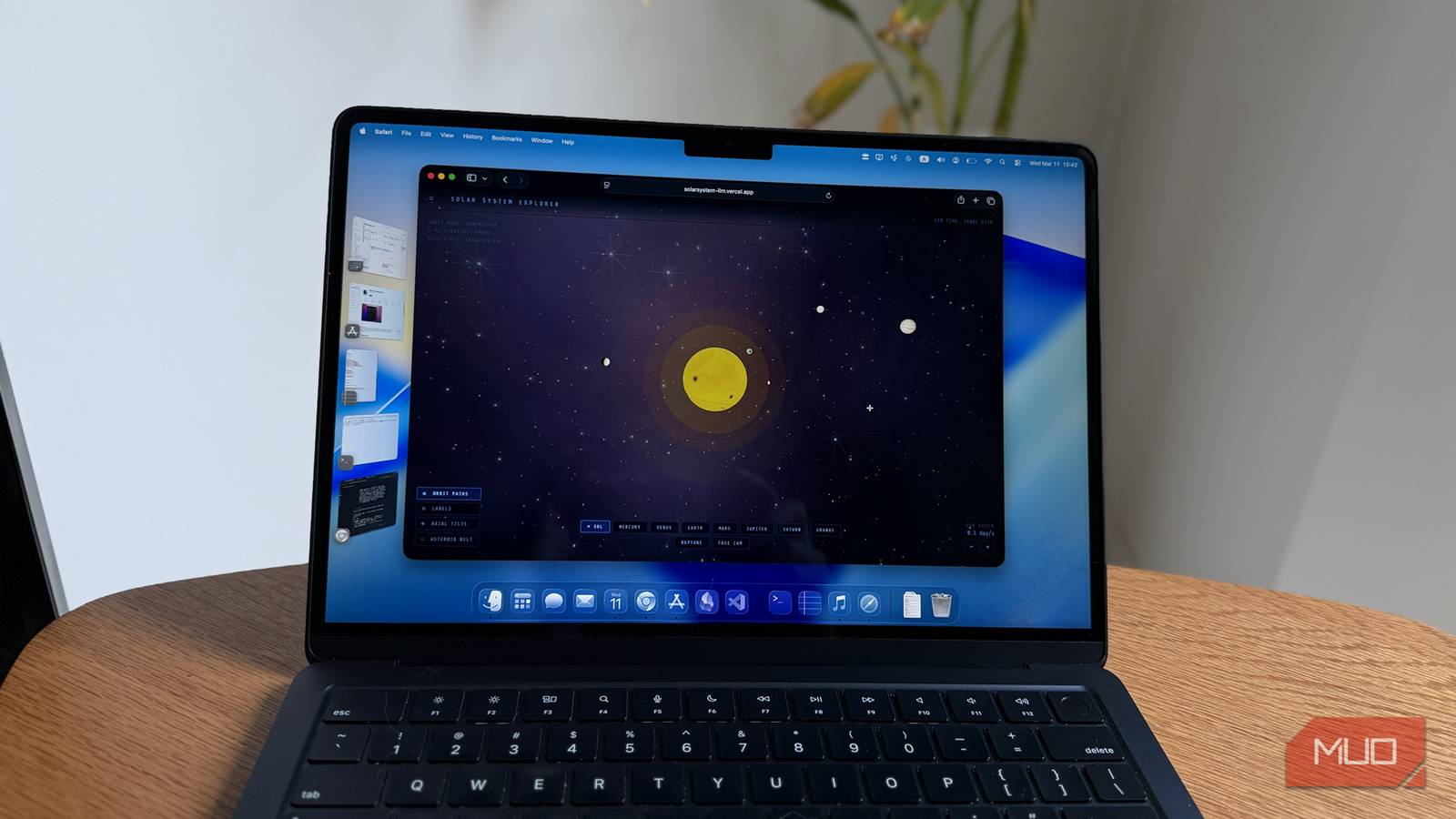
Like Gemini, it chose Three.js, but it implemented it far more thoroughly. The first thing that stood out was that it included the asteroid belt. Gemini had not even bothered. Then there were the textures! Claude’s planets actually looked like planets. Earth looked recognizably like Earth. Jupiter had its Great Red Spot. Saturn, despite the limitations of a single HTML file, looked surprisingly close to the real thing.
That last part is worth emphasizing. This was still just one self-contained file. Normally, you would expect proper texture maps or external image assets to be loaded separately. There were none. Claude generated all of these textures procedurally in JavaScript, inside the file itself, and it did a great job.
The planets were spaced more realistically, they spun at sensible relative speeds, and their orbits around the sun also felt much closer to reality. There was a speed control button, with the default set to one day per second, along with toggles for orbital paths, the asteroid belt, and other visual elements.
Claude simply went further than the others. The graphics were better, the UX was better, and the whole thing felt more polished in both form and function. Most importantly, it felt like an actual product rather than an interesting first draft. And it got there with one prompt and one try.

- Developer
-
Anthropic PBC
- Price model
-
Free, subscription available
Claude is an advanced artificial intelligence assistant developed by Anthropic. Built on Constitutional AI principles, it excels at complex reasoning, sophisticated writing, and professional-grade coding assistance.
Claude is the LLM for people who actually want work done
This little experiment cost me $20, because now I am almost certainly subscribing to Claude. I may end up dropping my ChatGPT subscription to balance it out. What makes this more embarrassing is that out of the three contestants, I already pay for two of them. The winner won using its free version. At least in this test, not paying for Claude turned out to be more productive than paying for Gemini and ChatGPT.
Claude doesn’t have a video call mode. It doesn’t try to be your best friend or prioritize making you feel good above all else. These tell you something about who the product is built for, and what the company actually values.
LLMs all look similar on the surface. But it’s worth asking what a given model is actually optimized for. Is it designed to impress you in demos? To keep you engaged? To feel human? Or is it to get the job done?
Claude, clearly, falls into that last category.