


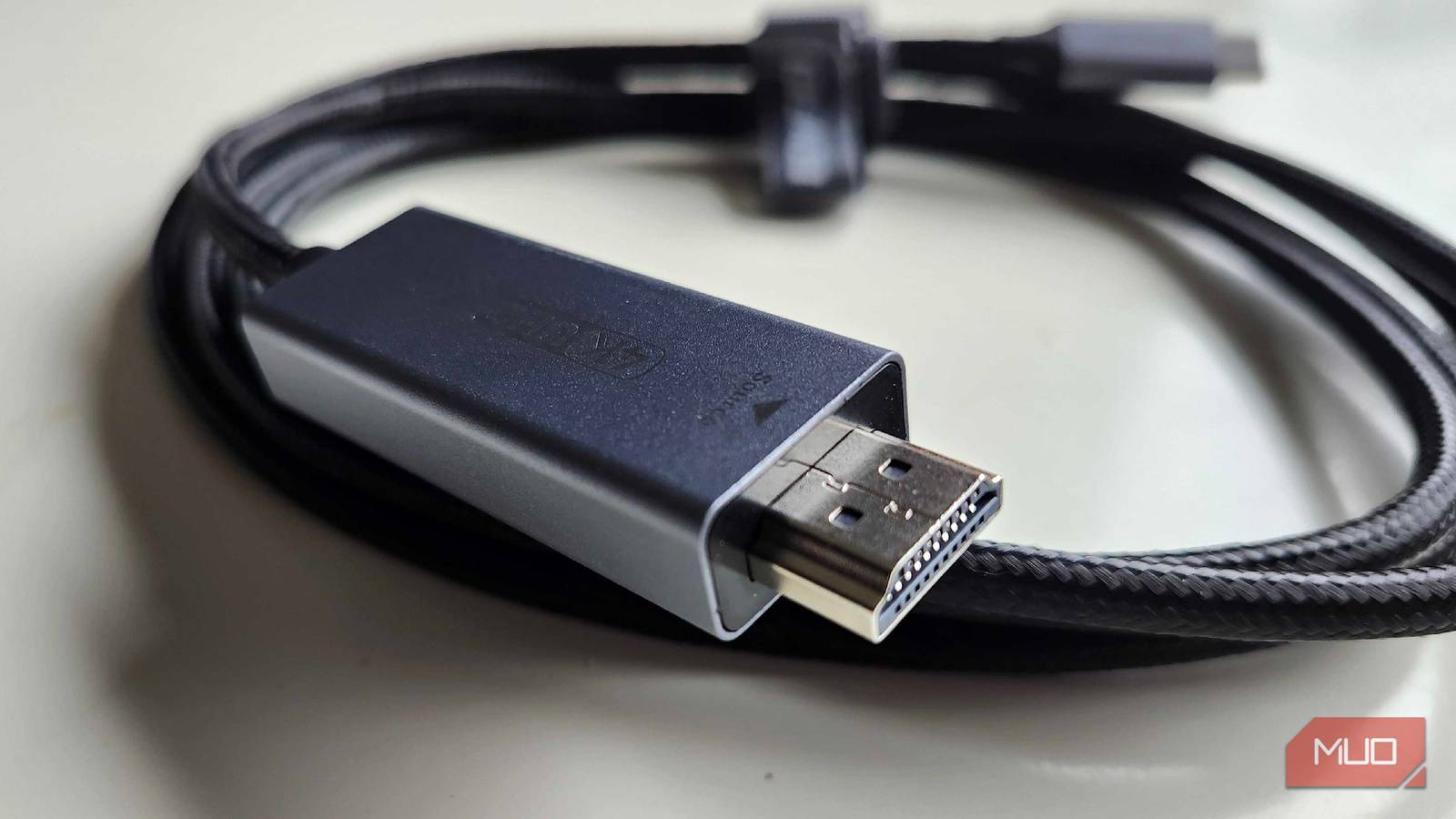
HDMI is the default connectivity protocol for TVs, consoles, and many more device types, but not every HDMI cable is made equal. Like USB, there are different HDMI versions, and each one has its own list of specifications and supported features. In 2026, the most common cables include the HDMI 1.4, HDMI 2.0, and HDMI 2.1 versions. The older HDMI 1.4 cables can only hit 4K resolutions at 30Hz refresh rates, while the newer HDMI 2.0 cables can comfortably handle 4K video at 60Hz. HDMI 2.1 was already a major upgrade over HDMI 2.0 and HDMI 1.4, but there’s another standard on the way that makes HDMI 2.1 look old.
HDMI 2.2 is the next generation of the HDMI standard, and it was officially released about a year ago. Adoption of new HDMI versions is slow, and there aren’t any consumer-ready HDMI 2.2 devices available yet. You can get a taste of HDMI 2.2 early with new cables and future-proof your setup. It can take years for new standards like HDMI 2.2 to reach updated TV, streaming box, or console models, but there are a handful of reasons to eagerly await these new devices — and start preparing your setup for HDMI 2.2 today.
Your HDMI cable is probably too old for your TV — here’s how to tell in 30 seconds
Can it really keep up?
HDMI 2.1 is already a huge upgrade over HDMI 2.0
Enjoy 4K resolution at 120Hz and 8K resolution at 60Hz
Before we dive into what makes HDMI 2.2 so exciting, it’s important to understand what HDMI 2.1 already does. At their core, HDMI version numbers are differentiated by their maximum bandwidth capabilities. There are nuances like peak resolution, top refresh rate, and supported features, but they’re all related to the amount of bandwidth an HDMI version provides. For example, HDMI 1.4 only supports 10.2Gbps bandwidth, and that’s why it can only deliver 4K video streams at a mere 30Hz refresh rate. HDMI 2.0 bumps the max bandwidth up to 18Gbps, and this is how it offers support for 4K at higher 60Hz refresh rates.
HDMI 2.1 took things to a new level, increasing bandwidth to 48Gbps. The extra bandwidth directly correlates to better resolutions and higher frame rates. Specifically, HDMI 2.1 can hit 10K resolutions — even if the average consumer will never need to transmit video streams at this quality. More practically, 4K video at 120Hz and 8K video at 60Hz are both achievable with HDMI 2.1. The lower the resolution, the higher the potential frame rates will be. A basic 1440p video stream can hit 240Hz while using the latest standard.
Crucially, the HDMI 2.1 standard added support for the enhanced Audio Return Channel (eARC). This feature allows your TV to send object-based audio, like Dolby Atmos, back to your receiver or soundbar using a single HDMI cable. There are technically two subsets of HDMI 2.1, version 2.1a and 2.1b, but they support the same maximum bandwidth, resolutions, and refresh rates. The big upgrade is HDMI 2.2, which further increases bandwidth.
HDMI 2.2 doubles the bandwidth of HDMI 2.1
Higher resolution and refresh rates, plus the Latency Indication Protocol (LIP)

HDMI 2.2 is exciting for those that want more out of their home theater gear, including higher resolutions, better frame rates, and lossless eARC audio. The new specification doubles the bandwidth of HDMI 2.1, and it has 96Gbps of bandwidth to work with. That enables resolutions that are downright stunning, including 12K and 16K at the high end. Again, most of us will never use displays requiring those resolutions. Instead, the layperson will likely take advantage of HDMI 2.2’s robust frame rate support. The latest standard can hit 4K at 480Hz, 8K at 240Hz, or 10K at 120Hz.
The upgraded HDMI version helps the standard better compete with the other major video communication protocol, DisplayPort. DisplayPort 2.1 outperforms the most common HDMI 2.1 version, offering 80Gbps of bandwidth and up to 16K resolutions. It can handle 4K at 240Hz, making DisplayPort 2.1 ideal for gaming PCs and setups where high resolutions and refresh rates are actually possible. HDMI 2.2 closes the gap, delivering performance that not only matches DisplayPort 2.1, but also beats it.

HDMI’s historic advantage over DisplayPort is its support for ARC, and now eARC. DisplayPort doesn’t support two-way communication between audio and video devices simultaneously, unlike HDMI, which can send display input and sound output signals at the same time. HDMI 2.2 upgrades this feature, too, adding support for eARC transfer of 24-bit, 192kHz audio. The specification works with uncompressed 5.1 and 7.1, and 32-channel surround-sound audio, including formats like Dolby TrueHD and Dolby Atmos.
There are new features as well — the Latency Indication Protocol (LIP) will better synchronize audio and video when using a TV with an A/V receiver or soundbar.
I finally learned why my TV needs HDMI while my PC needs DisplayPort
DisplayPort is the go-to standard for gamers, while HDMI is preferred by home theater buffs — have you ever stopped to ask why? This is the reason.
To use HDMI 2.2, you need the right gear and cables
HDMI 2.1 is still the best for most people until the hardware catches on

When HDMI 2.1 first released, it took a few years for consumer products to ship supporting the new standard. To use all the shiny upgraded features, users had to buy supported Ultra High Speed cables. The same will be true of the HDMI 2.2 rollout. There are new “Ultra96” HDMI cables that meet the specifications HDMI 2.2 requires. You can start buying cables that claim to reach this threshold today, but few (if any) are officially licensed as part of the Ultra HDMI Cable Certification Program.
In other words, it’s still early. HDMI 2.1 is starting to feel outdated in comparison to the latest DisplayPort versions, but HDMI 2.2 isn’t fully ready yet. First, the premium TVs and home theater equipment will start supporting the new spec. Next, the Ultra96 cables and possibly new consoles will pop up with HDMI 2.2 support. Eventually, HDMI 2.2 will make its way to the average TV watcher, and the upgrade over HDMI 2.1 will be well worth the wait.

- Length(s)
-
1m, 1.5m, 2m
- Materials/Construction
-
CL3 in-wall rated cable with low-EMI construction
- Capacity
-
96Gbps
- Brand
-
Zeskit
The Zeskit Maya HDMI 2.2 cable is one of the first 96Gbps cables on the market. If you want to enjoy HDMI 2.2’s higher bandwidth early, this is how you can. However, you might want to wait for more established brands to release certified HDMI 2.2 cables.