


When you see “HDMI 2.1” on the packaging of an HDMI cable, you may think you’re being promised better performance if you pay a bit more. So I read HDMI’s own certification rules to understand what I might be getting, and the promise turns out to be far less than most people assume.
Between what your setup needs and what HDMI 2.1 really implies lies a gap that may cause you to waste money. You can buy the right cable once you know what to look for.
HDMI cables aren’t supposed to say 2.1
The four certified names to look for
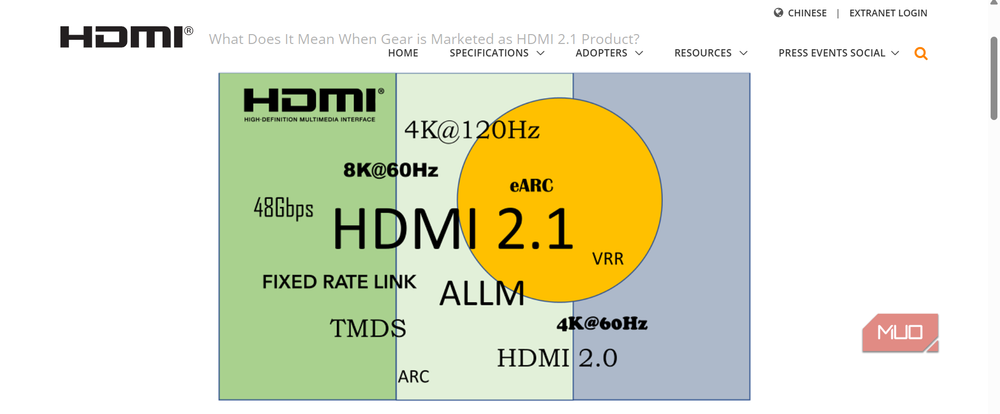
Version numbers in the labeling, packaging, and promotion of cables are banned by HDMI’s rules. To be fair, when I did my research, what I hoped for was some fine print, rather than an outright prohibition. The exact words in HDMI’s rules are:
You shall not use HDMI version numbers in the labeling, packaging, or promotion of any cable product. This includes releases of the HDMI specification (for example, HDMI 1.3, etc.)…
So “HDMI 2.1” is a designation the seller has chosen; it does not certify the cable’s capabilities. This label usually suggests that the cable can handle 48Gbps. But the words alone don’t prove this.
HDMI’s official cable categories describe what a cable can carry, and these remain constant regardless of the HDMI versions the devices on either end of that cable use. The certified name on the required packaging label matters most. These are the two categories most buyers are likely to need:
|
Certified name |
Bandwidth |
What it carries |
|---|---|---|
|
Premium High Speed |
18Gbps |
4K at 60Hz with HDR |
|
Ultra High Speed |
48Gbps |
4K at 120Hz and beyond |
Bandwidth is the amount of data a cable can carry per second. Higher resolutions, HDR, and higher refresh rates can all require more of it. There are also High Speed and Standard cables, but they are suited to older gear.
Once you understand the rule, many product pages look different. Several product pages I’ve come across prominently display the very designation HDMI prohibits.
Your TV’s HDMI 2.1 might be 2.0
Why a port can wear the label without the speed
The confusion over HDMI labels carries on to the other end of the connection: your TV’s HDMI ports.
The official HDMI Licensing Administrator FAQ explains that HDMI 2.1 features are optional. As a result, a manufacturer may claim compliance with the specification even if its ports support only features associated with HDMI 2.0, including bandwidths up to 18Gbps, rather than supporting bandwidths up to 48Gbps.
This means that even if a port carries the label, it may still fall short of 4K at 120Hz, the high-frame-rate capability you might assume the label guarantees.
On most TVs, only a handful of ports are fast enough, and most run slower. Manufacturers don’t typically make this obvious, and they don’t all agree on how to label their faster HDMI ports.
Sometimes the higher-bandwidth HDMI ports are marked with labels or symbols printed beside them, such as “4K@120Hz” or a game controller icon. In other cases, the absence of labels may mean that either all the ports are fast or none are. The only way to know for sure is to check the specifications for your exact model. Even within the same brand, spec numbers don’t always carry over from one TV to the next.
If you own a soundbar, pay attention to the eARC port as well; it is sometimes one of the slower ports.
Some TVs have full-speed ports across the board, so their HDMI 2.1 labels may indicate the performance you expect. However, you can’t tell from the label alone. This is a basic thing you’d expect to be standardized now, but it isn’t.
A weak link doesn’t announce itself
A two-minute check you can do yourself
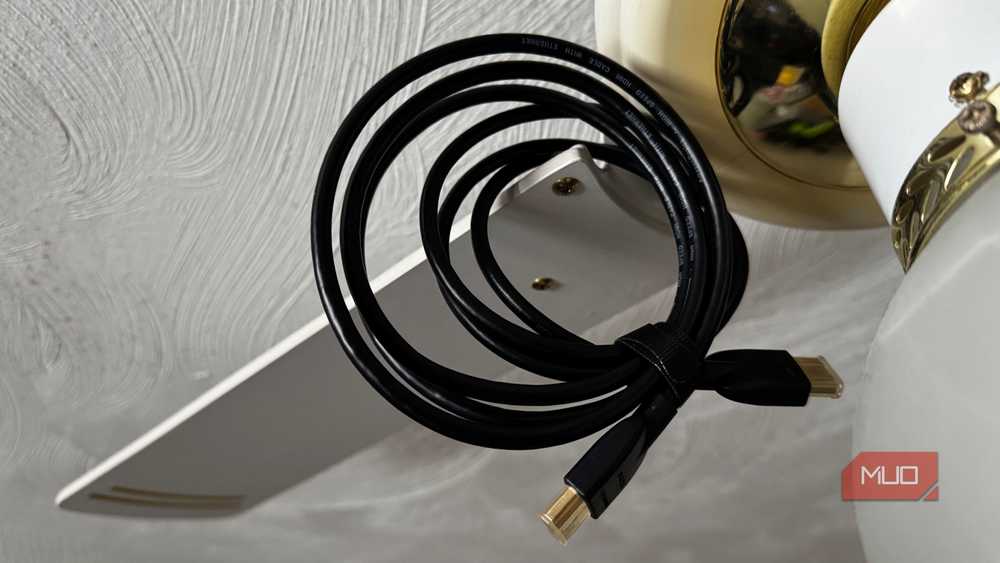
What’s more frustrating is that your setup may be holding back your console even when everything appears to be working perfectly. You may still get a sharp image even if you’re not getting the 4K at 120Hz output your TV and console are capable of. Sometimes, you notice the difference only when you compare the higher-refresh-rate image side by side. So it’s better to confirm.
On the PlayStation’s video output screen, you can see what your connected TV reports, and this usually includes HDR status and resolution. For other devices, check your TV’s info banner, which shows the signal it’s receiving.
The point is that you can’t simply stop at the port label. The faster mode isn’t always the default, so to get full speed even from a port labeled 2.1, you may have to tweak a setting on the TV.
If the port and settings check out but the reported performance still falls short, pay close attention to the cable itself. More bandwidth is required for a higher refresh rate, so even though a cable handles 4K at 60Hz perfectly, it may not carry a stable 4K signal at 120Hz. Before replacing a cable, check its packaging for the certified name.
Buy for your slowest part
Setups will generally run at the speed of the slowest part. A faster cable wouldn’t raise the speed above this ceiling.
A certified Premium High Speed cable should suit a streaming box or a Blu-ray player. You don’t get extra benefits with Ultra High Speed on such devices because HDMI 2.0 bandwidth already covers 4K HDR at the frame rates they use. However, an Ultra High Speed cable is a good choice when a console or PC sends 4K at 120Hz to a port that supports it.
Length is another thing to consider, especially if the cable runs behind walls. Over long distances, a regular copper cable may struggle to maintain a reliable signal. A certified active or fiber-optic HDMI cable may be better suited to the job. In this situation, you don’t learn much from the cable’s price alone. A reasonably priced cable may carry the same signal as an expensive one, as long as both are rated for the bandwidth and features you need.
There’s another upsell you should watch out for. In September 2026, Ultra96 cables for HDMI 2.2 became available, and a 6.6-foot cable can cost around $33. However, the devices that can use all that bandwidth wouldn’t be available on the market until 2027.
The same confusion is emerging with HDMI 2.2. Its extra bandwidth is also optional, so some devices will be labeled HDMI 2.2 without supporting more than 48Gbps.
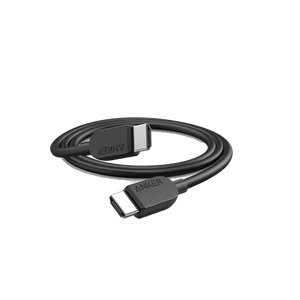
- Length(s)
-
70.87 inches
- Brand
-
Anker
The Anker 8K HDMI 2.1 Cable 6ft is a 6 foot black HDMI cable with 48Gbps of bandwidth. It supports 8K at 60Hz, 4K at 120Hz and 4K at 60Hz, and it works with eARC, HDR 10, Dolby, HDCP 2.2 and 2.3. Anker rates it for up to 1,000 bends and says it connects tablets, laptops, projectors, desktop screens and other HDMI devices.