


AI tools have become a big part of our everyday lives, and it’s easy to see why. Almost every other day, there’s a new feature that makes something we do a little easier. While ChatGPT, Claude, and Gemini can do many of the same things, I’ve realized using them isn’t quite the same experience. Each has its own strengths, and some excel at certain tasks more than others.
That got me wondering: if I had to pay for just one AI tool, which one would be worth it? So instead of relying on free versions or comparing features, I paid for all three for a month and used them in my everyday routine. In the end, I canceled two subscriptions and kept just one.
One AI, three ways to think
It’s the thought that counts
For me, ChatGPT was the clear winner, and keeping my ChatGPT Plus subscription was an easy decision. I’ve been using it for a long time, so I’m already familiar with how it works and what to expect. But even after spending an entire month with Gemini and Claude, I found myself returning to ChatGPT more often. One of the biggest reasons was how much control I had over its answers.
If there’s one thing I’ve learned from using AI tools almost every day, it’s that getting a quick answer doesn’t always mean getting the right one. Sometimes, even when I think I’ve explained something clearly, AI can misunderstand what I’m asking or miss the point entirely. That’s where ChatGPT’s different thinking modes have been particularly useful for me. I can switch between Instant, Medium, and High depending on what I’m working on.
For instance, when I’m working on my thesis or looking for sources to support my research, Instant is usually enough to get me started. It’s quick, gets straight to the point, and saves me time. But when I’m dealing with something more complicated that requires deeper reasoning, I switch to High. I’ve been impressed by how well it handles those demanding tasks, especially when I need it to work through something carefully. And when I want something in between, Medium strikes a pretty good balance.

Now, to be fair, ChatGPT isn’t the only AI tool that gives you this kind of control. Gemini also offers different thinking levels, ranging from low to high, while Claude lets you adjust its effort from low to max. So, ChatGPT doesn’t have an exclusive advantage here. The difference, at least in my experience, comes down to how well these tools understand what I’m actually trying to do.
With ChatGPT, I’ve noticed that I can have a much more natural back-and-forth conversation. If an answer isn’t quite what I’m looking for, I can ask a follow-up question, explain what needs changing, or take the conversation in a slightly different direction. More often than not, it understands where I’m coming from without making me repeat everything.
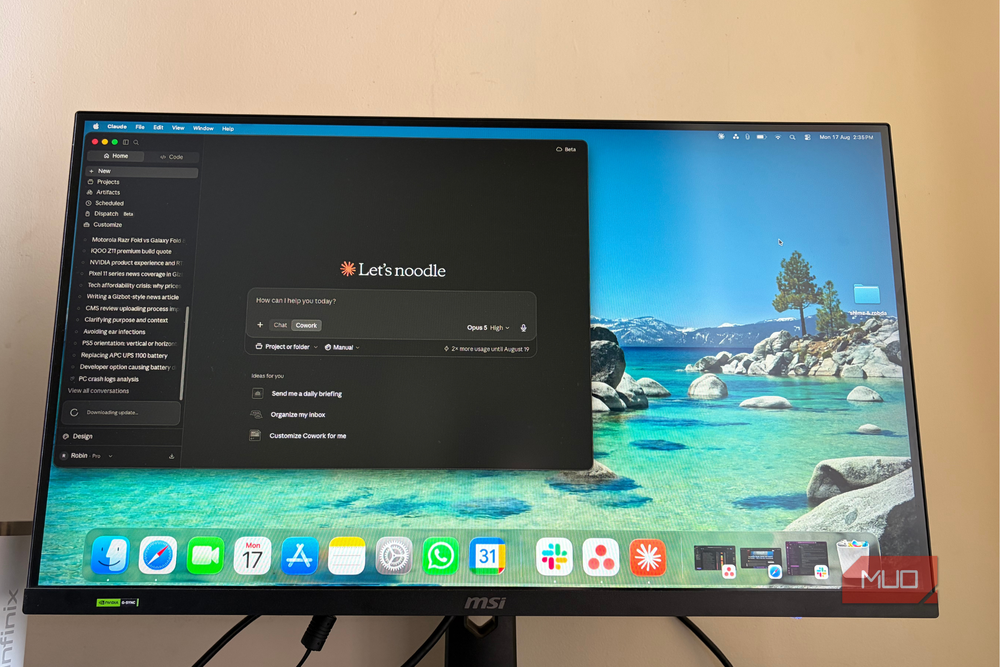
Claude came surprisingly close, though. In fact, if I had to pick a second favorite, it would easily be Claude, especially for research and tasks that require careful reasoning. Gemini, on the other hand, was a little harder for me to get along with. Even after going back and forth several times and explaining exactly what I was looking for, I often felt like Gemini and I weren’t quite on the same page, even with its thinking effort set to high. That doesn’t necessarily make Gemini a worse AI tool, but it did mean I had to put in more effort to get the responses I wanted.
And if I’m paying for something I use almost every day, I’d rather it understand what I want than make me explain the same thing over and over.
It makes picture-perfect look easy
And the videos followed suit

The more I’ve used ChatGPT, the more I’ve realized that it’s pretty handy for creative work, too. In fact, it’s become one of my favorite tools for editing photos and even putting together short videos.
For instance, a few days ago, I had a photo I really liked, but something in it needed cleaning up. Normally, I’d open Canva and spend some time fixing it myself. But this time, I uploaded the photo to ChatGPT, explained what I wanted to be removed, and within two minutes, I had an edited image that looked exactly how I wanted. What impressed me even more was how easy it was to make further changes. If something didn’t look quite right, I could point ChatGPT to a specific part of the image using X and Y coordinates and ask it to fix just that area.

And I’ve started doing something similar with videos, too. Recently, I gave ChatGPT three separate clips and asked it to turn them into a short, snappy video. I explained the pacing I wanted, how the clips should flow together, and what I wanted the final edit to look like. To my surprise, it actually put everything together for me.
That said, I don’t always get the perfect result on my first try. A vague prompt can sometimes lead to something completely different from what I had in mind. But when I’m specific about the changes, ChatGPT usually gets much closer to what I’m looking for. And that’s what I enjoy most about it.
Naturally, I wanted to see whether Claude and Gemini could make it just as easy, so I edited the same image with both. However, in my testing, I couldn’t get that same level of control with either Claude or Gemini.
Gemini did offer a few interesting alternatives, though. I could branch the image-editing conversation into another chat and even sketch over an image. Yes, that’s useful, but it wasn’t quite the experience I was looking for. If I still have to spend time sketching, it starts to cut into that convenience. Claude doesn’t have any image tools at all.
The AI Swiss Army Knife I keep reaching for
I feel like I’ve barely scratched the surface of what ChatGPT can do. Beyond answering questions and helping me edit photos or videos, I can schedule recurring tasks, set reminders, browse my image library separately, and connect plugins like Gmail, Google Drive, Health, and GitHub to get things done without constantly switching between apps.
There’s plenty to explore on the creative side, too. I can build a website or a lightweight app without learning to code, create custom skills for things I do regularly, or even ask ChatGPT to help me find interesting places when I’m exploring a new city or country. And if I want to go a little further, Codex can help me build, debug, and even ship software. I certainly don’t use every single one of these features every day, but I like knowing that whenever I need something, ChatGPT has a good chance of already having a way to help me. That makes paying for the subscription feel much more worthwhile.
Of course, I don’t want this to sound like Claude and Gemini have nothing going for them. I actually enjoyed quite a few things about both. Claude, for instance, has a lovely interface, offers plenty of customization, and lets me schedule tasks. Gemini has some interesting tricks, too. I particularly like being able to create music, work with notebooks, and use Spark to get things done. These features are helpful, and I can absolutely understand why someone might prefer either tool over ChatGPT.
Even with all three subscriptions active, I found myself using ChatGPT more because it understood what I wanted, made my tasks easier, and rarely left me struggling to get the answers I was looking for. That’s not to say I won’t try Claude or Gemini again, especially as AI improves so quickly. But after spending a month with all three, I finally knew which subscription was worth keeping.