


Summary
- Oasis update adds stricter DRM; Calibre/DeDRM can no longer remove encryption from downloaded KFX.
- This locks your purchases behind DRM—local backups and offline ownership are now at risk.
- Switch to DRM-free stores and e-readers (Smashwords, Baen, Kobo, Boox) for true ownership and backups.
The Kindle Oasis 3 just got its first update in over a year, bumping it to version 5.18.2.1.1. This update quietly adds tougher DRM, like what’s already on newer Kindles. You probably won’t notice anything different when reading or downloading books, but according to a user on Mobile Read, this update means DRM-removal tools will no longer work with ebooks downloaded to the Kindle Oasis. This is why you might’ve had issues accessing your library in the past week if you used this popular hack.
Why does this matter if it doesn’t really change anything?
Ownership of content is important, here’s why
It is important to have ownership of your digital media, since genuine ownership gives you complete control over what you purchase. Previously, you could download KFX files, back them up with a USB cable, and use tools like Calibre to break the encryption. That way, you could read your books anywhere or keep a local backup. It also means that your collection won’t suddenly vanish due to license cancellation, account closure, or a change in the company’s policy. If you depend completely on a closed ecosystem, you’re essentially renting access, which, however unlikely, could be revoked without notice.
Any books you buy or already own will use the new KFX-ZIP format. This is just bringing the Oasis model into line. That means tools like Calibre and DeDRM won’t work for breaking the encryption anymore.
Plus, it’s not all bad news! The new KFX format includes advanced features such as better typography and improved page fidelity.
What is KFX-ZIP?
KFX-ZIP is a format for e-books used by the Amazon Kindle; it places Kindle Format 10 (KFX) files together with their metadata in a zipped folder. Because of recent updates to both the firmware of Kindle devices and the desktop application, stricter encryption has now been applied to these files, making it difficult or even impossible to perform standard personal backups or convert the files into other formats using third-party tools such as Calibre.
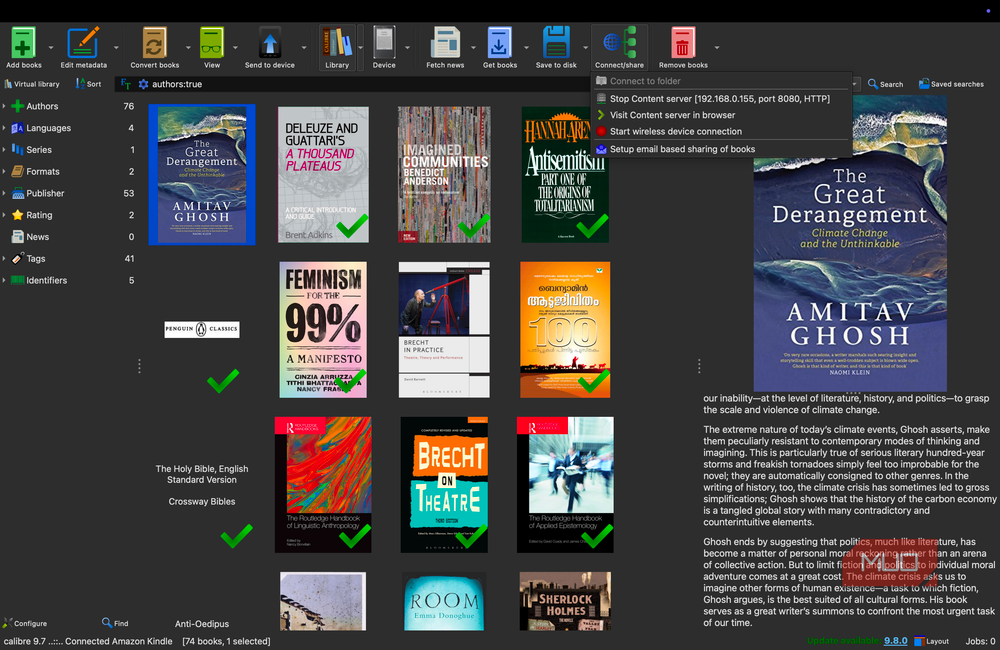
How can you still download your books with this new update?
The usual workarounds are getting trickier.
If you want to actually own your books, this update makes things tough.
The only e-reader brand to use the new e-book encryption system is now the Kindle Voyage. You could buy one of these before the price spikes and people catch on, but there’s no guarantee that this update won’t roll out to that model in the near future.
You could keep your Oasis in Airplane mode to avoid updates, but then you’ll miss out on things like library loans, at least in the US.


7/10
- Brand
-
Kobo
- Screen
-
7-inch, E-Ink Carta 1200
- Resolution
-
1264×1680, 300ppi
- Storage
-
32GB
There are guides out there on how to jailbreak a Kindle, but it’s not advisable because jailbreaking can void your warranty, expose your device to security vulnerabilities, and potentially brick your Kindle, making it unusable. Additionally, jailbreaking may violate Amazon’s terms of service, which could result in the loss of access to your Amazon account or purchased content. The risks often outweigh the potential benefits here.
With Amazon locking things down, your best bet for real ownership is to look elsewhere. Lots of readers are switching to DRM-free stores like Smashwords, O’Reilly, or Baen Books, with e-readers like Boox or Kobo. You get standard EPUBs you can back up, organize, and read on any device you want.