





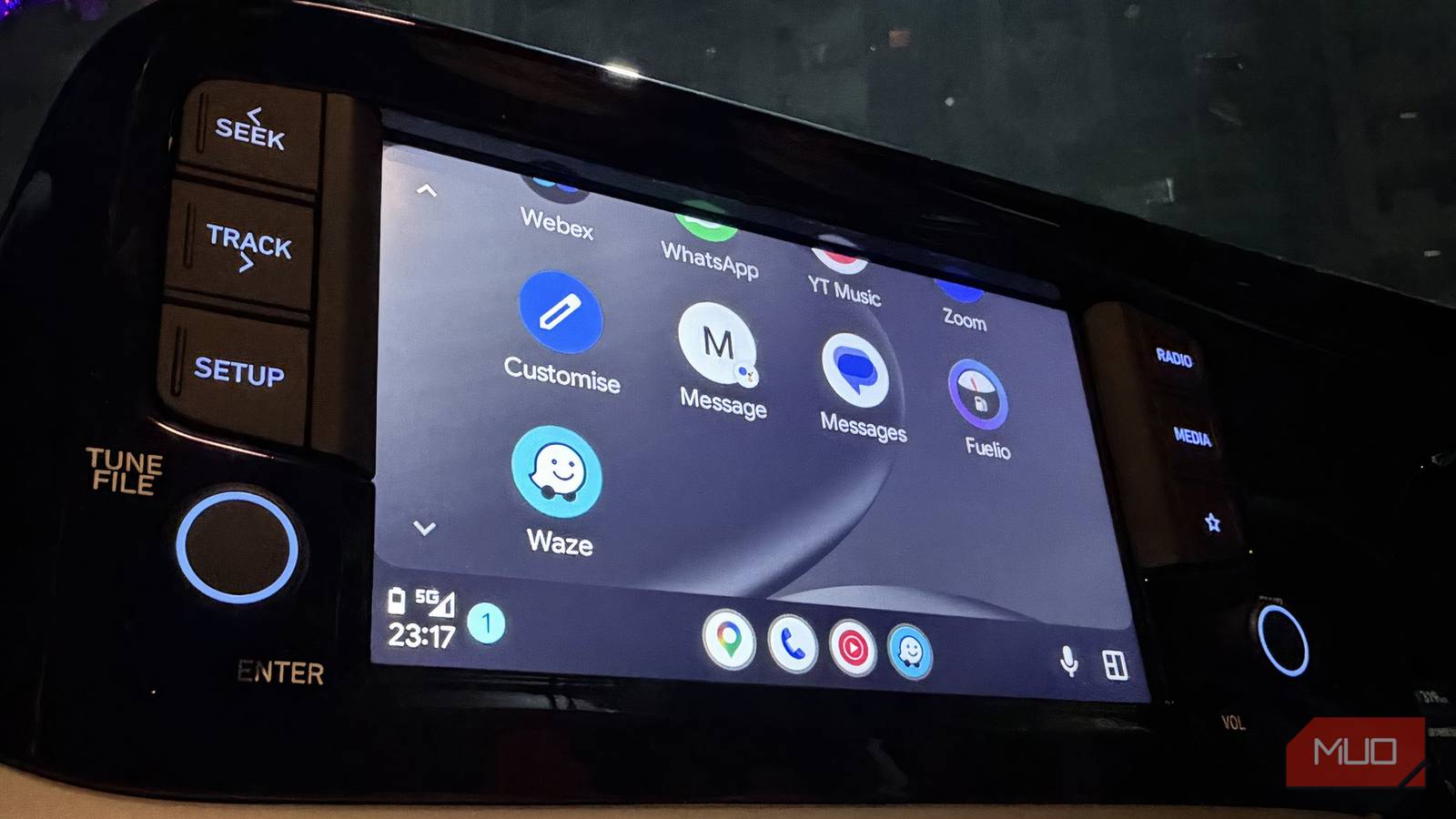
I spent quite a bit of time trying to make Google Maps work better on Android Auto. I experimented with different settings, adjusted navigation preferences, and hoped something would finally improve the experience. For context, I’m very much a self-aware passenger princess. That means I’m usually the one sitting beside the driver, casually watching the route, missing out on directions (sometimes), and occasionally pointing out when something looks odd on the map. In reality, it also means I notice every wrong turn, confusing lane suggestion, or oddly timed instruction. So, even from the passenger seat, it became pretty clear that Google Maps wasn’t exactly helping. When the person who’s supposed to be the calm co-pilot starts questioning the directions, you know something isn’t quite right.
Eventually, I decided that felt both difficult and strangely obvious: stop using it on Android Auto altogether. Letting go of a navigation app you’re used to isn’t always easy, but the alternative I tried worked so well that there was simply no reason to go back. Looking back now, making the switch made everything so much better.
I’ve Dropped Google Maps in Favor of This Open-Source Alternative
You don’t have to let Google scoop up all of your location data.
Why Waze feels different from Google Maps
A map powered by the people on the road

Waze is a free navigation app built around one simple idea: drivers helping other drivers in real-time. Instead of relying solely on static map data, the app uses information from people currently on the road to keep its navigation as accurate and up to date as possible. When you use Waze, you still get the usual essentials like turn-by-turn directions, live traffic updates, and route suggestions. The difference is that much of this information comes directly from the community. Drivers can report accidents, road hazards, police checkpoints, or construction work, and these alerts appear on the map almost immediately for nearby users.
Because the app constantly receives these reports, it can quickly adjust routes if traffic conditions change. If congestion builds or a new incident is reported, Waze may suggest an alternative route to help you reach your destination faster. The app also encourages users to contribute. If you report incidents or confirm alerts shared by others, you earn points and gradually move up in rank within the community. It’s a small incentive, but it helps keep the map’s information fresh and reliable.

Another thing that sets Waze apart is its clear focus on drivers. The entire experience is built around the needs of someone on the road. In comparison, Google Maps offers a broader set of services, including public transport routes, walking directions, and general place discovery. Waze, however, keeps its attention firmly on driving, which is why its traffic alerts and route adjustments can feel more immediate and road-focused.
Things I appreciated about it
A map that keeps important things front and center

One of the first things I noticed about Waze is how clearly the interface is designed with drivers in mind. The icons are large; the directions are bold, and upcoming turns are displayed in a way that is easy to spot at a glance. I liked this because it keeps me constantly aware of what is coming next on the road. The app prioritizes practical design choices that make navigation easier to follow, especially in heavy traffic. I also appreciate how the layout avoids unnecessary clutter. Rather than filling the screen with too many details, Waze mostly shows the information that matters at the time, such as your next turn, traffic conditions, and nearby alerts. This makes the interface feel far more intuitive, particularly when approaching complex intersections or encountering sudden traffic updates.
Another feature I enjoyed is the integration with music apps like Spotify and YouTube Music. Once connected, I could control my music directly from the navigation screen. I could pause tracks, skip songs, or switch apps without leaving the map. This means fewer distractions from constantly switching between apps. I also liked the calendar integration. After linking my calendar, upcoming events that include a location appear in Waze under the planned drives section. This makes it easy for me to quickly start navigation to an event without entering the address manually every time.
A few bumps along the way
The little hiccups I noticed along the way

While I’ve largely switched to Waze on Android Auto, the app does come with a few compromises that some people may find hard to overlook. One of the biggest limitations is its dependence on a stable internet connection and a reliable GPS signal. Because Waze relies heavily on real-time reports from other drivers, it works best when your phone has a consistent mobile data connection. In areas with weak or unstable cellular coverage, the app can struggle to load updates or properly adjust routes. If you frequently experience patchy network connectivity, it can make navigation less dependable.
During my time using it, I also noticed that the app occasionally feels less polished in some cases. There were moments when the interface lagged slightly, certain elements took a moment to load, or the layout shifted in ways that felt a bit confusing while navigating. The issues do not occur frequently, but when they do, they can disrupt the otherwise smooth experience and make the app feel a little sluggish.
So while Waze does so many things well, it is not completely free of trade-offs. Depending on where you drive and how reliable your network connection is, these small drawbacks may or may not matter in daily use.

I tried the Waze alternative no one talks about — and it’s great, up to a point
Can this lesser-known alternative dethrone the reigning champions of navigation?
The navigation change I’m glad I made
Switching from Google Maps to Waze has been a surprisingly good decision for me. In my area, network connectivity is generally stable, so one of Waze’s biggest drawbacks, its reliance on a constant data connection, has not really affected my day-to-day use. That said, the experience has not been completely flawless. While using the app on Android Auto, I have occasionally noticed lags in the interface. These moments are rare, and more importantly, they have never interfered with actual navigation or caused any major problems during a drive.
What keeps me using Waze is how clearly it prioritizes drivers’ needs. The interface, alerts, and navigation prompts are designed to keep you informed without overwhelming the screen. That means I spend less time fiddling with the display and more time paying attention to the road. For me, that alone makes the switch worthwhile.

- OS
-
Android, iOS
- Price model
-
Free
Waze is a robust, feature-rich, community-driven navigation app that shows live traffic, EV charging stations, and police stops.