






Choosing between a wired listening station and a multi-room wireless setup can be an audiophile’s worst nightmare. The reliability and lossless quality of wired audio gear is clearly advantageous for high-fidelity listening, but the convenience of truly-wireless audio hardware is unmatched. I wanted the best of both worlds when building my apartment’s sound system. I primarily use a set of JBL Stage2 passive speakers paired with a Sony STR-DH190 receiver, which supports Bluetooth connections.
This arrangement was lacking in a few ways — Bluetooth is unfit for any high-fidelity listening station, and it’s not ideal for syncing multi-room speaker systems. Rather than invest in a dedicated system like Sonos, I found a way to convert my wired audio gear into a wireless system capable of streaming CD-quality music across multiple rooms. I spent under $10 all-in, and I couldn’t be happier.
AirPort Express base stations are the secret
You can connect them to your existing home network for cheap
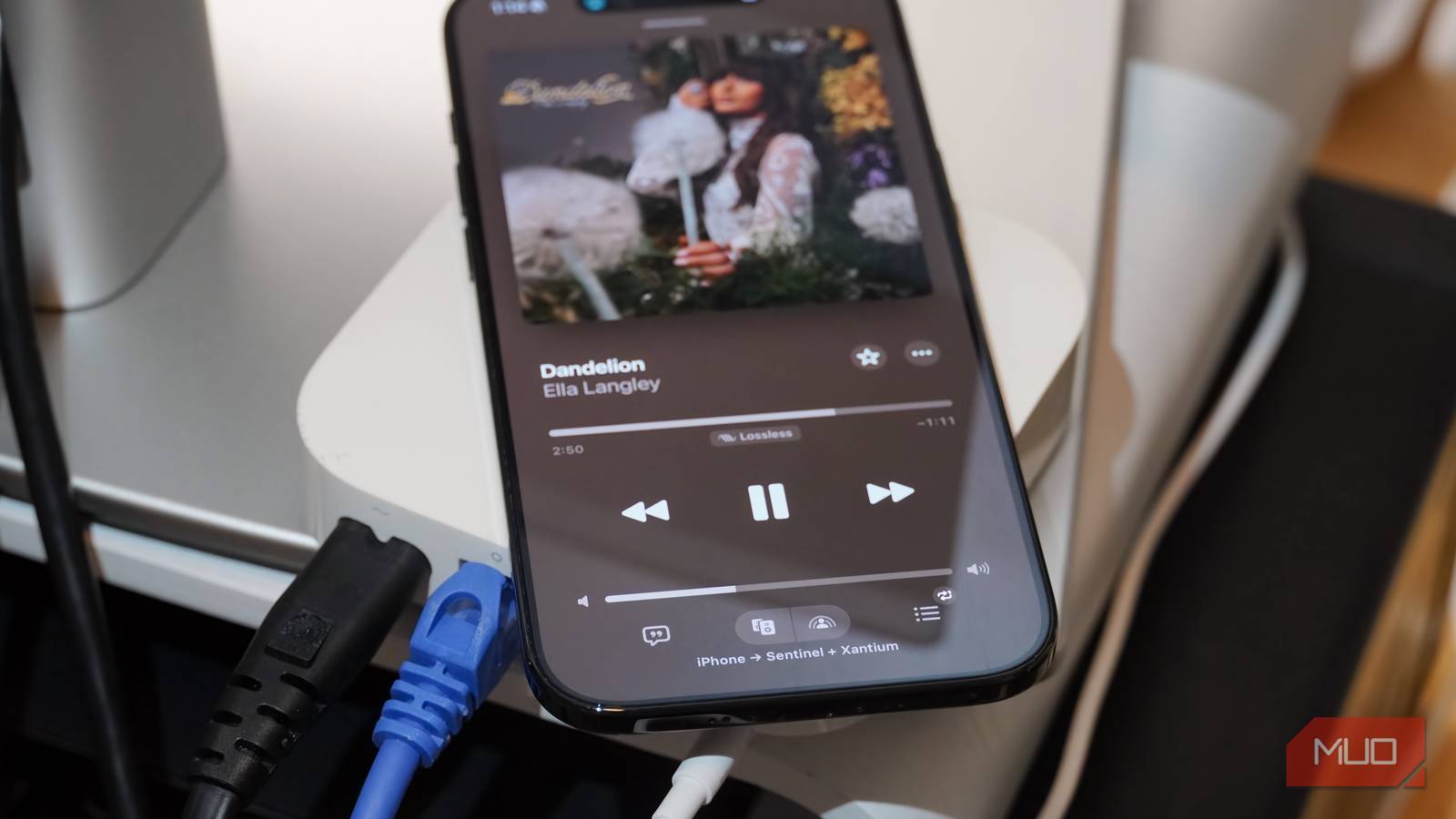
The secret to turning any wired speaker system wireless on a budget is Apple’s AirPort Express router hardware. This hack is not new — people have been using AirPort Express base stations to create multi-room listening stations for over a decade. However, you might be surprised by how well the method still works today. The second-generation AirPort Express, first released in 2013, was upgraded to AirPlay 2 thanks to a firmware update. It unlocks wireless 44.1 kHz, 16-bit audio streaming, which is CD-quality sound.
Comparable systems powered by HomePod or Sonos speakers can quickly cost thousands when multiple rooms are factored into the equation. Although the HomePod 2 costs $300 each — that’s a quick $600 for a stereo pair in just one room — AirPort Express base stations are incredibly cheap and support the same AirPlay 2 streaming standard. Best of all, they connect with the entire AirPlay 2 ecosystem. If you have modern AirPlay devices, they can integrate with decades-old speaker systems using AirPort Express gear.
The entire setup process took under 10 minutes. For those that aren’t deep into the Apple ecosystem, it’s worth noting that you don’t have to be to take advantage of AirPort Express hardware. The initial configuration process is quite limited, officially requiring an iOS or macOS device to set up an AirPort Express base station. Alternatively, it is possible to use a Windows 7 virtual machine to configure AirPort Express base stations using the now-defunct AirPort Utility for Windows app.
It’s worth noting that you only need to complete this setup process one time to use AirPort Express base stations on your network. Have a friend or family member with an iPhone or Mac? Invite them over, borrow their device for a few minutes to configure the routers, and get ready for hassle-free wireless multi-room music streaming.
How to Use AirPlay on Windows
Your Windows PC is about to become an honorary Apple device.
As for streaming music to AirPort Express speaker systems after the initial setup process, it’s easier than you think. Apple users will find wired speakers converted to wireless AirPort Express units appear as normal AirPlay 2 speakers with no additional steps required. Android or Windows users will need to download apps like AirMusic or AirParrot to add AirPlay support to their devices, but it’s definitely possible.
I made powered and passive speakers work with AirPlay 2
Simply use a 3.5mm cable to connect an AirPort Express to your hardware
Connecting my wired speaker systems to AirPort Express base stations was a way easier endeavor than I imagined. Since I bought these routers secondhand for a few dollars each, I performed a hard reset by inserting a SIM eject tool into the reset pinhole and powered on the device.
After waiting for the AirPort Express to reset and restart, I connected the base station to my network with an Ethernet cable. It’s not ideal, but due to limited wired network access in my apartment, I plugged the AirPort Express straight into a Google Nest Wi-Fi Pro wireless access point. From there, I launched the AirPort Utility and followed the prompts to use the base station as an extension of my existing Wi-Fi 6E network.

I named the base station, set a password, and let AirPort Utility finish configurating the device in the background. Sure enough, after I plugged my speakers into the AirPort Express base station using the 3.5mm headphone jack, it appeared as an AirPlay 2-compatible receiver on all my devices. You can repeat this process for as many wired speaker setups you own. I configured two to start, but I plan to add more once I buy more AirPort Express base stations.
Apple officially recommends using powered speakers with AirPort Express base stations. I tried connecting one powered and one passive set of speakers, and you can absolutely use passive speakers with a receiver or amplifier in between. Shortly after putting this system together, I used the same speakers hooked up to my turntable and CD player to stream lossless audio from my smartphone with AirPlay 2 across multiple rooms.

I still use iTunes to rip CDs in 2026 for these 3 reasons
iTunes isn’t the most accurate or most powerful CD ripper, but it’s the best for most people with demanding digitizing needs.
It’s still the simplest way to attach speakers to your network
People are practically giving away AirPort Express gear these days

Revisiting the AirPort Express wireless audio hack in 2026 is worthwhile considering just how cheap the hardware has become. I picked up two of them at a Goodwill thrift store for about $3 each, and used Ethernet and 3.5mm cables I already had lying around. That put my total cost and effort for creating a lossless AirPlay 2 multi-room setup at around $6 and roughly 10 minutes of work. It’s a no-brainer alternative to costly AirPlay 2 or Sonos systems that use modern equipment.
Contrary to popular belief, you don’t need your whole home wired for Ethernet or a deep Apple ecosystem to use AirPort Express base stations for audio streaming. It’s easy to get by with creative alternatives, like borrowing an iOS or macOS device and using a wireless access point as an Ethernet connection. I’m still going to use my hi-fi listening station with a cable whenever possible, but it’s nice to know I can switch to whole-home wireless streaming on a whim.