





Music streamers can listen to their favorite songs in surround sound with formats like Dolby Atmos. This Dolby format creates a three-dimensional immersive audio experience using object-based masters. Producers and artists can choose exactly where to place a sound in a virtual spatial environment for maximum effect. This sounds impressive to people used to traditional surround sound formats, which rely on fixed-channel sound that lacks dimensional height.
Dolby Atmos is over a decade old, but it’s become more common for music streaming, so you may be trying it out for the first time. However, listening to music in Dolby Atmos isn’t as easy as flipping a toggle or enabling a setting. The format requires specific streaming services, phone models, and audio gear to work properly. All it takes for your songs to revert to stereo is having one part of your audio setup that is incompatible with Dolby Atmos.
Avoid Spotify and YouTube Music
Make sure your music streaming service supports Atmos
Creating a Dolby Atmos master is a manual process. Producers and artists use a digital audio workstation (DAW) to manage up to 128 tracks of object-based audio, and they control exactly where each of these tracks sounds like it’s coming from. After the 3D object panning process is complete, the tracks and metadata are sent to the Dolby Atmos Renderer. Artists monitor the mixing process and make changes in a premier studio with either a 5.1.4, 7.1.4, or 9.1.6 speaker layout.
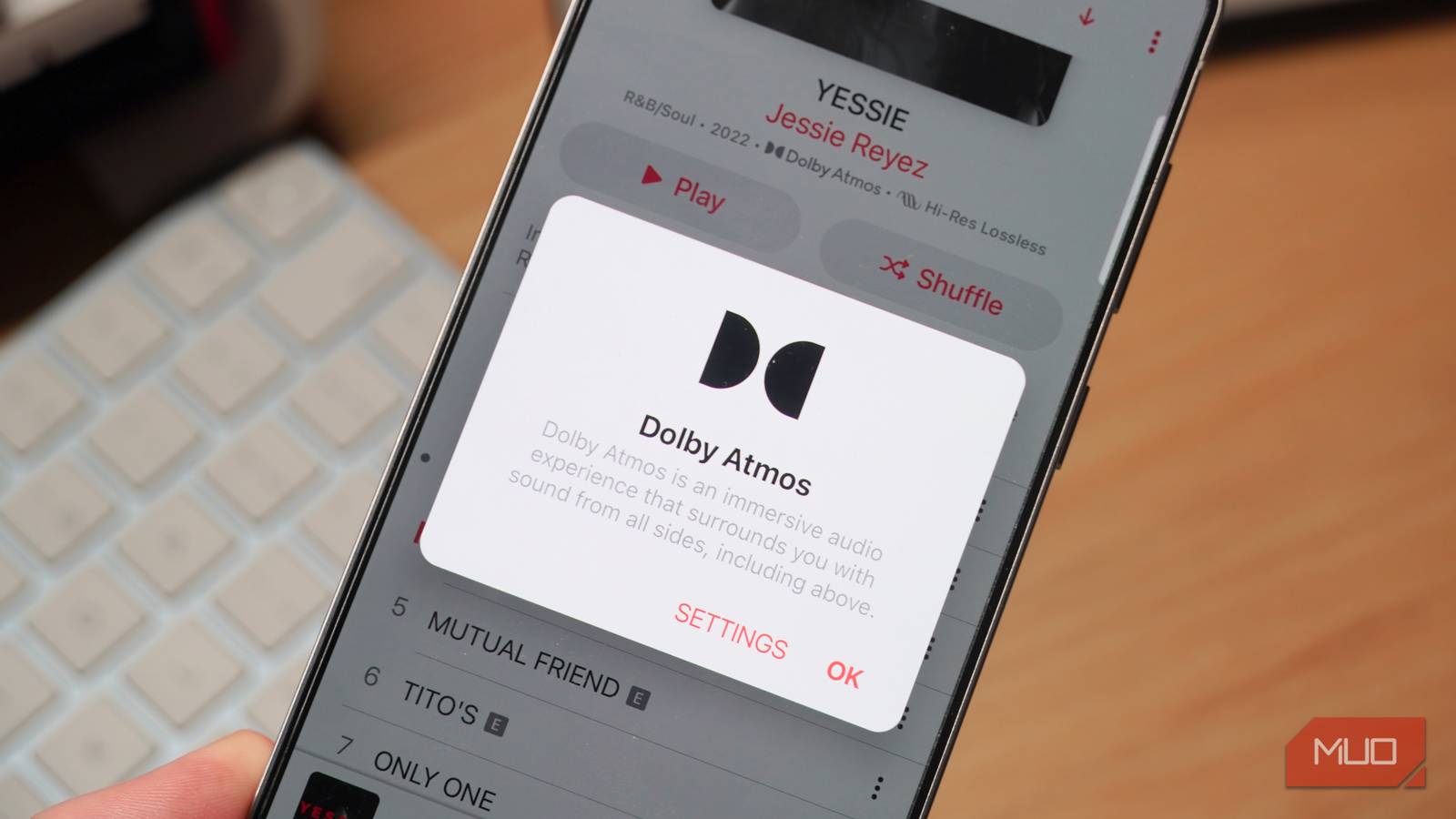
Not every song available on a streaming service will have a Dolby Atmos version. In fact, some major streaming services do not support Dolby Atmos masters at all, including Spotify and YouTube Music. If you are using these platforms, you’ll need to switch to an alternative music source to get immersive audio. Apple Music, Amazon Music Unlimited, and Tidal all offer Dolby Atmos for certain songs.
Check that the streaming service you use supports Dolby Atmos before attempting to stream in spatial audio. If you prefer to own your digital audio files rather than stream them, you can find sites like Immersive Audio Album and Pure Audio Recordings that specialize in Dolby Atmos downloads and physical releases.
Ensure your phone supports Dolby Atmos
You might be surprised to learn some devices don’t offer it
Making sure your favorite album or streaming service uses Dolby Atmos is only the beginning. It’s also essential to double-check that your phone, or other audio source supports Dolby Atmos. Apple introduced Dolby Atmos through compatible headphones on the iPhone XS, iPhone XR, and iPhone 11 series. The iPhone 12 lineup was the first to add full Dolby Atmos support, including through the phone’s built-in stereo speakers.
Samsung started equipping Galaxy phones with Dolby Atmos support starting with the Samsung Galaxy S9 series. The immersive audio format has since been adopted across all subsequent models in the Galaxy S, Galaxy Note, Galaxy Z Fold, and Galaxy Z Flip product lines. Dolby Atmos support on smartphones beyond those made by Apple and Google is less common, though.
OnePlus phones supported Dolby Atmos for a while, between the OnePlus 7 series and the OnePlus 12 series. The company abruptly dropped Dolby Atmos support on the OnePlus 13 series, and it didn’t make a return on the OnePlus 15. On the other hand, Google has never offered Dolby Atmos on a Pixel phone. If you have a recent OnePlus phone or any Pixel phone, you’re out of luck — Dolby Atmos won’t be available.
Use a supported receiver and speakers
Every part of your home audio system needs Atmos compatibility

Finally, if you have a home audio setup and want to play Dolby Atmos tracks, you’ll need to make sure it’s compatible with the format. Those with an existing home theater setup and a Dolby Atmos-supported receiver will have a fairly easy time. They’ll simply need to add two speakers directly above the listener — ideally with an angled, down-firing design — to their Dolby Atmos receiver for playback.
Renowned audio brands like Onkyo, Denon, Yamaha, and Sony all make A/V receivers with Dolby Atmos support, and you can review the full list on Dolby’s website. With a surround sound setup, it’s not necessary to choose a specific speaker model. By adding any set of speakers above the listener, you will cover the height dimension required to play Atmos tracks through a supported receiver.
The exact speaker model matters if you aren’t using a dedicated surround sound system with a Dolby Atmos receiver. You can play spatial audio tracks with only a speaker or soundbar, but it must be on Dolby’s supported list. Notable speakers and soundbars with Dolby Atmos include the Apple HomePod, Sonos Era 300, and the Bose Smart Ultra soundbar. Without a supported speaker, soundbar, and/or receiver, your Dolby Atmos content will revert to stereo.

This Is Why I Use Separate Speakers for Music and TV Audio
It feels like overkill, but trust me: your music and TV will sound so much better.
Why Dolby Atmos is (and isn’t) worth the hassle
It’s possible to stream music in Dolby Atmos without ever running into these limitations. Using Apple Music, Tidal, or Amazon Music Unlimited on a recent iPhone or Samsung Galaxy flagship is seamless. In these cases, it’s certainly worthwhile to stream in Dolby Atmos to get an immersive spatial listening effect.
Throw in an unsupported streaming service, smartphone, or speaker, and things become much more complicated. You might find yourself giving up lossless stereo or Dolby Atmos for 256kbps AAC because of unsupported hardware. By checking these three parts of your setup, you can find the weak link in your Dolby Atmos setup.