




Free and open-source music player apps are appealing to audiophiles and music lovers who want a subscription-free listening experience. There are many open-source music players for Android out there, and I’ve tried a handful of them, including Harmony Music, OuterTune, and PixelPlay. In fact, GitHub users rounded up 24 free and open-source music players for Android in a repository, so they’re easy to find and navigate. However, if you’re new to the world of FOSS players, you might be wondering where to start.
After trying the best ones, my top pick is Echo, an extension-based music player that leverages both online and offline content. At its core, Echo is simply a stylish and customizable offline digital audio player. It’s pretty good at doing that alone, but the experience is game-changing when you factor in music, radio, tracking, lyrics, and video extensions. Echo can be as simple or as complex as you make it, and that’s why it’s great.
Echo is a music player built on extensions
Elevate your audio files stored on-device
By default, Echo is a free and open-source music player that runs completely offline. It’ll auto-detect music files stored on your smartphone and make them playable within Echo. Aside from audio files stored on-device, it can also tap into self-hosted music servers, like a Jellyfin NAS. But since Echo is an extension-based music player, self-hosted files are just the beginning.
You can access extensions in Echo by tapping the Extension icon and pressing Add Extension. The app uses codes to access available extensions. The catch-all codes for adding Echo extensions are either extension or extensions. Entering these codes will bring up the most popular Echo extensions, and you can download your favorites all at once. Some extensions might require individual codes; for example, the code for EchoDown (a music downloader) is simply echodown.

These extensions elevate the standard listening experience you get from your on-device audio files. A lossless FLAC track won’t include metadata or lyrics, but there are five lyrics extensions to choose from: Lyrics Translator, Genius, Kugou, LRCLIB, and MusixMatch. Choosing one of these lyrics extensions makes song lyrics for your offline music files available within Echo, saving you the need to switch to a dedicated lyric app.
Another neat extension is Last.fm, which can track all of your music listening in Echo — that includes both offline music files and online music streaming. If you’ve ever been frustrated that your Spotify Wrapped or YouTube Music Replay is off because it doesn’t include your on-device audio playback data, switching to Echo with Last.fm integration will solve that problem.
Use multiple music streamers in one app
Want YouTube Music, Spotify, and Deezer? They’re all here
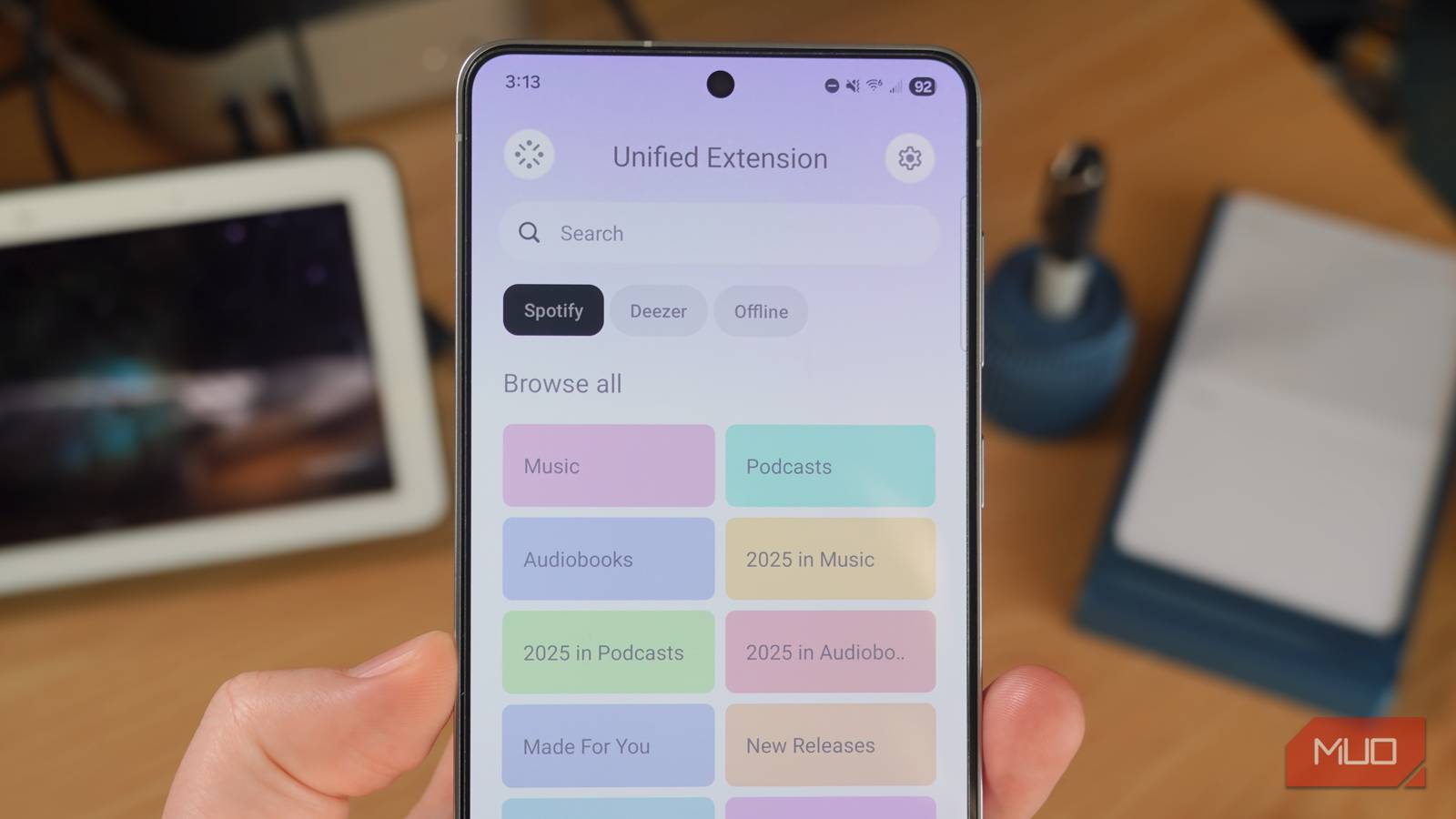
I personally like to use a mix of offline audio files and music streaming apps for daily listening, and Echo is the perfect app for this use case. You can add extensions to popular music streaming services for Echo, including YouTube and YouTube Music. This integration often works without signing in to your Google account, making it a great free way to browse and stream content. In addition to YouTube Music, Echo supports extensions to Spotify and Deezer, both of which require logging in to your accounts and an active subscription for full access.
Free options include extensions to iHeartRadio, Radio Browser, and TuneIn. These connections allow users to play music, browse radio stations, and listen to live content within the Echo app. Using the Unified Extension, you can use the Echo app while tapping into every extension you have installed. This is great for finding songs only available on certain streaming services or stored on your device, without needing to remember exactly where they’re located.
Although the Echo music player supports a wide range of file types, streaming services, and downloaders, it is your responsibility to follow local copyright laws. Only access music and media via legal means.
I use Echo exclusively for music, but it’s neat that the app supports social and video extensions, too. There’s a Discord extension that lets you share your now-playing music as a status using Rich Presence, though there are known issues with this extension. For video, you have Cineby and IPTV for watching movies, TV shows, and IPTV streams.
Again, it’s up to you to ensure you have the rights to access any content you incorporate via extensions, since Echo is an offline player by default that doesn’t host any content. There are free and legal ways to find songs and audio tracks for Echo.
Echo is versatile and customizable
There’s support for downloading and visual changes
Echo is an intriguing option for anyone who uses a mix of streaming services and on-device audio files. Being able to access them all with a single free and open-source app is incredibly useful. As someone who can’t stand the visual user interfaces of Spotify and YouTube Music, the clean and customizable UI of Echo is a sight for my sore eyes. It’s heavily customizable, with support for choosing custom themes, a pure black dark mode for AMOLED screens, and more.
If you’re looking for a new FOSS audio player for Android, it’s worth checking out Echo. The app is the most versatile music player I’ve tried, and I don’t expect to leave it behind anytime soon.

- OS
-
Android
- Price model
-
Free and open source
Echo is a free and open source music player app for Android. It’s an extension-based app that integrates with Spotify, YouTube Music, Deezer, and more while offering quick access to your on-device music files.