





AI tools like Google Gemini, ChatGPT, or Meta AI require perfect prompts to deliver results. Even paid subscriptions struggle to produce desired results if your input is vague. However, crafting the perfect prompt for trends like creating Ghibli artwork on ChatGPT, animated videos on Meta AI, and drone shots from a static image on Google Flow can be challenging. That’s where I found MyPrompts.io. It acts as a repository for all your perfect AI prompts, negating the need to type them every time you open a new chat. But there’s more to MyPrompts. Let us get right into it.
Log in, save your prompts, and you are good to go
Now, you may ask why MyPrompts is better than any other note-taking app. There are several reasons for it, but the most important one is that with MyPrompts, you get to categorize each prompt for what it does. Unlike a regular notepad app, where you would have to create multiple new files for each prompt type, MyPrompts lets you create as many categories as you want and feed your AI prompts to it.
I did try Notion and Evernote (which is my default note-taking app on my iPhone 17 Pro and Galaxy S25 Ultra). Both required me to use a certain template or throw a barrage of ads before I could actually use them. MyPrompts is absolutely free and gives you whatever you need as soon as you open the page, of course, after you create an account.
One thing that I would like to highlight is that while MyPrompts is free and will remain free, at least the AI prompt management part, the team behind this tool is considering bringing a premium paid tier for some advanced features.
As far as support is concerned, you can use MyPrompts from any device or any web browser. All you need to do is log in to your account, and you are all set. Currently, there are zero limits on how many prompts you can save and categorize.
Setting it up and saving prompts is a breeze
No unnecessary account linking
Let’s face it. There are so many AI websites (since we are talking about AI) that ask you to either log in to your Google, Apple, or Facebook accounts. Some even ask you to fill in your phone number and go through some weird verification process. Thankfully, that is not a thing with MyPrompts. All you need is a username, your email address, and a new password, and that’s about it. You are in and ready to save all of your precious prompts. It aims to bridge the gap between a good idea and the best execution so that you don’t have to brainstorm for the prompts every time you want to use them.
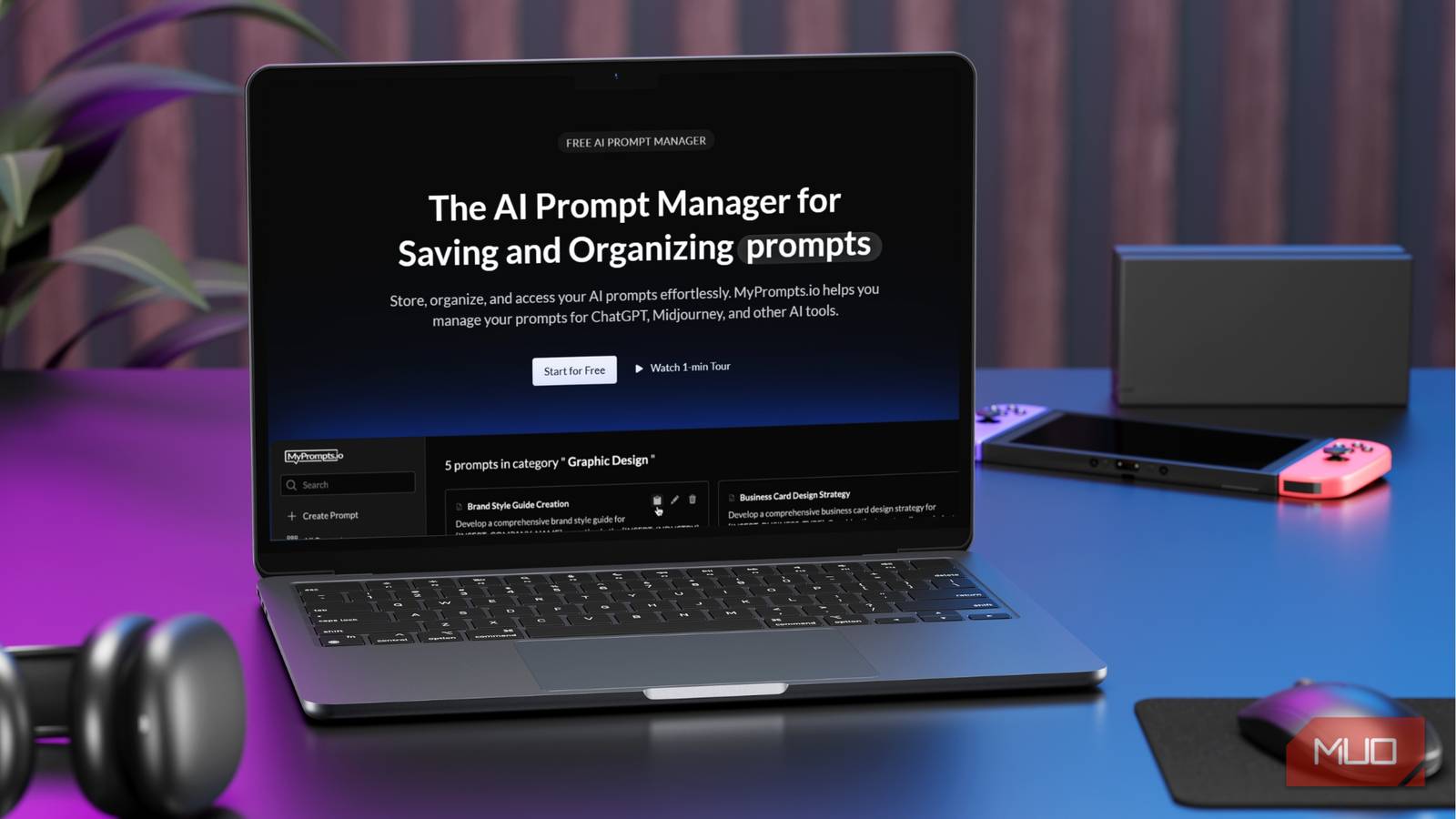
On the left pane, you will see options such as Create a prompt, All prompts, and the option to create a new category. Clicking create a prompt brings a window on the right side, where you need to fill in details about the prompt, such as its title (for easy identification and what the prompt does), select the prompt type, select a category (if you have already created one), and finally, the actual prompt.
If you already have the exact prompt that worked the best for you, then you can simply copy and paste. But if you don’t, then you can type the prompt, which might take some of your time. Once done, you need to press Create Prompt, and you are done. You can change the category of the prompt even after you have created the prompt.
Creating a category is also easy. You expand the Categories section on the left pane, tap on the + icon, and enter a name, description, and slug, and that’s it. If you don’t choose a category for your prompts, then they will remain in the Uncategorized section.

This Is the Best Free AI Image Generator That No One Talks About
It’s free, fast, and oddly under the radar.
Easy to set up, easy to use, and secure

MyPrompts works with any AI tool that has a text box. You can easily copy and paste your saved prompts on the MyPrompts.io database with its one-click copy-to-clipboard feature to any AI tool and let the magic happen. You get a clean interface; you aren’t shown any ads, it doesn’t ask you anything apart from your email address, and it keeps your AI prompts well-managed. All this for no cost — what more can you ask for?
Since it is a free tool, I had my reservations about how it handles the data. Though it is never wise to include personal information in a prompt or text, sometimes the format requires you to enter a few personal details. Digging into the FAQ section of the MyPrompts website gives a clear picture.
It says, “Your AI prompts are protected by modern web security standards. Your data is private by default and will stay that way.” The company further assures that as soon as you delete your account, all of your prompts and data will be permanently deleted.
AI prompts management made easy
Overall, MyPrompts is a great tool if you use AI in your everyday life. You can easily store all of your prompts that you find interesting on Instagram or other platforms on the website and use them whenever required without needing to enter them manually. It offers an ad-free, no-cost, clean interface with robust security. You also get to categorize all of your prompts, allowing you to keep image and video-related prompts under one roof and coding-related prompts under another. MyPrompts ensures that you have the best AI prompts just one click away.