






In today’s world, almost everything around us has become smart. From TVs to vacuum cleaners, we are constantly surrounded by connected technology. But these smart glasses have genuinely changed the way I experience the world around me. And it does not stop there! They have effectively replaced my wireless earbuds and even my smartwatch in daily use.
If you were to ask me about the best tech purchase I made in 2025, this is it.
What’s special about these smart glasses?
A lot more than just glasses
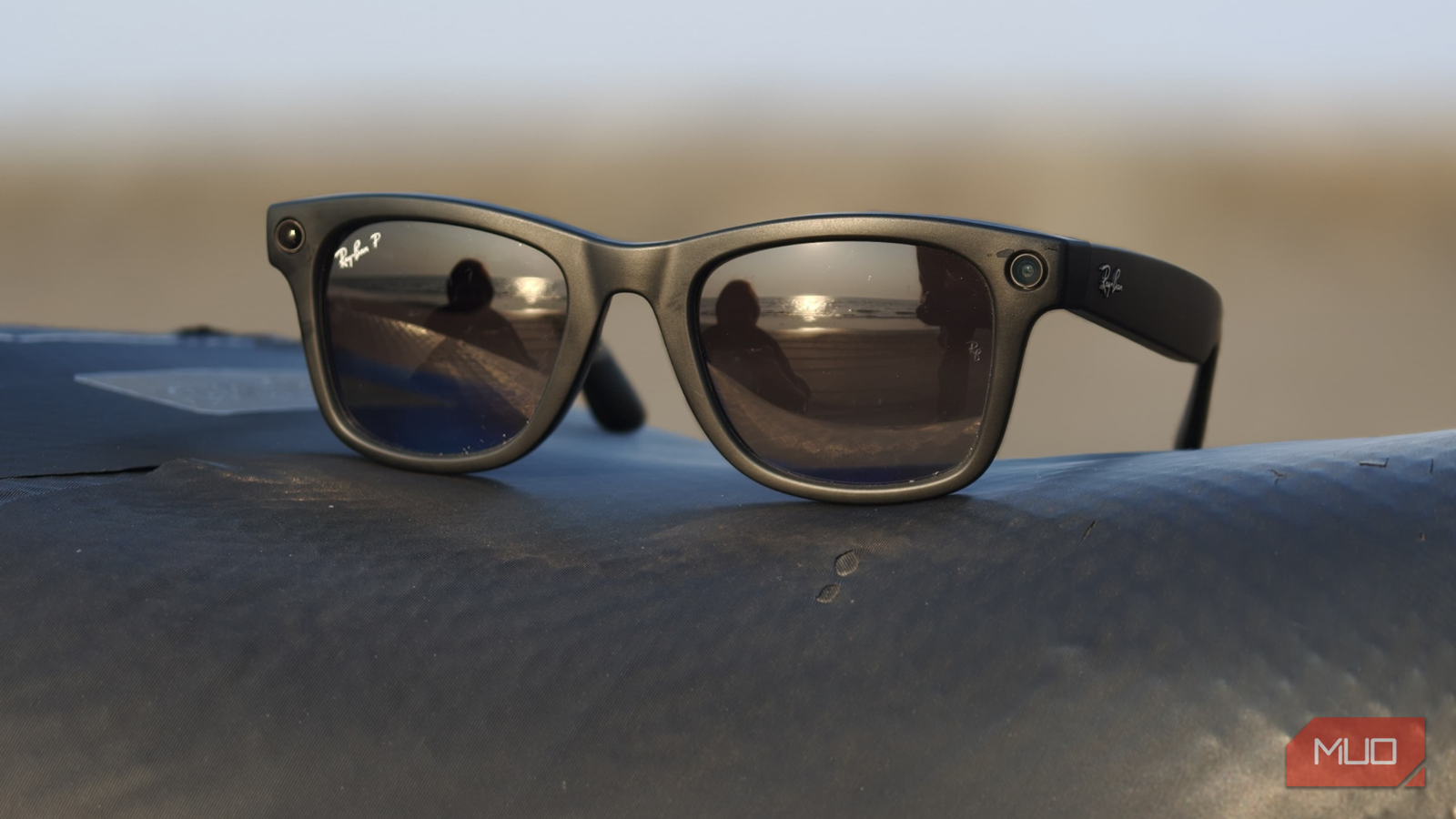
The Meta Ray-Ban smart glasses I have been using can capture photos and videos, read incoming messages aloud with voice prompts, let me control features with simple voice commands, and even come with built-in speakers for music as well as calls. All of this happens without having to take out my iPhone.
I have been using the first-generation Meta Ray-Ban smart glasses, and for a Gen 1 product, the experience has been surprisingly polished. Once you understand how they work, they feel more like an extension of your daily routine. If you want a detailed and easy-to-follow explanation of how smart glasses work, this guide breaks it down clearly.
Setting up the smart glasses
As easy as pairing earbuds

Setting up the Meta Ray-Ban smart glasses is just as straightforward.
- All you need to do is download the Meta AI app.
- Sign-in to your account or create one if you do not already have one.
- Place the glasses inside their case.
- Press the button on the back of the case to begin pairing.
Once that is done, simply follow the on-screen instructions to connect the glasses to your phone. The entire process feels familiar and effortless, much like pairing a set of wireless earbuds or a smartwatch.
How they fit into my routine
A day feels incomplete without them
Ever since I bought these smart glasses, I haven’t missed a single day of using them. I keep discovering small, thoughtful details over time, and the experience genuinely gets better the more I use them. For instance, just today, while parking my car in the mall’s basement, I asked Meta to remember the parking slot number for me. When I returned, it told me exactly where I had parked, saving me the usual wandering around.
Most of my usage, though, revolves around capturing quick, spontaneous photos and videos, moments I’d otherwise miss if I had to pull out my phone. The way this is handled is also fairly considered, with clear indicators that let people know when they’re being recorded. While smart glasses raise privacy concerns, in day-to-day use, they never feel intrusive or uncomfortable and don’t get in the way of the overall experience. With these glasses, I just have to click the side button, and I am good to go. Everything that’s recorded is saved to the Meta gallery within seconds, which makes accessing and sharing content incredibly convenient.
While I am on the move, whether driving or simply walking, I no longer carry my earbuds. In fact, smart glasses can even replace your workout earbuds. The built-in speakers on these glasses are surprisingly clear, with minimal sound leakage. I can take calls, listen to music, and have Meta read notifications.

One feature I rely heavily on is in-car notifications. I can simply ask Meta to read my notifications aloud, which helps me decide whether something needs my immediate attention without taking my eyes off the road. In many ways, these glasses have reduced my screen time, as I honestly no longer feel the need to check my phone.
Since I use the polarized version, they are best suited for daytime use. Using them at night can cause curious stares.
It’s not all perfect
A few bumps along the way

While these smart glasses largely deliver on my expectations, they are not without their limitations. For instance, if I am recording photos and videos continuously while on the move, the battery drains noticeably faster. This becomes especially evident during longer outings, when I often get a low battery warning much sooner than I would like. In moments like these, the experience does take a hit, and improved battery endurance would be a very meaningful difference.
Another limitation is a three-minute cap on video recordings. This can feel restrictive, especially when you are trying to capture a moment that naturally lasts longer. Some memories can’t be wrapped up within a fixed time limit, and this constraint breaks the flow.

RayNeo Air 2S Review: Biggest Virtual Screen Yet, But Too Awkward for XR
The RayNeo Air 2 offers a massive virtual display from HD OLED panels, but the fit and comfort leave something to be desired.
Audio experience is another area where the experience can falter. During calls, especially in windy situations (when I am driving), the call quality drops and the conversations become less clear. When this happens, the otherwise seamless experience starts to feel a bit rough around the edges.
That said, no piece of technology is perfect. Despite these shortcomings, the overall experience remains impressive, and these trade-offs feel like parts of the growing pains of a product that is still evolving.
Flaws aside, I wouldn’t take them off
Which gadget is truly flawless? None, and that’s perfectly fine. These smart glasses have genuinely earned a place in my daily routine. I still enjoy the reactions when people realize I am recording through my glasses; it never fails to spark curiosity. More importantly, the fact that I can put them on once and forget about them for the rest of the day speaks volumes about the product itself.

- Brand
-
Meta
- Speakers
-
Two custom-built open-ear
- Weight
-
50 grams
- Field of view
-
12MP ultra-wide
Ray-Ban Meta Smart Glasses offer improved comfort and new AI features. They also provide immersive spatial audio for podcasts and music, while the stylish design of both the glasses and case will satisfy the fashion-conscious.