





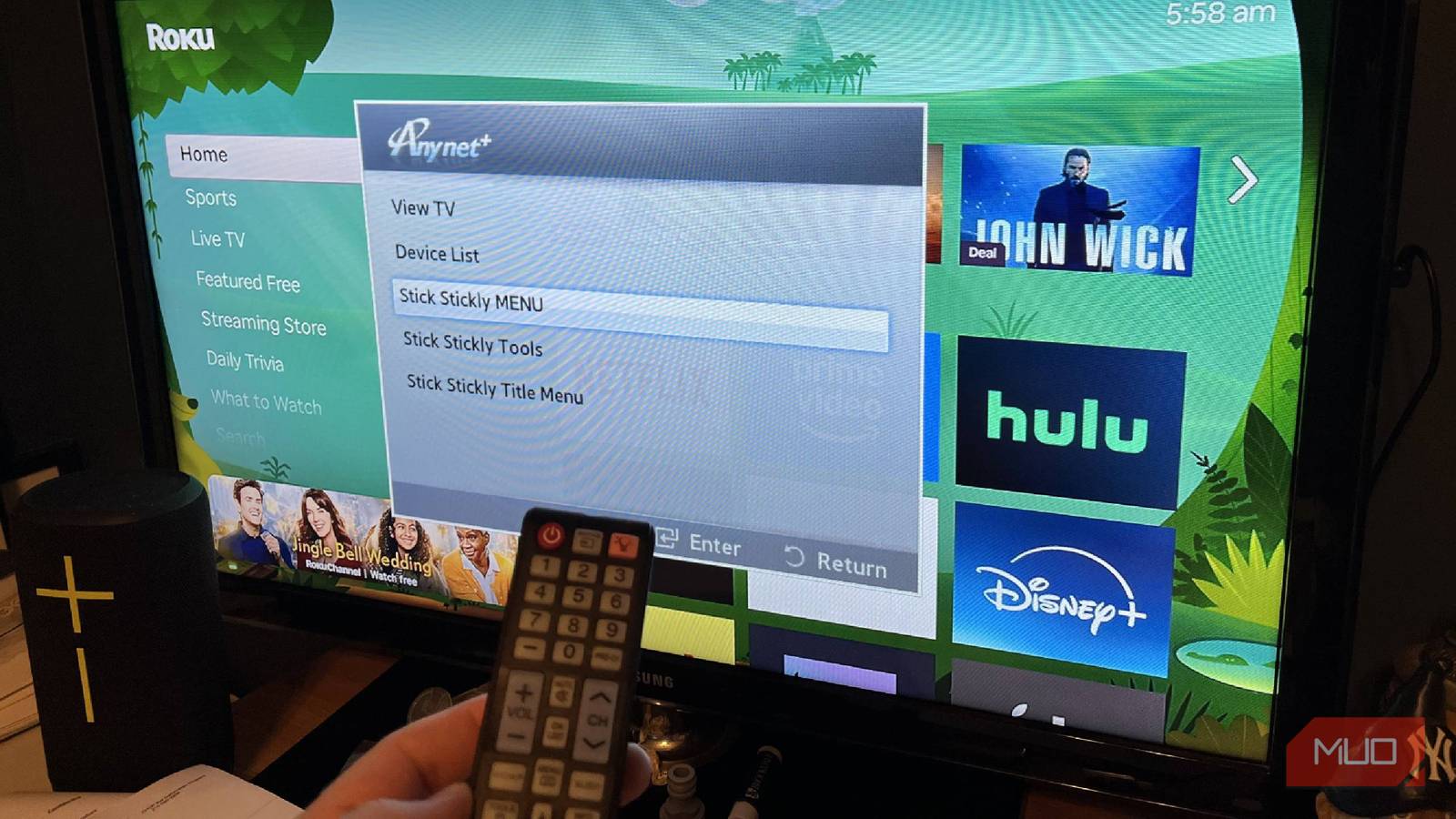
Watching TV at home can be made easier if you actually pay attention to the features your TV gives you. This may seem strange, because, of course, you know everything that happens with your TV. But the truth of the matter is, you probably aren’t capitalizing on some of the best features your TV has to offer.
This could mean changing the TV’s modes to better match what you’re watching, as many TVs offer different color profiles for movies, live TV, and more. You may also not know that you can use picture-in-picture by mirroring another device to your TV. However, there’s also a way to control your TV or streaming device with one remote, which people often overlook and is built into many TVs.
HDMI-CEC helps you control other parts of your TV
CEC stands for Consumer Electronics Control
HDMI-CEC is a feature that is built into HDMI technology. If you’re plugging something into the HDMI port of your TV, it’s very possibly an HDMI-CEC-compatible device, as it has been a standard physical element for nearly 20 years in HDMI technology. If it is an HDMI-CEC-compatible device, it means it can communicate with other compatible devices.
This means the technology can eliminate the need for separate remote controls for different devices. You’re able to control things that are plugged into your TV with one standard remote device. This could be your TV’s remote. But it can also be a gaming console, a streaming device’s remote, and more.
HDMI-CEC is basically just a way for you to simplify all that you need to control your TV. It’s important to understand that many of your devices connected to your TV via an HDMI cable are likely HDMI-CEC-compatible. Most things made with HDMI cables that you’re going to be plugging into your TV are.
It’s smart to be strategic about how you’re using HDMI-CEC.
It helps simplify the process of maneuvering around the inputs of your TV. If you have multiple sources that you have things plugged into, aka many different HDMI ports that are occupied, you can cycle through them without having to pick up remotes for each device.
How it is most commonly used
People just like to make things easier
Depending on the manufacturer of your TV, HDMI-CEC is named something different. Annoyingly, you aren’t likely to see the term HDMI-CEC anywhere on your physical TV, even though that would be incredibly helpful to let you know whether your TV offers it.
Many smart TVs do, so if you aren’t sure whether your TV does, you can cycle through the sources of your TV and look for these descriptions, like some of the most popular options:
|
Manufacturer |
HDMI-CEC name |
|---|---|
|
Insignia |
INlink |
|
LG |
SimpLink |
|
Panasonic |
HDAVI Control, EZ-Sync, VIERA Link for CEC |
|
Philips |
EasyLink, Fun-Link |
|
Roku TV |
1-touch Play |
|
Samsung |
Anynet+ |
|
Sharp |
Aquos Link |
|
Sony |
BRAVIA Link, BRAVIA Sync |
|
Toshiba |
CE-Link, REGZA Link |
There are a few manufacturers, like Vizio and Hitachi, that just use HDMI-CEC or CEC as the name.
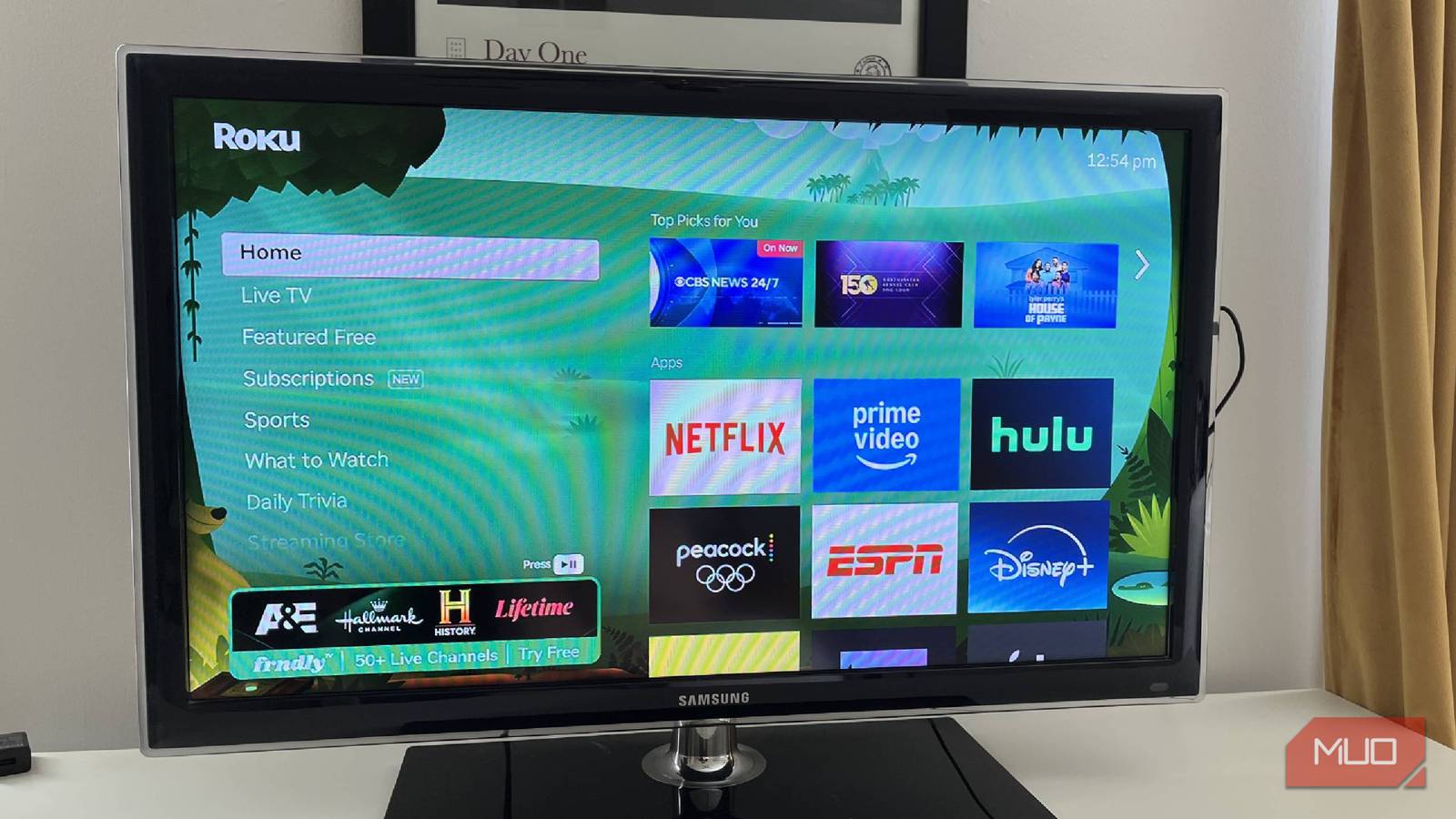
When you are looking to use HDMI-CEC, you’re likely going to be achieving one of a few different tasks. The top option and likely most common one is to do what Roku TV dubs “1-touch Play.” Essentially, if you have it enabled on your Roku streaming device, as shown in the photos above, you can press a button on your Roku remote, and it will automatically switch your TV to Roku’s input.
As I have a TV in my office that doesn’t have a cable box or a game system that I use for it, its main purpose is for Roku access. I don’t even bother with the regular TV remote. Once I enabled the 1-touch Play portion of the Roku Streaming Stick, I could just use the Roku remote to turn the TV on. I cycle through everything I need to with the remote, as there isn’t anything else plugged into the HDMI ports.
However, if I do want to adjust the volume, I do have to rely on the remote from the TV. While HDMI-CEC is handy for a lot of things, it isn’t perfect. In fact, even when you have many devices plugged into your HDMI ports, it can get a bit messy. If you have all of them enabled (which many come purposefully turned off, making you have to go into the settings of each device and turn them on), pressing a button on the remote you’re using can cause one thing to turn on or another to turn off, when you meant it to happen the other way.
It’s smart to be strategic about how you’re using HDMI-CEC. Other commands that you can use with HDMI-CEC include pressing record and having an attached recording device start, forcing the TV to switch inputs from one device to another, controlling the volume from one device to another one that’s plugged in, and using one remote to put other devices into a standby mode.

Smart TV Remote Lost Again? Try These Brilliant Solutions
If you’ve lost your TV remote, it’s not the end of the world.
You may have used the technology without knowing it
Have you used a soundbar before?

Installing a soundbar on your TV is a great way to enhance your audio during viewing. But having to grab a separate remote to control the soundbar that doesn’t come with your TV can be a hassle. By using HDMI-CEC, you can control your soundbar from your TV’s remote. It’s one of the most obvious ways to use the feature.
The same goes for plugging in a gaming console. If you put your Nintendo Switch into its dock and have HDMI-CEC enabled, you can immediately switch over to that input on the TV without having to do anything. This will let you use the controller for the system to control what’s on the TV.
The way that you’re going to find the feature is by looking in your TV or device’s settings menus. Search for a setting like System or General and look for something that mentions devices. It may say external devices, but it may not. That is where you’ll find the name that your TV’s manufacturer has given HDMI-CEC. If you enable the setting, you’re free to use it on the TV.
HDMI-CEC is right under your nose
HDMI-CEC aims to let you control things plugged into your TV from one standard remote. Whether you’re lowering the volume on your soundbar from your TV’s remote or using your Roku remote to switch over to its device’s input, HDMI-CEC is a simple technology that you should be taking advantage of. Many manufacturers have different names for the feature, which can be frustrating. But once you’ve found yours, enabling it can make your TV usage simpler.