




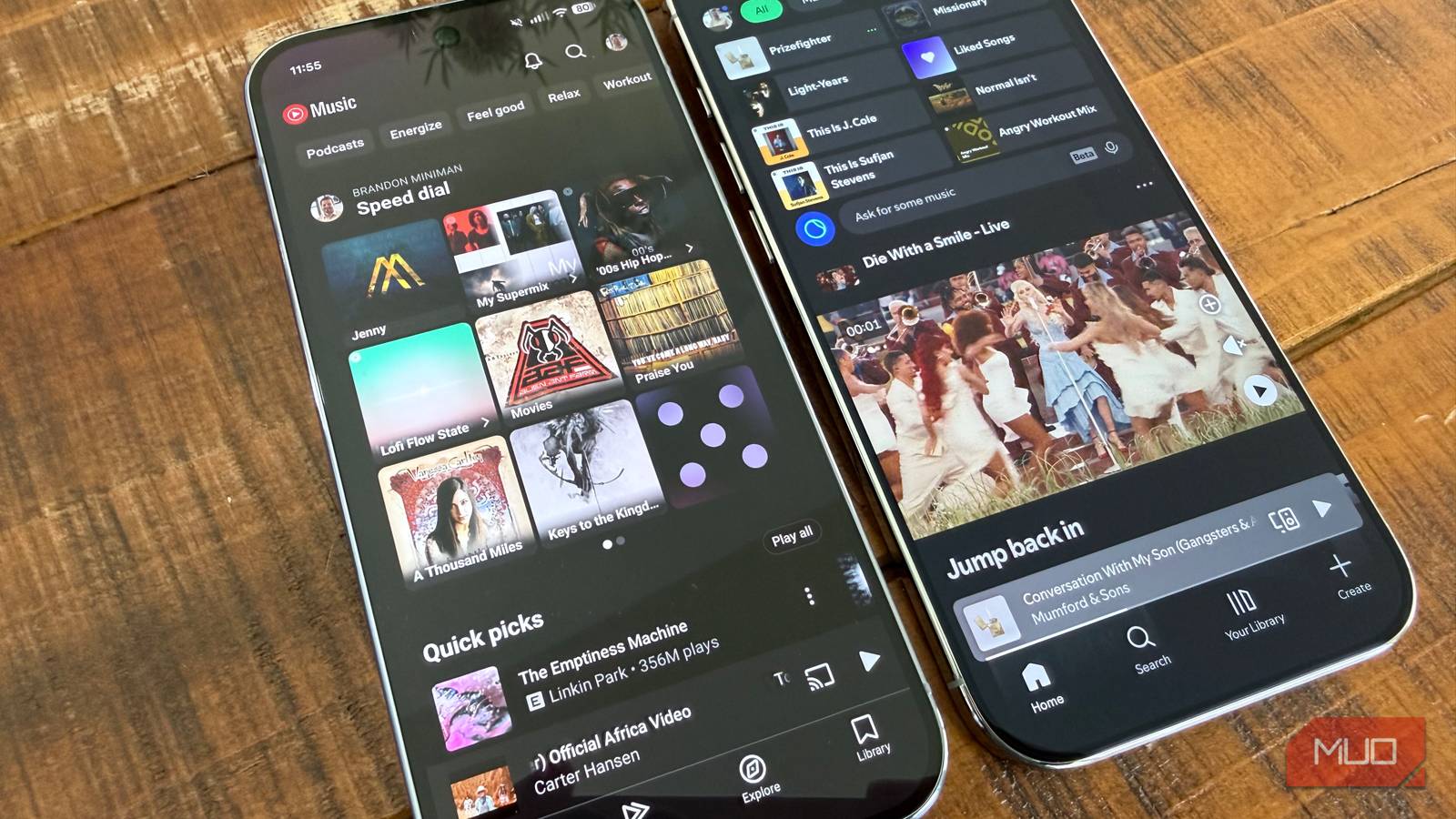
When it comes to streaming services, most people just pay for Spotify and call it a day, myself included, but make sure you manage your storage and also don’t be tempted by lossless audio. The truth is that other streaming services have come around not only offer a better experience, but also better value. If you’re blindly paying for Spotify every month without considering YouTube Music, you’re missing out because of three key reasons that come down to cost, content selection, and the background listening experience.
It’s the most economical
When combined with YouTube Premium
Spotify premium costs $12.99 per month, which gives you ad-free music with offline listening and all other features Spotify has to offer. On the other hand, YouTube Music alone costs less at $10.99 per month. But the best value is paying a little extra, one more dollar to be exact, to get both YouTube Premium for $13.99 per month, which includes both YouTube Premium (which gives you an ad-free YouTube experience and will save you hours per month not having to watch ads if you’re an avid YouTube user like me) plus YouTube Music. What would you rather do: pay $13 for just Spotify, or pay $14 for both YouTube Premium and YouTube Music and have a completely ad-free experience for both music and video? Paying for YouTube Premium and getting YouTube Music too is a huge quality of life upgrade for your entire digital experience.
What would you rather do: pay $13 for just Spotify, or pay $14 for both YouTube Premium and YouTube Music?
It treats millions of YouTube music videos as songs
Something Spotify cannot match

When you access music videos of any kind (concerts, music videos, or any kind of live performances) from YouTube music, the app treats the video content as music content. In that way, no other platform can match the sheer volume of content; YouTube’s music catalog is comprised of both every song available on the platform (which amounts to over 100 million songs, like Spotify) plus every music video on YouTube. This is a great combination — you can add any music video, whether a Coachella set or Tiny Desk concert, to playlists on YouTube Music alongside your regular streaming tracks to have an immense library of content from which to choose. You can even find unreleased tracks on YouTube Music, along with rare B-sides and demos, all of which are available for listening.
It’s best for background listening
YouTube Music has extensive mood and vibe-based playlists
Recently I switched from Spotify to YouTube Music specifically because of the amazing selection of mood and vibe-based playlists that YouTube Music has available, which is perfect for those of us that use music in the background to help with focus and energy. Spotify also has a great playlist ecosystem, but since most Spotify playlists are made by humans, they are finite.
On YouTube Music, most playlists are algorithm-based and so the number of playlists for specific moods, like Focus, are nearly endless. For example, if you tap on the Focus category in YouTube Music, you get a nearly endless list of playlists that will help you focus, from “Lofi Beats to Study” to many Jazz-based focus playlists (which reminds me of what you’d hear in a coffee house) to multiple custom “Focus Super Mixes” that is catered to my listening history and reflective of my up/down votes on previous YouTube Music selections. What’s more, YouTube Music will also consider your YouTube video watch history in assembling mixes and making recommendations such that it takes into consideration if you for example repeatedly watch live Linkin Park performances. Again, it’s the best of both worlds: music streaming and music videos, all within one app and powering a singular recommendation engine.

6 Ways I Cut My Streaming Services Subscription Costs
Don’t let your streaming services expenses resemble an old cable bill. It’s time to cut those streaming service subscription fees.
It’s built from the ground up for music
Uses the old Google Play Music as a base

Do you remember Google’s original music service, Google Play Music? Before it was shuttered in 2020, back when it was a worthy Spotify rival, Google Play Music had one of the best app interfaces for a streaming service. That was the starting point for YouTube Music, and explains why the YouTube Music app is so fantastic for music listening and not just a fork of YouTube. And like most content services, YouTube Music is available everywhere: it’s natively on Android (of course) but also iOS, and for listening on desktop, YouTube Music has a fantastic web player that most operating systems treat as a first-party music player.
YouTube Music deserves your serious consideration
It’s more economical, has more content, and is better for background listening

The main reason against moving streaming services might be the continuity of your streaming library and listening history. If you’re moving from Spotify to YouTube Music, there are a lot of tools you can find online that will help you easily transfer your music from one service to another. If not for having to transfer your music if you want to switch, if you don’t already pay for a music subscription service, going with YouTube Premium to get both YouTube Premium and YouTube Music for just $1 more than paying for just Spotify is a no-brainer.